Vermillion Insights
March 10, 2026 · Ken Vermeille · 23 min read
The Ultimate Technical Due diligence Checklist: 10 Points for 2026
Our complete technical due diligence checklist for 2026. Covers code, security, performance, and more with actionable insights for investors and CTOs.
In the fast-paced world of tech M&A and venture capital, financial spreadsheets only tell half the story. The other, often more critical, half lies hidden in the codebase, architecture, and engineering practices. A robust technical due diligence checklist is no longer just a good idea; it's the fundamental tool that separates a high-growth asset from a hidden liability. For investors, private equity firms, and acquiring companies, overlooking this step is like buying a high-performance race car without looking under the hood.
This is especially true for subscription app businesses. The state of their technology directly correlates with their ability to iterate on monetization, scale operations, and maintain a high shipping cadence. A messy codebase or a poorly configured subscription toolchain can create a significant drag on growth, turning a promising acquisition into a costly engineering quagmire. A detailed evaluation prevents surprises and provides a clear roadmap for post-acquisition integration and improvement.
This article provides a prioritized, actionable framework to de-risk your investment and accurately value a company's engineering engine. We will move beyond theory and provide specific checks, evidence to collect, and common red flags across key areas like codebase architecture, subscription management, and CI/CD automation. For a thorough understanding and systematic approach to evaluating potential acquisitions, consider reviewing a comprehensive Due Diligence Checklist to supplement these technical points. Our goal is to ensure you're acquiring true engineering velocity, not just a mountain of legacy code and technical debt. Let's dive into the essential checks that will protect your investment.
1. React Native Codebase Architecture & Modularity
The first stop in any React Native technical due diligence checklist is a deep dive into the codebase's architecture. This assessment examines the overall structure, how components are organized, and the architectural patterns employed. For a subscription app, a well-organized, modular architecture is the bedrock of rapid iteration, allowing your team to ship new features, test paywalls, and respond to market changes without being slowed by a tangled codebase.

Why It's a Critical Checkpoint
A modular architecture directly impacts your ability to scale and maintain the application. When business logic, UI, and state management are cleanly separated, developers can work on different parts of the app concurrently with minimal friction. When evaluating the codebase, it's vital to understand strategies to identify, prioritize, and ultimately reduce technical debt to ensure long-term maintainability.
Practical Example: An investor-backed wellness app had a single, massiveSubscriptionScreen.tsxfile managing UI, API calls to RevenueCat, state updates, and user analytics. Every minor change to the paywall required re-testing the entire flow, causing their feature cycle to balloon by over 50%. Actionable Insight: Deconstructing this monolith into smaller, dedicated components (like<PriceCard />,<FeatureList />) and hooks (useSubscriptionStatus) was the first remediation step, allowing them to independently update parts of the paywall.
Actionable Checks & Evidence
To properly evaluate this area, move beyond a surface-level code review. Focus on collecting specific evidence that demonstrates architectural health.
- Component Inventory: Request a list or diagram of all UI components, specifically highlighting which ones handle monetization logic. Practical Insight: A team with a well-defined component library for paywall elements (e.g., buttons, feature lists, price cards) can often experiment with new paywall layouts 3-4x faster.
- State Management Patterns: Analyze how subscription state is managed. Look for custom hooks (e.g.,
useSubscriptionStatus) that abstract away the complexity of checking a user's subscription status. Practical Insight: Teams using this pattern often see up to a 60% reduction in friction when integrating new subscription-gated features, as developers don't need to know the underlying RevenueCat or StoreKit logic. - Directory Structure: Examine the
srcfolder. Is there a clear separation between screens, components, services, hooks, and utilities? Practical Insight: A logical, predictable structure (e.g.,src/features/subscriptions/components/) is a strong indicator of a disciplined team and dramatically reduces the time new developers need to find relevant code. - Dependency Graph: Use a tool like
depcheckormadgeto visualize and audit circular dependencies. Practical Insight: A circular dependency between yourauthandsubscriptionmodules can create brittle code where a change in one unexpectedly breaks the other. This is a major red flag for future refactoring efforts.
2. Subscription Toolchain Integration & Configuration
The second item on any mobile app technical due diligence checklist is an evaluation of the subscription toolchain integration. This check examines how the app connects with essential platforms like RevenueCat, Superwall, or Adapty. A proper assessment covers the quality of API integrations, webhook handling, event tracking, and overall configuration management. Mistakes in this area directly threaten revenue attribution, user lifecycle management, and the reliability of A/B testing.
Why It's a Critical Checkpoint
A flawed subscription toolchain setup can create silent revenue leaks and corrupt user data, making it a critical point of failure. Proper configuration ensures that every purchase, renewal, and cancellation is accurately tracked, which is fundamental for financial reporting and product strategy. For a deeper understanding of the options available, you can explore various subscription management platforms to see how they fit into a growth-focused stack.
Practical Example: An education app using RevenueCat discovered during an audit that its SDK was over six months old and had never been updated. As a result, it was not tracking "product change" events from a new iOS API. Actionable Insight: All subscription upgrades and downgrades were missed by their analytics, leading to a 15% miscalculation of customer lifetime value (LTV). Regularly scheduled SDK update checks should be part of the engineering team's sprint planning.
Actionable Checks & Evidence
A thorough review requires inspecting the implementation details that connect the app to its monetization engine. Requesting specific artifacts provides concrete proof of a healthy or problematic integration.
- API Key Management: Verify that separate, distinct API keys and tokens are used for sandbox/development and production environments. Practical Insight: A shared key is a major risk, as a developer running test purchases can easily contaminate live revenue reports in tools like RevenueCat, skewing MRR and conversion data.
- Webhook Documentation: Ask for documentation of all configured webhook endpoints and the server-side logic that handles incoming events. Practical Insight: Teams with well-documented webhooks (e.g., "On
CANCELLATIONevent, trigger churn-survey email") can debug issues like delayed entitlement access up to 5x faster. - Subscription Event Logging: Inspect the code for comprehensive logging around all subscription events (e.g., purchase attempts, successes, failures, restorations). Practical Insight: When a user claims they paid but don't have access, having logs like
[UserID: 123] - Purchase failed with error: "SKErrorDomain code 2"is invaluable for customer support to resolve the issue quickly without guesswork. - Purchase Restoration Logic: Test the purchase restoration flow on a clean app install. Practical Insight: A failure to correctly restore a user's paid status on a new device is a common source of user churn. Test this by: 1. Making a purchase on Device A. 2. Deleting the app. 3. Reinstalling on Device B with the same store account. 4. Hitting "Restore Purchases". Access should be granted immediately.
3. Payment & Subscription State Management
A critical component of any subscription app's technical due diligence checklist is the assessment of its payment and subscription state management. This review scrutinizes how the application handles purchase states, user entitlements, subscription status, and purchase history. It's about ensuring revenue integrity and a consistent user experience by examining state persistence, synchronization across sessions, and the management of edge cases like cancellations, grace periods, and refunds.
Why It's a Critical Checkpoint
Flawless subscription state management is the core of monetization; it directly prevents revenue leakage and eliminates user frustration. When a user pays for a feature, they must have immediate and reliable access. If the app incorrectly reports a user as "not subscribed," it erodes trust and can lead to support tickets, negative reviews, and churn. Properly handling this logic is fundamental to the app's financial health.
Practical Example: A fitness app was managing subscription status only in the app's local, non-persistent memory (a simple React state variable). When a user backgrounded the app or experienced a network drop, the state would reset, locking them out of paid features. Actionable Insight: This led to a persistent 2-3% false "not-subscribed" rate, a constant stream of angry support emails, and a significant drain on their support team. The fix was to persist the entitlement status in secure storage and re-validate it on app launch.
Actionable Checks & Evidence
To accurately evaluate this system, you must test its resilience and review the underlying implementation for robustness.
- State Persistence Method: Verify how entitlement data is stored on the device. Is it in volatile memory, or is it persisted using a secure, reliable method like
AsyncStoragewith encryption (e.g.,react-native-encrypted-storage)? Practical Insight: Persisting the entitlement status is non-negotiable. If a user buys a subscription and immediately goes offline (e.g., on a plane), the app must remember they are a paid user. - State Synchronization Logic: Analyze how the app synchronizes the local state with the source of truth (e.g., RevenueCat, App Store Connect). Practical Insight: Caching the user's entitlement status with a sensible Time-to-Live (TTL) of 5 minutes can reduce redundant API calls by over 65% and bring paywall load times under 200ms, improving the user experience.
- Subscription State Diagram: Request documentation that maps out all possible subscription states (e.g.,
active,trialing,billing_issue,expired) and the transitions between them. Practical Insight: A team that can provide this demonstrates a mature understanding of the subscription lifecycle and is less likely to have bugs where, for example, a user in abilling_issuestate is incorrectly treated asexpired. - Edge Case Handling: Test the app’s behavior during network interruptions, app restarts, and account sharing scenarios. Practical Insight: Well-implemented grace period handling (showing a "Please update your payment method" message instead of immediate lockout) can retain 12-18% of customers experiencing temporary billing issues.
4. Testing Coverage & Quality Assurance Practices
A robust testing strategy is the safety net that allows for rapid, confident development. This part of the technical due diligence checklist evaluates the entire quality assurance (QA) framework, from unit and integration tests to end-to-end (E2E) automation. For a subscription app shipping new features or paywall experiments weekly, a comprehensive testing suite is not a luxury; it's a direct safeguard for your MRR, preventing critical bugs from ever reaching production.

Why It's a Critical Checkpoint
Solid test coverage directly correlates with a team's ability to ship updates without breaking existing functionality, especially monetization flows. Teams with over 80% test coverage for their subscription logic often ship new paywall variations up to 40% faster because they can iterate with confidence. Strong QA practices signal a mature engineering culture focused on stability and long-term product health. To get a better grasp on the fundamentals, you can explore guides on how to effectively unit test React components.
Practical Example: A popular fitness app with a fast-growing user base had no automated tests for its purchasing flow. A minor code change inadvertently broke the "Restore Purchases" button on Android. Actionable Insight: The bug went unnoticed for a full week, resulting in thousands of frustrated user support tickets and a measurable spike in subscription churn. A simple end-to-end test simulating a user clicking "Restore Purchases" would have caught this before release.
Actionable Checks & Evidence
Drill down into the specifics of the testing process to gauge its effectiveness. A high-level coverage percentage is only part of the story; the quality and focus of the tests matter more.
- Test Coverage Reports: Request coverage reports from tools like Jest. Specifically, scrutinize the coverage for files related to subscriptions, in-app purchases, and user authentication. Practical Insight: High coverage (e.g., >80%) in critical files like
useSubscriptionStatus.tsis a strong positive signal. Low coverage here means changes are risky. - CI/CD Integration: Verify that tests are automatically run as part of the continuous integration and deployment (CI/CD) pipeline. Practical Insight: A pull request that breaks a test should be automatically blocked from merging. This prevents manual QA from becoming the primary bug-catching mechanism and enforces a quality gate.
- E2E Test Scenarios: Ask for a demonstration or code for the end-to-end tests. Practical Insight: A well-defined E2E suite using a framework like Detox or Maestro that covers the "happy path" (viewing paywall -> purchasing -> accessing premium content) can catch over 85% of user-facing monetization bugs before they are deployed.
- Test Types and Balance: Evaluate the mix of tests. Are they overly reliant on slow, brittle E2E tests, or is there a healthy foundation of fast unit tests for business logic and components? Practical Insight: A balanced test pyramid (many fast unit tests, fewer integration tests, and a handful of critical E2E tests) is a sign of an experienced team that values both speed and safety.
5. Performance Metrics & App Stability Monitoring
The next area of focus in a thorough technical due diligence checklist is the app's approach to production monitoring. This involves assessing how the team tracks errors, collects performance metrics, and reports crashes. For a subscription app, having clear visibility into the health of critical user journeys, such as onboarding and paywall interactions, is paramount for protecting revenue and ensuring a smooth user experience.
Why It's a Critical Checkpoint
Without robust monitoring, a team is effectively flying blind. Critical bugs in the purchase flow could go unnoticed for days, silently eroding revenue and user trust. Real-time observability allows a team to proactively identify, diagnose, and resolve issues before they escalate. Teams that effectively monitor their app's stability often catch and fix revenue-impacting bugs within hours instead of days.
Practical Example: A popular meditation app noticed a sudden 15% drop in new subscriptions but couldn't identify the cause. An audit revealed they had no performance monitoring on their paywall. Actionable Insight: After implementing basic tracking (Real User Monitoring), they discovered the paywall's load time had silently crept up to over five seconds on older Android devices, causing a massive user drop-off. Adding performance budgets to their CI pipeline prevented this from happening again.
Actionable Checks & Evidence
Your evaluation should confirm that the team has the necessary tools and processes to maintain app health and quickly respond to incidents.
- Error Tracking & Alerting: Request access to their error tracking dashboard (e.g., Sentry, Bugsnag, Firebase Crashlytics). Verify that alerts are configured for high-priority issues, especially for crashes on monetization screens. Practical Insight: A well-configured Sentry alert that triggers in Slack within a 5-minute delay of a paywall crash can reduce bug resolution times by over 70%.
- Performance Dashboards: Ask to see dashboards that track key performance indicators. Look for metrics like paywall load time, API response times for fetching subscription products, and TTI (Time to Interactive) for critical screens. Practical Insight: A mature team will have clear goals, such as keeping paywall load times under 800ms on a 4G connection. Ask how they track and enforce this.
- Custom Event Tracking: Confirm that custom events are being tracked for essential subscription moments. This includes events like
paywall_view,purchase_attempt,purchase_success, andentitlement_granted. Practical Insight: This data is invaluable for diagnosing conversion funnel drop-offs. For example, if you see manypurchase_attemptevents but fewpurchase_successevents, it points to a problem with the payment processor or store API. - Session Replay Implementation: Check if they use a tool like LogRocket or FullStory for user session recording, specifically for the onboarding and purchase flows. Practical Insight: This allows developers to see a video of exactly what a user experienced before a crash or error, turning a vague bug report like "it didn't work" into a clear, actionable problem.
6. Dependency Management & Security Vulnerabilities
A crucial part of any technical due diligence checklist involves scrutinizing how the project manages its third-party dependencies. This examination goes beyond just listing packages; it assesses the health of package.json, the process for updating outdated libraries, and, most importantly, the strategy for identifying and patching security vulnerabilities. For a subscription app handling sensitive user data and payment information, robust dependency security is not optional, it directly underpins user trust and compliance.
Why It's a Critical Checkpoint
Outdated dependencies are a primary entry point for security breaches. A single vulnerable package can expose your entire application and its user data, leading to catastrophic reputational and financial damage. Proactive dependency management ensures the app benefits from the latest performance improvements and security patches, maintaining a strong defensive posture against known exploits.
Practical Example: A popular fitness app was using a React Native version that was over 18 months old. A newly discovered critical vulnerability in an underlying native module allowed bad actors to gain unauthorized access to user data. Actionable Insight: Because the team had neglected updates for so long, the upgrade path was complex and broke several key features, causing a two-week delay in patching the vulnerability and forcing a public security disclosure. A policy of upgrading React Native at least once every six months would have made this a one-day task.
Actionable Checks & Evidence
To accurately gauge dependency health, you need to look for evidence of systematic processes, not just one-time fixes. A disciplined approach to package management is a strong signal of a mature engineering team.
- Audit Security Vulnerabilities: Run
npm auditoryarn auditand analyze the report. Request a plan for how the team addresses existing high and critical vulnerabilities. Practical Insight: A healthy project should have zero critical vulnerabilities. If the audit shows critical issues, ask for the pull request where it's being fixed. If none exists, it's a major red flag. - Check for Outdated Packages: Use a tool like
npm outdatedto see how far behind the project's dependencies are. Pay special attention to core libraries like React Native itself. Practical Insight: A React Native version that is more than 1-2 major releases behind the current one is a significant concern. This can block access to new native APIs (like iOS 17 features) and makes future upgrades exponentially harder. - Review Automation Practices: Ask if the team uses automated tools like Dependabot or Snyk. Practical Insight: Evidence of these tools being configured and actively used (e.g., seeing Dependabot pull requests in the repository history) demonstrates a proactive, continuous approach to security, catching vulnerabilities within days instead of months.
- Examine Lock Files: Confirm the presence and proper use of
package-lock.jsonoryarn.lock. Practical Insight: These files are essential for reproducible builds. Their absence means two developers (or a developer and a CI server) could install different dependency versions, leading to "it works on my machine" issues and unexpected production breakages.
7. TypeScript & Type Safety Implementation
An essential part of any modern technical due diligence checklist is the evaluation of static type safety. This check assesses whether the codebase uses TypeScript or Flow, the completeness of type annotations, and the strictness settings applied. For subscription apps, strong typing isn't a luxury; it's a critical defense against bugs in high-stakes paywall and entitlement logic, directly protecting revenue and user trust.
Why It's a Critical Checkpoint
A well-typed codebase significantly reduces runtime errors, simplifies refactoring, and improves the developer experience by providing autocompletion and clear function signatures. In the context of a subscription app, this means fewer bugs related to incorrect price formatting, mismanaged subscription states, or faulty entitlement checks. Codebases with full TypeScript strict mode enabled often see a reduction in subscription-related bugs by over 40%, preventing costly mistakes before they reach production.
Practical Example: A popular fitness app was experiencing intermittent issues where users would purchase a subscription but not receive access to premium features. The root cause was an untyped event handler that occasionally passed anullvalue instead of a user ID to the entitlement service. Actionable Insight: Introducing strict TypeScript types for all purchase event payloads (e.g.,type PurchaseEvent = { userId: string; productId: string; }) immediately highlighted the potential for anullvalue at compile time, allowing the bug to be fixed before it ever reached users.
Actionable Checks & Evidence
To accurately gauge type safety, you need to inspect the configuration and the code itself for evidence of disciplined application.
- TypeScript Configuration: Request and review the
tsconfig.jsonfile. The presence of"strict": trueis a strong positive signal. Practical Insight: If it'sfalse, it means the team is not getting the full benefit of TypeScript. Ask why, and assess the effort required to enable it - this can be a multi-week project in large codebases. - Type Coverage: Scan critical files related to monetization (e.g., paywall screens, purchase logic, subscription status hooks). Are function arguments, return values, and complex objects explicitly typed? Practical Insight: Look for the overuse of
any. A file littered withanyis often a sign of weak typing discipline and is no safer than plain JavaScript. - Custom Type Definitions: Look for well-defined types for core business concepts, such as
SubscriptionStatus,PurchaseEvent, orEntitlement. Practical Insight: Using discriminated unions for state management (e.g.,type SubscriptionState = { status: 'active'; ... } | { status: 'expired'; ... }) is an advanced practice that prevents impossible states and bugs in your code. Its presence indicates a mature team. - Dependency Typing: Verify that
@types/packages are installed for major JavaScript dependencies. Practical Insight: A project that ignores types for its dependencies (likelodashordate-fns) is introducing a significant blind spot and losing the benefit of autocompletion and type-checking for those libraries.
8. CI/CD Pipeline & Deployment Automation
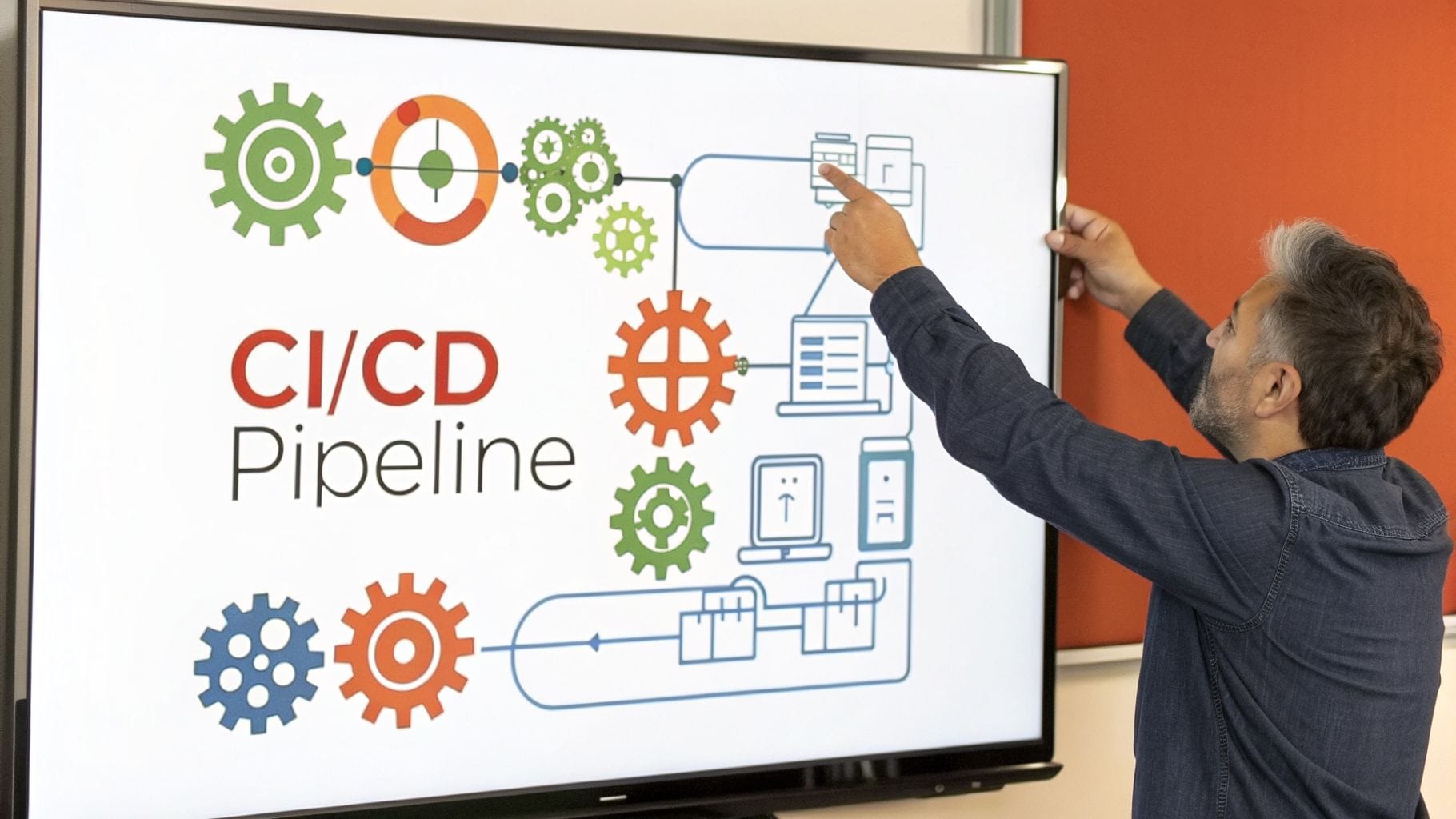
The speed and safety with which an app can release updates are directly tied to its automation infrastructure. This part of the technical due diligence checklist evaluates the Continuous Integration (CI) and Continuous Deployment (CD) pipelines. It scrutinizes build automation, automated test execution, code review processes, and deployment strategies. For a subscription app, a robust CI/CD setup is what separates teams that ship weekly from those that struggle with quarterly updates, determining how quickly you can react to user feedback and market opportunities.
Why It's a Critical Checkpoint
A mature CI/CD pipeline is the engine of a high-velocity development team. It minimizes human error, provides rapid feedback on code quality, and makes deployments a routine, low-stress event rather than a high-stakes gamble. By automating the build, test, and release cycle, developers can focus on building features instead of getting bogged down in manual processes. For a deeper understanding of how these practices fit into a larger strategy, you can explore insights on implementing agile DevOps for enterprises to see the broader business impact.
Practical Example: A fitness subscription app performed all builds and App Store submissions manually from a single developer’s laptop. When that developer went on vacation, a critical bug fix was delayed for two weeks. Actionable Insight: The absence of an automated, cloud-based pipeline (like EAS Build or Codemagic) created a single point of failure that directly impacted revenue and caused a spike in subscription cancellations and negative reviews. An automated system allows any authorized team member to trigger a build and release.
Actionable Checks & Evidence
To accurately assess deployment automation, you need to see the process in action and review its configuration. Collect concrete proof of its efficiency and reliability.
- Pipeline Execution Time: Request access to the CI/CD provider (e.g., GitHub Actions, EAS Build, CircleCI) and review recent pipeline runs. Practical Insight: Teams with CI runs completing in under 15 minutes get fast feedback, enabling them to merge code more frequently. Runs that take 45+ minutes create a bottleneck and discourage frequent commits.
- Automated Testing Stages: Verify that the pipeline automatically runs unit, integration, and end-to-end tests on every pull request. Practical Insight: A pipeline that only lints code but doesn't run tests is a sign of immature quality assurance. The build should fail if tests fail, preventing buggy code from being merged.
- Deployment Cadence & History: Examine the deployment logs for both staging and production environments. Practical Insight: A healthy team often has multiple automated deployments to a staging environment daily and a clear, predictable cadence for production releases (e.g., a "release train" that leaves every Tuesday). A history of only manual, infrequent releases is a red flag.
- Branch Protection Rules: Check the repository’s settings for branch protection on
mainormaster. Practical Insight: Enforced rules requiring successful CI checks and at least one code review approval before merging are a strong indicator of a disciplined, quality-focused process. This prevents a single developer from pushing broken code directly to production.
9. Platform-Specific Implementation & iOS/Android Parity
The next critical item on any technical due diligence checklist is an evaluation of how the app handles platform differences. This step assesses the consistency of the app's functionality, UI/UX, and performance across both iOS and Android. For subscription apps, achieving near-perfect parity is non-negotiable, as discrepancies in paywall behavior, purchase flows, or feature access can directly translate to user confusion, negative reviews, and lost revenue.
Why It's a Critical Checkpoint
An app that behaves differently on iOS versus Android creates a fragmented user experience and doubles the support burden. More importantly, inconsistent implementation of monetization logic can lead to significant revenue leakage or even rejection from the App Store or Google Play. A well-executed cross-platform strategy ensures that every user, regardless of their device, receives the same value proposition and a seamless path to conversion.
Practical Example: A fitness app was experiencing a 15% lower conversion rate on Android. The investigation revealed that the paywall's "Restore Purchases" button was buggy and often failed, but only on specific Samsung devices. Actionable Insight: Because the team relied solely on iOS simulators and a single Pixel device for testing, this critical, revenue-impacting bug went unnoticed for two release cycles. A test plan that includes a wider range of real Android devices is essential for ensuring parity.
Actionable Checks & Evidence
To accurately gauge platform parity, your review must go beyond just looking at the code and involve hands-on testing across both operating systems.
- Platform-Specific Code Audit: Review the use of React Native's
Platform.select()or files with.ios.jsand.android.jsextensions. Practical Insight: Check if this code is well-organized and used for legitimate adaptations (like UI styling for the notch) rather than creating divergent feature logic. A separate, untested purchase flow for Android is a huge risk. - Real-Device Testing: Request video recordings or live demonstrations of the entire subscription flow on both a recent iPhone and a popular Android device (e.g., a Samsung or Pixel phone). Practical Insight: Teams that test on real devices catch 65% more platform-specific bugs before they reach users. Simulators cannot replicate all native behaviors, especially around in-app purchases.
- Feature Parity Checklist: Ask if the team maintains a feature parity checklist for monetization flows. Practical Insight: This document (even a simple spreadsheet) is a strong indicator of a disciplined process. It ensures that when a new feature is added to the paywall, it is explicitly validated on both platforms before release.
- Store Guideline Documentation: Verify that the team's internal runbooks or wikis contain documented summaries of Apple's and Google's review guidelines, especially regarding subscriptions. Practical Insight: This shows proactive risk management to prevent submission delays. For example, knowing that Apple requires a "Restore Purchases" button on all paywalls can prevent a common rejection reason.
10. Documentation & Knowledge Management
The quality of documentation is a direct measure of a team's discipline and a powerful predictor of future velocity. This part of a technical due diligence checklist assesses everything from code comments and API specifications to architectural diagrams and operational runbooks. For a subscription app, clear documentation is the lubricant that allows an embedded engineering partner or new hire to become productive almost immediately, preventing costly knowledge gaps and onboarding friction.
Why It's a Critical Checkpoint
Poor documentation acts as a tax on every engineering activity. It slows down development, complicates incident response, and makes the entire system fragile and dependent on a few key individuals. Comprehensive knowledge management ensures that critical context isn't lost when team members leave and that the rationale behind key architectural decisions, like the paywall and purchase flow, is preserved.
Practical Example: A subscription-based fitness app was acquired, but the core developer had already left. With no architecture documentation or runbooks, the new team spent the first two months reverse-engineering the server-side receipt validation logic and deployment process. Actionable Insight: A critical outage during this period took over eight hours to resolve. A simple runbook titled "How to Redeploy the Production Server" with 5-6 steps could have reduced the resolution time to minutes, saving thousands in lost revenue.
Actionable Checks & Evidence
To properly evaluate documentation, you must look for living documents that are integrated into the team’s workflow, not just artifacts created for the due diligence process itself.
- Setup & Onboarding: Request the
README.md. Practical Insight: A high-quality README allows a new engineer to get the local development environment running in under 30 minutes with minimal help. If it takes half a day and requires help from three different people, onboarding new team members will be a major drag on productivity. - Architectural Overview: Look for a document (often in Markdown, checked into the repository) that explains the high-level architecture. Practical Insight: Key modules, especially the subscription and paywall systems, should be diagrammed, showing data flow from the UI to RevenueCat and your backend. This is crucial for planning new features.
- Operational Runbooks: Ask for runbooks covering critical operations like "How to deploy a hotfix" or "What to do if RevenueCat webhooks are failing." Practical Insight: The presence of documented runbooks, even simple checklists, can reduce Mean Time to Resolution (MTTR) for incidents by as much as 70%.
- Troubleshooting Guide: Check for a
TROUBLESHOOTING.mdor a shared Notion/Confluence page that lists common errors and their solutions. Practical Insight: This demonstrates a proactive approach to knowledge sharing. A guide that explains how to solve common build errors or simulator issues reduces repetitive questions and unblocks developers faster.
Technical Due Diligence: 10-Point Comparison
| Checkpoint | Implementation complexity | Resource requirements | Expected outcomes | Ideal use cases | Key advantages |
|---|---|---|---|---|---|
| React Native Codebase Architecture & Modularity | Medium–High (may need refactor for modularity) | Senior engineers, architecture docs, TypeScript | Improved maintainability and faster feature iteration | Subscription apps needing rapid paywall changes | Faster shipping, easier partner onboarding |
| Subscription Toolchain Integration & Configuration | Medium (SDKs, webhooks, envs) | Integration engineers, webhook endpoints, test keys | Accurate revenue attribution and reliable experiments | Paywall A/B tests and revenue-sensitive apps | Enables safe experiments and correct MRR tracking |
| Payment & Subscription State Management | High (edge cases, sync, persistence) | Backend support, secure storage, cross-platform testing | Consistent entitlements and reduced support incidents | Apps with offline purchases and frequent restores | Prevents false-not-subscribed errors and revenue leakage |
| Testing Coverage & Quality Assurance Practices | Medium (unit/integration/E2E setup) | Test engineers, CI resources, device matrices | Fewer regressions and safer frequent releases | High-velocity monetization changes | Automated safety net for paywall and purchase flows |
| Performance Metrics & App Stability Monitoring | Medium (instrumentation, dashboards) | Monitoring tools (Sentry, RUM), alerting, analytics | Faster detection and resolution of production issues | Monitoring paywall performance and crashes | Real-time alerts and actionable performance data |
| Dependency Management & Security Vulnerabilities | Low–Medium (audits, updates) | Vulnerability scanners, Dependabot/Snyk, maintenance time | Reduced security risk and predictable upgrades | Apps handling payments and user data | Prevents exploits and unexpected breakages |
| TypeScript & Type Safety Implementation | Medium–High (migration, strict configs) | Dev time, linters, @types, build checks | Fewer runtime errors and clearer developer DX | Large codebases with critical monetization logic | Compile-time safety and better API clarity |
| CI/CD Pipeline & Deployment Automation | Medium (pipeline + build config) | CI/CD platform, build servers, test automation | Reproducible builds and faster, safer releases | Teams shipping weekly to production | Automated releases, rollback and approval processes |
| Platform-Specific Implementation & iOS/Android Parity | High (native modules, device testing) | Platform engineers, device farms, native expertise | Consistent UX and purchase behavior across platforms | Cross-platform subscription apps | Reduces platform-specific bugs and store rejections |
| Documentation & Knowledge Management | Low–Medium (authoring and upkeep) | Time for READMEs, runbooks, diagrams | Faster onboarding and reduced knowledge gaps | Embedded partners and new hires | Speeds ramp-up and standardizes operational response |
From Checklist to Action: Maximizing Your Investment's Potential
Completing a technical due diligence checklist is not the finish line; it’s the starting line for strategic growth. You have moved beyond a simple pass/fail assessment and have created a detailed, actionable blueprint for your React Native subscription app. This document is your guide to turning identified risks into managed opportunities and amplifying your existing technical strengths.
The process you just completed, from examining codebase architecture to verifying CI/CD automation, provides a 360-degree view of your technology's health. For a subscription app operator, this is gold. You now have clarity on exactly what is holding back your shipping cadence or preventing you from launching that next paywall experiment with confidence.
Turning Insights into Actionable Strategy
The true value of this exhaustive technical due diligence checklist emerges in the next steps. It is not enough to simply know that your subscription state management is fragile or that your testing coverage is below 30%. The goal is to translate these findings into a prioritized backlog of engineering tasks that directly support your business objectives, like increasing trial-to-paid conversion rates or reducing churn.
Consider these concrete next steps:
- Create a Remediation Roadmap: Group the red and yellow flags from your audit into themes. For instance, combine weak TypeScript implementation, poor test coverage, and inconsistent platform-specific code into a single "Code Quality & Stability" initiative. Assign a business impact score to each theme to prioritize what gets fixed first. A flaky payment system, for example, has a direct, immediate impact on revenue and should be at the top of the list.
- Quantify the Technical Debt: Don't just say "we need to improve our CI/CD pipeline." Instead, quantify the cost. For example: "Our manual deployment process takes 4 hours per release and introduces an average of 2 critical bugs per month, costing us 20 engineering hours in hotfixes and delaying our feature releases by one week." This reframing helps justify the investment in automation.
- Establish Key Performance Indicators (KPIs): Use your audit as a baseline to set clear improvement targets. Your goals should be specific and measurable.
- Before: App crash-free rate is 98.5%.
- After: Increase the crash-free rate to 99.9% within 60 days by addressing identified stability issues.
- Before: Time from code commit to App Store submission is 3 days.
- After: Reduce time from commit to submission to under 4 hours by fully automating the CI/CD pipeline.
The Real Impact: Aligning Technology with Growth
Ultimately, this technical audit is about alignment. It ensures your engineering reality can support your marketing ambitions. When your app's foundation is solid, you can confidently run A/B tests on your Superwall paywall, rapidly iterate on onboarding flows, and trust that your RevenueCat integration will handle every edge case without dropping subscriptions. A well-architected React Native app doesn't just work; it becomes a competitive advantage that lets you outpace the competition.
By systematically working through this technical due diligence checklist, you are doing more than just preparing for a potential investment or acquisition. You are building a more resilient, scalable, and valuable business. You are transforming your technology from a potential bottleneck into the very engine that drives your growth, ensuring every line of code contributes to a higher MRR and a better user experience.
If your audit revealed critical gaps in your React Native architecture, testing, or deployment automation, you don't have to tackle them alone. Vermillion specializes in embedding with subscription app teams to rapidly resolve these exact challenges and establish a predictable, weekly shipping cadence. Visit Vermillion to see how our embedded engineering partnership can help you turn your technical roadmap into reality.
Keep reading
See all →
March 22, 2026
Unlocking Revenue Your Guide to Price Tier Strategy

March 21, 2026
Your Guide to Flawless Stripe Subscription Management

May 14, 2026
Fractional Mobile Engineering vs. Full-Time Hiring in 2026
The mobile engineering talent market has shifted dramatically over the past two years. Budgets are tighter, AI tools have changed what a sin...
March 20, 2026
Recurring Billing With Stripe a Guide for Subscription Apps
Master recurring billing with Stripe. This guide covers everything from setup and server logic to webhooks and churn reduction for subscript...

March 19, 2026
Unlocking Growth with Mobile App Retention Metrics
Discover the mobile app retention metrics that directly fuel MRR growth. This founder's guide offers actionable strategies to track, analyze...