Vermillion Insights
March 15, 2026 · Ken Vermeille · 18 min read
Mastering ios app analytics for 2026
Discover ios app analytics and turn user data into actionable insights that boost retention, subscriptions, and revenue in 2026.
Let's get one thing straight: iOS app analytics isn't some boring report card you check once a quarter. Think of it as the live telemetry system for your subscription app. Marketing gets you on the racetrack, sure, but analytics is what tells you exactly how to tune your engine for more speed (conversions) and better endurance (retention).
Your App's Hidden Growth Engine
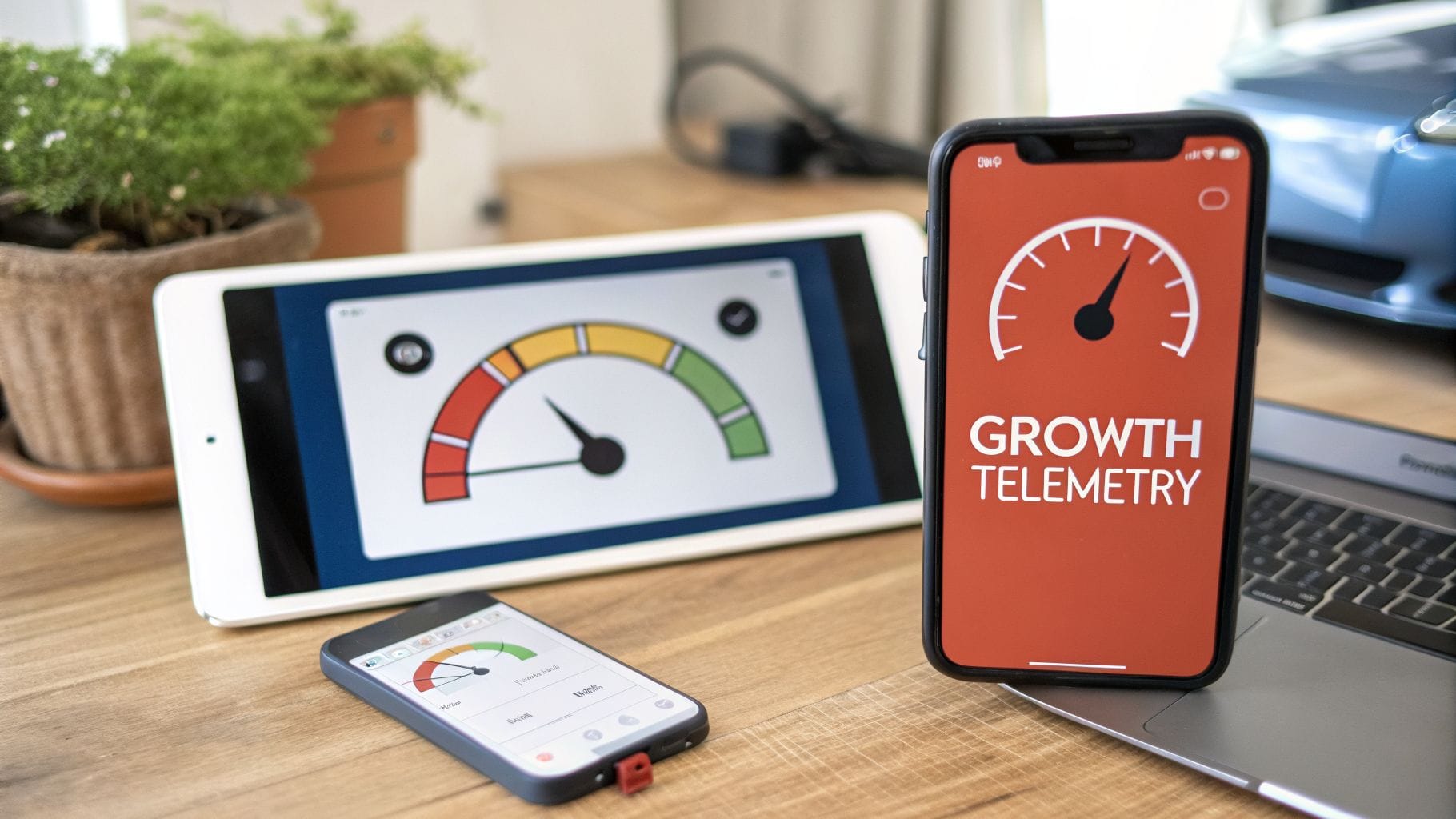
If you're an app founder hitting that $10K–$500K monthly recurring revenue (MRR) sweet spot, just looking at acquisition metrics is like driving a race car by only watching the gas gauge. You know you're moving, but you have no clue how fast you're going, how efficiently you're burning fuel, or if the engine is about to blow.
This guide is built to get you past that surface-level data. It’s all about connecting the dots between what a user does inside your app and how your business actually grows. Imagine seeing not just that a user downloaded your app, but that they bailed on a specific onboarding step, checked out your annual plan three separate times, but never actually started a trial. That’s not just data; it's a bright, flashing signal telling you precisely what to fix.
From Data Points to Actionable Insights
When done right, iOS analytics turns a spreadsheet of abstract numbers into a clear product roadmap. You stop guessing and start answering critical business questions with real evidence. A solid setup lets you see and act on the user behaviors that truly matter.
For starters, a good analytics foundation can tell you:
- Onboarding Completion: What percentage of new users actually make it through your entire onboarding flow? Where are they getting stuck?
- Feature Adoption: Are people using the key features that deliver your app's "aha!" moment? Or are they ignoring them completely?
- Paywall Performance: How many users see your paywall, and what percentage of those users go on to start a trial?
This shift in focus - from what happens before the install to what happens after - is the single most important factor for building sustainable growth. It's what lets you turn insights from tools like RevenueCat, Superwall, and Adapty into real feature updates and experiments that directly bump up your MRR.
The goal of iOS app analytics is to create a feedback loop. User behavior generates data, that data sparks an insight, the insight informs a product change, and the change improves user behavior. This cycle is the engine of product-led growth.
Building a Sustainable Growth Model
You have to understand the post-install journey. Your acquisition channels might bring in thousands of users, but if they all churn out after a week, your business is just a leaky bucket. You end up spending more and more on marketing just to stand still, constantly replacing the users you couldn't keep.
An analytics-driven approach helps you plug those leaks. You can pinpoint the exact moments that turn free users into loyal subscribers and, just as importantly, find the friction points that make them leave.
For instance, a fitness app might find that users who log at least three workouts in their first week have a 50% higher retention rate. This is a powerful, actionable insight. The marketing team can now build campaigns around a "First Week Challenge," while the product team can add in-app reminders to nudge users toward that specific behavior. This is how data turns directly into revenue.
The Core Metrics That Actually Drive Subscription Growth

If you really want to get a handle on your iOS app analytics, you have to look past the vanity metrics. Sure, big numbers for total downloads and daily active users feel great, but they don't pay the bills. For a subscription app, success is written in a different language - one that tracks value, loyalty, and revenue over time.
This is especially true on iOS. The platform is the undisputed king of monetization. Consumer spending on the Apple App Store is expected to hit a staggering $89.3 billion in 2025, which is more than double the revenue from Google Play. The reality is clear: iOS users are ready to spend, but only if you give them an experience that’s worth it.
Let's break down the numbers that tell the real story of your app's financial health.
Churn Rate: The Leaky Bucket Problem
Churn Rate is the percentage of your subscribers who cancel their subscription over a given period, usually monthly. The best way to think about it is as a leaky bucket. Your subscribers are the water, and churn is the hole.
A 10% monthly churn rate doesn't just mean you lost a few users. It means you have to replace one-tenth of your entire paid customer base every single month just to keep revenue flat. It's an exhausting treadmill you can't afford to be on.
If your churn rate is high, your first job is to figure out why. For example, analyzing data from users who churn might reveal they never used a specific "Pro" feature. This insight suggests the value of your Pro tier isn't clear. Actionable Insight: Create a short, in-app tutorial or a tooltip highlighting that Pro feature for new subscribers to improve perceived value and reduce churn.
Customer Lifetime Value: Predicting Your Future
Customer Lifetime Value (LTV) is the total revenue you can reasonably expect to get from a single customer over their entire subscription. For any subscription business, this is arguably the most important number you can know.
It answers the one question that defines your growth strategy: How much is a new customer actually worth?
Knowing your LTV is what tells you how much you can spend to acquire a customer. If your average subscriber LTV is $120, you know you can spend up to that amount to get a new one and still come out ahead in the long run. Actionable Insight: If you discover users acquired through influencer marketing have a $150 LTV compared to a $90 LTV from search ads, you have a clear signal to shift your marketing budget toward influencer partnerships for more profitable growth.
Trial Conversion Rate: Your First Impression
Trial Conversion Rate is simple: it’s the percentage of users who start a free trial and stick around to become paying subscribers. This metric is a direct report card on your app's "aha!" moment and the effectiveness of your onboarding flow.
A low trial conversion rate is a massive red flag that something is wrong with your user onboarding. You need to analyze what users are doing during their trial period. Actionable Example: A meditation app sees that trial users who complete the "7-Day Intro to Mindfulness" course convert at a rate of 40%, while those who don't convert at only 5%. Actionable Insight: The product team can now set a clear goal: drive every new trial user to start that specific course. They could feature it prominently on the home screen, send push notifications, and even create an email drip campaign to guide users into the course, directly boosting conversions.
This is where you need to go deeper than surface-level dashboards. A great starting point is learning what is cohort analysis to see how different groups of users behave over time.
Average Revenue Per User: Gauging Monetization Health
Average Revenue Per User (ARPU) is the average amount of revenue you’re making from each active user over a set period. It’s similar to LTV, but think of it as a real-time snapshot of your monetization health right now.
You can calculate ARPU across all your users, but it's far more powerful when you calculate it just for paying subscribers - what we call ARPPU. This helps you see the impact of different subscription tiers or add-on purchases. Actionable Insight: If you introduce an annual subscription plan and see your ARPPU jump from $7 to $12, it confirms your user base is willing to commit to a longer-term, higher-value plan. This insight can justify focusing more marketing efforts on promoting the annual option over the monthly one.
To put it all together, here’s a quick look at the essential metrics and what they really mean for your business.
Essential iOS Subscription Metrics and What They Tell You
This table breaks down the most critical metrics for subscription app founders, explaining what each one measures and the key business question it answers.
| Metric | What It Measures | The Business Question It Answers |
|---|---|---|
| Trial Conversion Rate | Percentage of trial users who become paid subscribers. | "Does our trial effectively prove the app's value?" |
| Churn Rate | Percentage of subscribers who cancel in a given period. | "Are we delivering ongoing value to keep subscribers?" |
| Customer Lifetime Value (LTV) | Total revenue expected from a single customer over time. | "How much can we afford to spend to acquire a new user?" |
| Average Revenue Per User (ARPU) | The average revenue generated per user (or subscriber). | "How much is each active user contributing to revenue?" |
These metrics don't work in isolation. Together, they create a complete picture of your subscription business's health. They’re what let you move from guessing to knowing, giving you the power to build a growth strategy based on real user value and behavior.
Thriving in the Post-ATT Privacy Landscape
When Apple rolled out App Tracking Transparency (ATT), you’d think the sky was falling. A lot of founders I talked to panicked, convinced their ability to understand users just vanished overnight. But ATT didn't kill iOS app analytics; it just changed the game.
The truth is, it forced everyone to stop obsessing over what users do outside their app and start focusing on what really matters: what users do inside it. This isn't a setback. It’s a massive opportunity to build your growth strategy on trust and actual product value, not just creepy cross-app tracking.
The New Gold Standard: First-Party Data
First-party data is simply the information you collect directly from people using your app. It’s the story of their journey with your product - every tap, scroll, and feature they engage with from the moment they launch it.
This is data you own and control. And frankly, it's far more powerful for making your app better than any third-party data ever was.
With the old way of tracking on the decline, your in-app behavioral data becomes the single source of truth. You don't have to guess that a user converted because of a Facebook ad they might have seen three days ago. Now, you can see the exact feature they used moments before starting a trial.
The post-ATT world rewards apps that deliver real value. You win by building an experience so good that users give you all the data you need just by using the product, not by chasing them across the internet. Your analytics strategy is simply to listen to what their actions are telling you.
This privacy-first mindset also builds a huge amount of user trust. When people know you’re focused on improving their experience instead of tracking their every move, they stick around.
From Vague Guesses to Actionable Insights
Let's make this real. Forget the fuzzy, high-level data from ad networks. Your app is generating a goldmine of specific, actionable signals every single day.
- Weak Signal (Pre-ATT): "A user who saw our ad on Instagram finally converted." This tells you almost nothing about why they subscribed or what part of your app they actually value.
- Strong Signal (Post-ATT): "Users who try our 'AI Summary' feature three times in their first session have a 40% higher trial conversion rate." Now that is an insight you can act on. It tells you to put that feature front-and-center in your onboarding or create a tooltip pointing new users straight to it.
Here’s another one for a fitness app:
- Old Question: "Which ad network sends us the users with the highest LTV?"
- New Question: "What do our most-retained subscribers all do in their first three days?"
By digging into your event data, you might find that users who join a community "challenge" have a 30% lower churn rate after three months. That’s pure gold. It gives your product team a clear directive: build prompts, notifications, and onboarding flows that guide every new user toward joining a challenge.
Security Is the Foundation of Privacy
You can't have a privacy-first strategy without a rock-solid security posture. To earn and keep the trust that generates this valuable first-party data, you have to prove you can protect it.
This means being proactive about security. Running a regular mobile app penetration testing isn't just a box to check; it’s a fundamental part of identifying and fixing vulnerabilities before they become a problem. When users feel safe, they engage more deeply, and that engagement is the fuel for your entire analytics and growth engine.
Building an Event Taxonomy That Sparks Action
A good event taxonomy is the shared language for your entire app. It’s the blueprint that lets your product tell you exactly what users are doing, turning a tidal wave of raw data into a clear stream of iOS app analytics. If you skip this step, you’ll end up with a mess of generic, meaningless events that tell you nothing.
Think of it this way: tracking an event called button_clicked is like a librarian telling you, "Someone checked out a book." It’s technically true, but completely useless for understanding what people actually want to read. Tracking TrialStarted_AnnualPlan, on the other hand, is like knowing, "The new sci-fi thriller is flying off the shelves." Now you have a signal you can act on.
Getting this disciplined about naming events is the single most important thing you can do before you write a single line of analytics code. It’s the foundation for everything that follows.
From Vague Data to Clear Answers
Your goal is to create events that directly answer your most urgent business questions. A poorly designed taxonomy just creates noise. A well-designed one delivers a clear signal. The difference almost always comes down to structure. A simple and powerful way to structure your events is the Object-Action framework.
- Object: What part of the app is the user interacting with? (e.g.,
Paywall,Workout,OnboardingStep) - Action: What specific thing did the user do? (e.g.,
Viewed,Started,Completed)
When you put them together, you get self-explanatory event names like Workout_Started. You can then enrich this with properties for more detail, like workout_type: "Yoga" or duration: "30_minutes". This simple system immediately pulls you out of ambiguity and into a world of clarity.
An event taxonomy isn't a technical task to hand off to engineering. It's a strategic exercise for product and marketing. You have to decide what you need to know about your users first, then build the language to ask those questions.
This structured approach is becoming non-negotiable. The global app analytics market, valued at $9.81 billion in 2026, is set to skyrocket to $23.74 billion by 2031. This growth isn't just about collecting more data; it's about the desperate need for real-time, privacy-first insights that give you an edge. You can read the full research on the app analytics market to see what's driving this trend.
A Practical Blueprint for a Fitness App
Let's make this real with a hypothetical fitness subscription app. Instead of just tracking random clicks, we'll build a taxonomy that maps to the entire user journey - from the first screen to the moment they subscribe.
Here’s a sample taxonomy that gives the team clear, actionable insights without needing a data scientist to translate.
| User Journey Stage | Event Name | Event Properties | Actionable Insight Unlocked |
|---|---|---|---|
| Onboarding | `OnboardingStep_Completed` | `step_number: 2`, `step_name: "Set_Goal"` | A high drop-off after step 2 means the goal-setting screen is confusing. Action: Simplify the UI or add a "skip" option. |
| Core Feature | `Workout_Started` | `workout_type: "HIIT"`, `source: "For_You_Screen"` | If "HIIT" workouts are started most often, Action: Feature more HIIT content on the main screen and in marketing. |
| Core Feature | `Workout_Completed` | `workout_type: "HIIT"`, `duration_minutes: 20` | If users aren't finishing workouts, Action: Introduce shorter 5- and 10-minute versions to improve completion rates. |
| Paywall | `Paywall_Viewed` | `source: "End_Of_Workout"`, `offer_type: "Annual"` | If the paywall viewed after a workout converts best, Action: Make this the primary trigger for showing the paywall. |
| Monetization | `Trial_Started` | `plan_type: "Annual"`, `trial_length_days: 7` | If the annual plan is the most popular trial, Action: Make it the default, pre-selected option on the paywall. |
With this structure in place, the data speaks for itself. An event like Trial_Started with the property plan_type: "Annual" instantly tells you the yearly offer is working.
But what if you see a flood of Paywall_Viewed events but only a trickle of Trial_Started events? That's a loud and clear signal that your paywall isn't converting. Now you have a specific, data-backed problem to solve - a perfect use case for paywall optimization tools like Superwall or Adapty. This clarity is what allows your team to stop guessing and start making smart, fast decisions.
Your Modern iOS Analytics Stack
Okay, you’ve mapped out your events. Now, where do you actually send all that data? Building a modern stack for ios app analytics isn't about buying the most expensive software. It's about creating a clean, scalable system that sends the right data to the right place - without turning into a constant headache for your engineers.
The goal is to get fast, reliable answers. The best way I’ve seen to do this is with a "hub and spoke" model. This setup prevents data from getting trapped in different tools and makes sure everyone is working from the same playbook. It’s efficient, clean, and built for speed.
The Hub: Your Customer Data Platform
At the very center of your stack is the Customer Data Platform (CDP). Think of this as the central nervous system for your app's data. Its job is simple but incredibly powerful: collect event data once from your app, then send it out to all the other "spoke" tools you use.
- **Tools like Segment or RudderStack** are the gold standard here.
- Your engineers install one analytics SDK - the CDP's - instead of trying to manage five different ones.
- When you want to try a new tool, you just flip a switch in the CDP dashboard. No new code needed.
This approach is a game-changer for reducing engineering work. Instead of your developers burning a week to integrate a new marketing tool, your product manager can turn it on in minutes. This frees up your engineering team to build features that actually grow the business.
This is a powerful concept because it separates data collection from data activation. Your app's code stays cleaner, and your growth team gets the freedom to test new tools without waiting on a sprint cycle.
The Spokes: Your Specialized Tools
Branching off from your CDP hub are the spokes - specialized platforms that are masters of one specific job. For any subscription app, two of these spokes are non-negotiable.
- Subscription & Revenue Platforms: Tools like **RevenueCat, Adapty, or Superwall** are the source of truth for all your monetization data. They handle the messy business of tracking subscriptions, trials, renewals, and churn directly from the App Store. Trying to build this logic yourself is a classic, costly mistake.
- Product Analytics Platforms: This is where you’ll live when it comes to analyzing user behavior. Tools like **Amplitude or Mixpanel** take the event data from your CDP and transform it into the funnels, retention charts, and cohort analyses you need to make decisions.
By feeding clean, structured data from your hub into these spokes, you empower your entire team. Your product manager can build a funnel in Amplitude to see exactly where users drop off, while your marketing lead checks RevenueCat to see the LTV of users from a recent ad campaign. You can explore our guide on the best analytics tools for mobile apps for a deeper comparison of your options.
Special Considerations for React Native
If your team is building with React Native, this stack is even more powerful. The beauty of this approach is that you can implement your event tracking and CDP integration once in your JavaScript codebase, and it will work across both iOS and Android. This saves an incredible amount of time and prevents the data discrepancies that often pop up between platforms.
The hub-and-spoke model is the antidote to engineering bottlenecks. It empowers non-technical team members to own their analytics and get answers, turning your data from a static report into a dynamic tool for daily decision-making.
Getting this right is critical. In a world where 95.34% of the 1,963,049 apps on the App Store are free, you're competing for attention. Yet, the revenue is massive, hitting $39.3 billion globally in Q1 2025 from in-app purchases alone. Data shows that AI apps, for example, generate an average of $0.63 in revenue per install - double the median. Insights like these, surfaced by a modern stack, are what allow you to rapidly experiment with your paywall and win. You can find more App Store revenue statistics and gain deeper insights from this comprehensive report on ElectroIQ.com.
Turning Your Data Into Decisions
You can build the most beautiful analytics stack in the world, but if it doesn't tell you what to ship next week, it’s just a vanity project. The whole point of iOS app analytics isn't to generate pretty charts; it's to fuel a weekly cycle of improvements that actually grow your business.
This is where most teams get stuck. They’re drowning in data but can't connect it to the next sprint's priorities. The secret is to stop treating analytics like a history report and start using it as your strategic roadmap.
Let's walk through a simple, repeatable playbook for turning all that data into concrete actions that generate revenue.
1. Audit Your Current Setup
First, you need an honest assessment of where you are right now. Can you confidently answer your most basic business questions today? If the answer is a hesitant "maybe" or "I'm not sure," an audit is your first stop.
Actionable Example: Open your analytics tool and try to build a simple 4-step funnel: App Installed -> Onboarding Completed -> Paywall Viewed -> Trial Started. If you can't build this funnel in under 5 minutes, your tracking is broken or your events are poorly named. This simple test reveals if your foundation is solid enough to build upon.
2. Define Your Key Business Questions
Stop trying to track everything. You'll just boil the ocean and get nowhere. Instead, force yourself to identify the 3-5 most critical questions you need to answer this quarter to move the needle. This creates focus.
Good questions are specific and tied to a business outcome. They sound like this:
- What specific behavior in the first 24 hours best predicts who will start a trial?
- Which one of our features has the highest engagement among users who retain past day 30?
- Where exactly in our onboarding funnel are we losing the most potential subscribers?
These questions give your data collection a mission. You're no longer just gathering information; you're hunting for specific answers. To get a feel for how this works in practice, exploring some real-world data-driven decision-making examples can help you frame better questions for your own app.
3. Design Events to Answer Those Questions
Once you have your questions, the next step is to work backward and design an event taxonomy that will directly answer them.
Actionable Example: If your question is, "Which paywall offer converts better, annual or monthly?" a genericTrial_Startedevent is useless. You need an event that captures context. The event should beTrial_Startedbut with a property likeplan_type: 'annual'orplan_type: 'monthly'. Now you can segment your data and get a clear answer. This is how you bridge the gap between your strategy and your code.
Every single event you track should have a clear "why" behind it, tied directly to one of your key business questions. We cover more frameworks for this in our guide to generating data-driven insights.
4. Implement, Analyze, and Act
With a focused event plan in hand, it’s time for your engineering team to implement the tracking. Because you've narrowed the scope, this is worlds faster and less error-prone than the "track everything and hope for the best" approach.
As soon as the data starts flowing, you analyze it to find your answer. Actionable Example: A funnel analysis in Amplitude shows a 40% user drop-off right after an event called OnboardingStep_3_CreateAccount. You've found a major friction point. The directive for the team becomes crystal clear: for the next sprint, experiment with making account creation optional or moving it to later in the user journey. The success of this change will be measured by an improvement in the onboarding completion rate.
This simple cycle - question, implement, analyze, act - breaks the engineering bottleneck. It transforms analytics from a passive report into an active, iterative engine for growth. You'll be empowered to make measurable improvements to your app every single week.
Answering Your iOS App Analytics Questions
Getting a real iOS app analytics system off the ground feels like a huge undertaking. It doesn't have to be. To help you cut through the noise and avoid the common traps, here are the straight answers to questions we get from founders and marketers all the time.
How Long Does It Really Take to Set Up Analytics?
Count on 2-4 weeks for a proper foundational setup. This isn't just coding - it's the strategic work of defining what you actually need to measure and designing a clean event taxonomy.
Practical Example: Week 1 is for strategy - product and marketing leads define 5 key questions and map out the core user journey. Week 2 is for creating the event taxonomy and getting engineering buy-in. Weeks 3-4 are for implementation, testing, and verifying the data is flowing correctly into your analytics tools. This phased approach prevents rework.
Can We Do This Without a Full-Time Data Engineer?
Yes, absolutely. Modern analytics tools like Amplitude and Mixpanel are built for product people, not just engineers. When you pipe in clean subscription data from a tool like RevenueCat, you get powerful dashboards that don't require you to write a single line of SQL.
The real secret is the implementation plan - your event taxonomy. Many teams bring in a fractional engineering partner for the initial setup. This gets the foundation right, so your non-technical team can own the day-to-day reporting without needing an engineer for every little question.
What's the Biggest Analytics Mistake We Could Make?
The single biggest - and most common - mistake is trying to track everything from day one. This "track it all and figure it out later" mindset is a disaster. It just creates a mountain of noisy, useless data that's so overwhelming your team will give up and ignore it completely.
Actionable Insight: Instead, start by tracking just one critical funnel, such as your onboarding-to-trial flow. Perfect the tracking for those 5-7 events. Once you get a clear, actionable insight from that funnel (e.g., "Step 4 is where everyone drops off"), you'll build team-wide confidence in analytics and earn the momentum to expand tracking to other areas like feature engagement.
How Do I Prove the ROI on This?
You show the return on your analytics investment by connecting insights directly to metric improvements. The goal is to build a simple story of cause and effect.
Here’s a real-world example:
"Our funnel data showed a massive drop-off right at the paywall. We ran three A/B tests on the paywall copy and layout - the exact spot analytics told us was broken. The result? We lifted our trial conversion rate by 15%, adding $5,000 in new MRR."
That’s it. That’s how an investment in analytics pays for itself. It stops you from guessing and starts letting you make targeted changes that measurably grow your revenue, retention, and LTV.
Is your engineering team struggling to keep up with your growth? Vermillion acts as your embedded React Native engineering partner, shipping features and experiments on a weekly cadence. If you're bottlenecked by a slow development cycle, let's talk about how we can help you move faster. Learn more at vermillion.agency.
Keep reading
See all →
March 22, 2026
Unlocking Revenue Your Guide to Price Tier Strategy

March 21, 2026
Your Guide to Flawless Stripe Subscription Management

May 14, 2026
Fractional Mobile Engineering vs. Full-Time Hiring in 2026
The mobile engineering talent market has shifted dramatically over the past two years. Budgets are tighter, AI tools have changed what a sin...
March 20, 2026
Recurring Billing With Stripe a Guide for Subscription Apps
Master recurring billing with Stripe. This guide covers everything from setup and server logic to webhooks and churn reduction for subscript...
March 19, 2026
Unlocking Growth with Mobile App Retention Metrics
Discover the mobile app retention metrics that directly fuel MRR growth. This founder's guide offers actionable strategies to track, analyze...