10 Actionable Push Notification Best Practices for Mobile Growth in 2025
Push notifications are one of the most powerful tools in a mobile app's arsenal, serving as a direct channel to engage, retain, and monetize your user base. Yet, many teams treat them as an afterthought, sending generic, untargeted blasts that annoy users and lead to uninstalls. A poorly executed strategy doesn't just fail to deliver results; it actively harms your app's growth and erodes user trust. The difference between a notification that drives a conversion and one that gets disabled lies in a sophisticated, data-driven approach.
Effective push notification strategies are built on a foundation of relevance, timing, and value. They transform simple alerts into a core component of the user experience and a measurable revenue driver. This requires moving beyond basic campaigns and implementing a system that accounts for user behavior, lifecycle stage, and individual preferences. For growth-focused teams, mastering this channel is non-negotiable for improving key metrics like retention, lifetime value (LTV), and monthly recurring revenue (MRR).
This guide provides a comprehensive breakdown of 10 essential push notification best practices that top-performing apps leverage to achieve their goals. We will move past surface-level advice and provide actionable insights for each critical area. You will learn how to implement advanced segmentation, optimize delivery with frequency capping, and use deep linking to create seamless user journeys. We'll also cover the technical details of deliverability monitoring, the strategic separation of transactional and marketing messages, and how to align your notification playbooks directly with monetization events like subscription renewals and in-app purchases. This is your blueprint for turning notifications into a high-impact growth engine.
1. Segmentation and Personalization Based on User Behavior
Sending the same generic message to your entire user base is a fast track to high opt-out rates. The most fundamental of all push notification best practices is to segment your audience and personalize your messaging. This strategy involves dividing users into distinct groups based on in-app actions, subscription status, engagement levels, and demographics, then tailoring notifications to resonate with each group's specific context.
This approach ensures messages are relevant and timely, which dramatically boosts open rates, conversions, and long-term retention. By treating users as individuals with unique needs, you transform push notifications from intrusive interruptions into valuable, service-oriented communications.
Why It Works: Real-World Scenarios
Effective segmentation moves beyond simple demographics. It's about behavior.
- Monetization Focus: Spotify sends Premium subscribers a notification like, "Hey Alex, Taylor Swift's new album just dropped. Listen now!", while free users get, "Tired of ads? Go Premium for uninterrupted listening."
- Re-Engagement: DoorDash targets users who haven't ordered in 30 days with a "We miss you, Sarah! Here's $10 off your next order." Active users, meanwhile, might get "Craving Italian? Luigi's Pasta is now on DoorDash in your area."
- Habit Formation: A fitness app can segment users who completed a workout yesterday and send them, "Great job yesterday, Mike! Ready to hit your next goal today?", reinforcing positive behavior.
Actionable Implementation Tips
To get started, you don't need dozens of complex segments. Begin with a few high-impact groups and expand over time.
- Start with Core Segments: Focus on 3-5 key groups first, such as New Users (first 7 days), High-Value Users (top 10% by LTV or engagement), At-Risk Users (engagement has dropped significantly), and Dormant Users (inactive for 30+ days).
- Leverage Behavioral Data: Use platforms like Mixpanel or Braze to create cohorts based on in-app events. For example, create a segment of users who viewed a product more than three times but didn't purchase. For advanced segmentation and proactive re-engagement, leveraging data science techniques such as customer churn prediction can help you identify at-risk users before they lapse.
- Tie Segments to KPIs: Ensure every segment is linked to a business goal. For your "At-Risk" segment, the goal is churn reduction. For your "High-Value" segment, the goal might be increasing LTV via upsells.
- Review and Evolve: Your user base isn't static. Re-evaluate your segments quarterly to ensure they still align with user behavior and business objectives. If your "New User" segment has a low activation rate, you may need to sub-segment it further.
2. Optimal Timing and Frequency Capping
Even the most personalized message will fail if it arrives at the wrong time or bombards the user. A core tenet of push notification best practices is balancing immediacy with respect for the user's attention. This involves delivering notifications at the moment users are most likely to engage while enforcing strict frequency caps to prevent notification fatigue and subsequent uninstalls.
This strategy balances growth objectives with user experience, ensuring your messages drive action without overwhelming your audience. By respecting user time and attention, you transform notifications from a potential annoyance into a welcome and timely interaction, which is critical for long-term retention.
Why It Works: Real-World Scenarios
Sending a notification at 3 AM is a guaranteed way to get your app uninstalled. Smart timing respects user context.
- Leisure & Entertainment: TikTok sends engagement notifications like "Your friend just posted for the first time in a while" around 7 PM, when users are typically relaxing and browsing social media.
- E-commerce Conversions: An e-commerce app can analyze a user's purchase history and see they typically shop around 8 PM. Sending a notification about a flash sale at 7:30 PM creates urgency when they are most likely to be receptive.
- Habit Reinforcement: The language learning app Duolingo sends a "Time for your daily lesson!" reminder at the time the user typically practices, reinforcing the daily learning habit.
Actionable Implementation Tips
Start with sensible defaults and refine your timing and frequency based on user engagement data.
- Establish User-Centric Frequency Caps: Set a strict limit per user, per day. A good starting point is one marketing push per day, and a maximum of 2-3 notifications total (including transactional ones).
- Use Local Time Delivery: Always send notifications based on the user's local timezone. A marketing message scheduled for "9 AM" should be sent at 9 AM in New York, London, and Tokyo, not all at once from your server's time.
- Analyze Peak Engagement Windows: Dive into your analytics to identify when your users are most active. For a B2B app, this might be 10 AM on weekdays. For a gaming app, it could be 8 PM on weekends.
- Implement a Cooldown Period: Avoid sending multiple notifications in a short span. If a user just received a push, implement a rule to not send another one for at least 4-6 hours unless it's a critical transactional alert like a fraud warning.
- A/B Test Your Timing: Don't just guess your optimal window. Run an A/B test sending the same message to one group at 9 AM and another at 6 PM. Measure not just open rates, but also conversions within 24 hours to see which time drives more valuable action.
3. Rich Media and Interactive Notifications
Plain text notifications often get lost in the noise of a crowded lock screen. One of the most impactful push notification best practices is to use rich media and interactive elements to capture user attention instantly. This involves embedding images, videos, GIFs, and interactive buttons directly into the notification, providing context and enabling action without even opening the app.
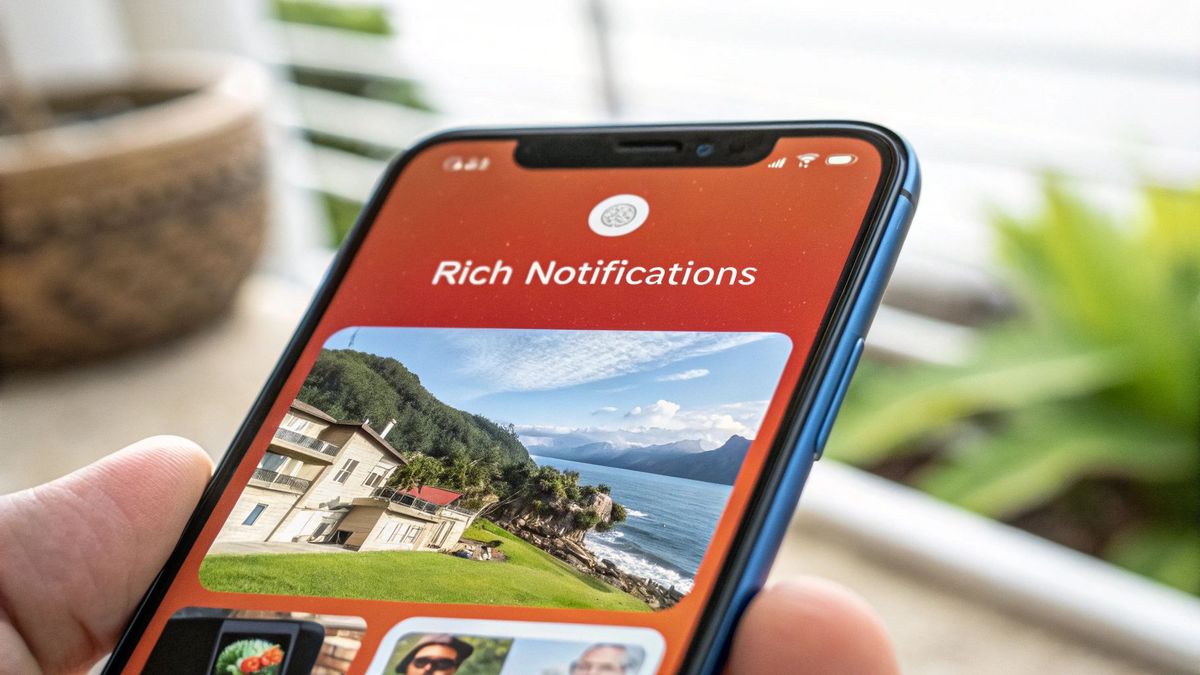
This approach transforms a simple alert into a micro-app experience. By reducing the friction to conversion and providing immediate value, rich notifications significantly increase engagement, drive direct actions, and create a more polished, memorable brand interaction.
Why It Works: Real-World Scenarios
Rich media provides a visual shortcut to understanding and action, making messages more compelling.
- E-commerce: A notification about a new shoe release from Nike includes a high-quality image of the shoe and two interactive buttons: "Shop Now" and "Save to Wishlist".
- On-Demand Services: Uber's "Your driver is arriving" notification includes a mini-map showing the car's location, the driver's photo, and the license plate number, providing all essential info at a glance.
- Food Delivery: DoorDash's "Your order is on its way" notification includes an image of the restaurant's food and an interactive button to "Track Order," building anticipation and providing clarity.
- News & Media: A news app can send a breaking news alert with a relevant image and a "Read More" button, providing immediate context that a text-only alert lacks.
Actionable Implementation Tips
Implementing rich notifications requires attention to technical details to ensure a consistent and reliable user experience.
- Optimize Media Assets: Keep image file sizes below 500 KB and use a widely supported format like JPG or PNG. This ensures fast delivery and prevents a notification from appearing without its image on a slow connection.
- Design for Both Platforms: Account for different display specs. iOS notifications are typically wider, while Android offers more layout flexibility. Preview how your notification will look on both platforms before sending.
- Limit Action Buttons: Stick to 1-2 powerful Call-to-Action (CTA) buttons. For a sale notification, use "Shop Now" and "Add to Cart." Too many options cause decision paralysis.
- Include a Fallback: Always provide a plain text version of your notification. If a device doesn't support rich media, the user will still receive the core message. The title and body should make sense without the image.
- Test on Slow Connections: Use a network throttling tool to simulate a 3G connection and see how your notification performs. If the image takes too long to load, the user might dismiss the notification before seeing it.
4. Deep Linking and Attribution Tracking
Sending a notification that just opens your app to the home screen creates unnecessary friction. Users expect to be taken directly to the content mentioned in the message. Deep linking fulfills this expectation by routing users to a specific in-app screen, such as a product page or a checkout flow, creating a seamless journey from notification to action.
Pairing deep links with attribution tracking is one of the most critical push notification best practices for understanding ROI. This combination allows you to connect a specific notification send directly to a conversion event, revealing which campaigns are driving subscriptions, purchases, and revenue. It transforms your push strategy from guesswork into a data-driven growth engine.
Why It Works: Real-World Scenarios
Effective deep linking removes steps from the user journey, dramatically increasing conversion rates.
- E-commerce & Marketplaces: A user taps a notification saying, "Your favorite sneakers are back in stock!" A deep link takes them directly to the product page for those sneakers, in their size, instead of the app's home screen.
- Social & Community: A user gets a notification from Instagram: "@john_doe mentioned you in a comment." The deep link opens the app directly to that specific photo and comment thread, allowing for an immediate reply.
- Subscription Services: A meditation app sends a renewal reminder with a deep link that takes the user straight to the subscription management screen, making it effortless to update payment info and prevent churn.
Actionable Implementation Tips
A solid deep linking and attribution strategy requires upfront technical planning but pays significant dividends in user experience and measurable growth.
- Establish a Clear Schema: Before you start, define a logical deep link structure, like
myapp://product/{product_id}. This consistency prevents bugs and makes it easy to generate links for new campaigns. - Implement Fallback Logic: What if the deep-linked content is deleted? Instead of showing an error, route the user to a relevant category page or the home screen. A graceful fallback is better than a broken experience.
- Track Everything: Use tools like Branch.io or Firebase to connect the dots. A practical example is tagging a link with
utm_source=push&utm_campaign=summer_sale. This allows you to see in your analytics that users from the "summer_sale" campaign converted at a 15% rate. - Test Thoroughly: Verify that your deep links work when the app is open, closed, or running in the background. Test on both iOS and Android, as implementation can differ.
5. A/B Testing and Continuous Optimization
Guesswork has no place in a high-performance growth strategy. A/B testing is the practice of systematically comparing two or more variations of a notification to determine which one performs better against a specific goal. This scientific approach removes subjectivity, allowing you to iterate based on hard data and transform your push notifications into a reliable, data-driven growth lever.
By continuously testing variables like copy, timing, and calls-to-action, you can methodically improve key metrics. Successful optimization doesn't just lift open rates; it can directly improve push-driven revenue by 20–50% within a few months by aligning every message with what demonstrably works.
Why It Works: Real-World Scenarios
Data-driven iteration uncovers powerful, often counterintuitive insights into user motivation.
- Copy & Urgency: An e-commerce app tests two versions of an abandoned cart notification. Version A: "You left items in your cart." Version B: "Your items are selling out! Complete your order now." Version B sees a 25% higher conversion rate due to urgency.
- Timing & Habit: A language app tests a daily reminder at 8 AM vs. 7 PM. The 7 PM version gets a 15% higher engagement rate because users prefer to practice after work, not during their morning commute.
- CTA Optimization: A streaming service tests two buttons on a "new show" notification. "Watch Now" vs. "Add to Watchlist". They find "Add to Watchlist" gets more clicks, leading to higher overall viewership over the week.
Actionable Implementation Tips
A rigorous testing culture is built one experiment at a time. Start simple and build complexity as you gather baseline data.
- Prioritize High-Impact Variables: Begin by testing the elements with the most leverage. Test a statement vs. a question in your headline. Test a notification with an emoji vs. one without. Test "Save 20%" vs. "Get $10 off".
- Insist on Statistical Significance: Don't stop a test after just a few hours. Run it until you have a large enough sample size (e.g., thousands of users per variant) to be confident the results aren't due to random chance. Aim for at least 95% statistical significance.
- Measure Beyond the Click: A notification might get a high open rate but a low conversion rate. Track the full funnel. For example, does a notification with a big discount lead to more sales but lower average order value? That's a crucial insight for making data-driven decisions.
- Document Everything: Maintain a simple spreadsheet or Notion doc logging every test. Columns should include: Hypothesis (e.g., "Adding an emoji will increase opens"), Variations, Results, and a "What We Learned" summary. This creates a playbook for future campaigns.
6. Compliance, Deliverability and Silent-Failure Monitoring
Ignoring compliance and deliverability is like shouting into a void. You can craft the perfect message, but if it doesn't reach the user's device or violates platform rules, your efforts are wasted. This practice involves adhering to platform policies (Apple, Google) and regulations (GDPR, CCPA), while simultaneously monitoring delivery rates and engagement metrics to catch "silent failures" where notifications are sent but never received.
This two-pronged approach builds user trust and protects your app from penalties, while ensuring your communication channel remains effective. Tracking deliverability uncovers technical issues like stale device tokens or platform-specific delivery gaps, which are invisible if you only track "sends." Ultimately, this is a foundational push notification best practice for maintaining a healthy and reliable messaging system.
Why It Works: Real-World Scenarios
Compliance isn't just about avoiding fines; it’s about respecting user choice. Deliverability monitoring is about technical excellence.
- Permission & Trust: A user downloads a new app. If the app immediately shows the generic iOS permission prompt without context, the opt-in rate might be 40%. If it first shows a screen explaining, "Enable notifications to get real-time order updates," the opt-in rate can jump to 70%.
- Regulatory Adherence: Under GDPR, an app must allow users to easily opt-out of marketing pushes while still receiving transactional ones. Failing to provide this granular control can lead to fines.
- Technical Troubleshooting: A campaign shows a 99% send rate, but analytics show near-zero opens. Investigating the delivery logs reveals that thousands of push tokens are stale because the users uninstalled the app. This triggers a process to automatically clean out invalid tokens to improve future campaign accuracy.
Actionable Implementation Tips
Integrate compliance and monitoring into your development and marketing workflows from day one.
- Request Permission Contextually: Use a "pre-permission" screen. This is a custom UI screen you show before the official OS prompt. Use it to explain the value, like: "Allow notifications so we can alert you about price drops on your favorite items."
- Provide Granular Controls: In your app's settings, build a notification center. Allow users to toggle switches for different categories: "Promotions," "Order Updates," "Account Activity." This prevents them from disabling everything.
- Monitor Key Delivery Metrics: Your push provider (e.g., OneSignal, Braze) dashboard should show "Sent," "Delivered," and "Failed." If your "Failed" rate suddenly spikes after an app update, it's a red flag that the new version might have broken your push token registration.
- Maintain Token Hygiene: Implement a server-side process that listens for feedback from Apple (APNs) and Google (FCM). When a token is reported as invalid (e.g., user uninstalled the app), immediately remove it from your database to keep your send lists clean.
7. Transactional vs. Marketing Notifications Separation
Not all push notifications are created equal, and your users shouldn't have to treat them that way. One of the most critical push notification best practices is separating transactional notifications (order shipped, password reset) from marketing messages (flash sale, new feature). This distinction is fundamental to maintaining user trust, ensuring deliverability of essential alerts, and complying with user preferences.
Transactional notifications are triggered by a user's specific action and contain vital, non-promotional information. Marketing notifications, conversely, are promotional and aim to drive engagement or sales. By managing them on separate channels, you allow users to opt out of marketing without missing critical updates, which drastically reduces the chance they'll disable all notifications entirely.
Why It Works: Real-World Scenarios
This separation honors user intent and improves the overall app experience.
- E-commerce: A user opts out of marketing pushes from Amazon. They won't get a notification about "Prime Day Deals." However, they will still receive the critical transactional alert, "Your package has been delivered," because it's essential information they expect.
- Fintech: A Chime user can disable promotional messages about new features but will always receive the crucial transactional alert for "A withdrawal of $500 was made from your account." This builds trust and security.
- Subscription Services: A Netflix user might turn off recommendations like "A new season of 'Stranger Things' is out!" but will still get the transactional push "Your monthly bill is due in 3 days," which helps them avoid service interruption.
Actionable Implementation Tips
Implementing this distinction requires clear definitions and adherence to user choices. Modern push notification platforms like OneSignal or Braze facilitate this through dedicated channels or topics.
- Define Clear Categories: Internally, create a rulebook. Is the message triggered by a user's direct action? Is it time-sensitive and essential? If yes, it's likely transactional. Example:
password_reset,order_confirmation,shipping_update. Everything else (e.g.,promo_sale,new_feature_announcement) is marketing. - Provide Granular Opt-Ins: In your app's settings screen, present users with clear toggles: [x] Order and Shipping Updates, [ ] Special Offers and Promotions. Default the marketing one to "off" to build maximum trust.
- Honor Marketing Opt-Outs Religiously: When a user opts out of marketing, add a tag to their profile (
marketing_opt_out = true). Your campaign logic must always check for this tag before sending any promotional message. Breaking this trust is a fast way to get uninstalled. - Monitor Delivery Rates: Pay extra attention to the delivery and open rates of your transactional notifications. If the open rate for "Your order is ready for pickup" drops, it could indicate a serious problem in your fulfillment process or notification system.
8. Lifecycle Notifications and Behavior-Triggered Campaigns
Automating notifications based on where a user is in their journey is one of the most powerful push notification best practices for scaling engagement. Instead of manual, one-off sends, lifecycle campaigns deliver the right message at the right time based on user behavior. This creates a personalized, guided experience that adapts to each user automatically.
These automated sequences guide users from their first session to becoming long-term, high-value customers. By triggering messages based on specific actions (or inactions), you can onboard new users, encourage feature adoption, and prevent churn without constant manual effort, dramatically improving retention and LTV.
Why It Works: Real-World Scenarios
Lifecycle automation turns your app into a proactive guide for users.
- Onboarding and Habit Formation: Duolingo sends a congratulatory message after a user's first lesson. If they don't return by day 3, an automated prompt is sent: "Ready for your next lesson? Just 5 minutes a day!" If they complete a 7-day streak, it triggers: "You're on fire! You've completed a 7-day streak."
- Feature Discovery and Activation: For a new user in a project management app, a sequence could be: Day 1: "Create your first project." Day 3 (if no project created): "Need help? Here's how to create your first project." Day 5 (after project creation): "Now invite your team to collaborate!"
- Monetization and Conversion: An e-commerce user adds an item to their cart but doesn't buy. 1 hour later, an automated push is sent: "Forget something? Your items are waiting." 24 hours later, another is sent: "Your cart items are selling fast! Complete your purchase."
Actionable Implementation Tips
Start small and build momentum. Focus on the most critical moments in the user journey first.
- Map Your User Lifecycle: Define the key stages: New User → Activated User → Engaged User → Power User → At-Risk User. For each stage, identify the key action that moves them to the next (e.g., Activated = completes profile + adds 3 friends).
- Start with 3–5 Core Campaigns: Don't try to automate everything at once. Begin with a Welcome Series for new users, an Abandoned Cart Campaign, and a Re-engagement Campaign for users who are inactive for 7 days.
- Use Conditional Logic: Ensure your campaigns are smart. The trigger for an "abandoned cart" push should be
item_added_to_cartANDorder_completedis false after 1 hour. This prevents sending the message to users who already bought the item. - Personalize with User Data: Leverage dynamic data. Instead of "You left an item in your cart," use "Hey [First Name], the [Product Name] you liked is still in your cart." This personalization drastically improves relevance. You can find more strategies for this in our guide on mobile app retention strategies.
9. Geolocation and Context-Aware Notifications
Moving beyond user behavior, the next frontier of relevance is physical context. Geolocation-triggered notifications use a user's real-world location to deliver hyper-relevant, timely messages. This strategy transforms your app from a passive tool into an active assistant that understands the user's immediate environment, creating opportunities for high-intent actions.
When a notification is tied to a user's physical presence near a point of interest, it feels less like an advertisement and more like a helpful, personalized tip. This approach is one of the most powerful push notification best practices for bridging the digital-to-physical gap, driving immediate foot traffic, and boosting conversions at precise moments of opportunity.
Why It Works: Real-World Scenarios
Context makes a message valuable. By combining location with other triggers like weather or time, you create notifications that are almost impossible to ignore.
- Retail Engagement: The Sephora app sets up geofences around its stores. When a user who has an item in their app's wishlist walks near a store, it can trigger: "You're near our 5th Ave store! The NARS lipstick on your list is in stock."
- Food Delivery: A user is walking through a popular restaurant district around 12 PM. The Uber Eats app can detect this and send a push: "Hungry? Get 20% off lunch from nearby restaurants, delivered to you."
- Travel & Hospitality: A hotel app can detect when a user has landed at an airport and trigger a push with the hotel address and a button to "Order an Uber," providing immediate, contextual value.
Actionable Implementation Tips
Implementing location-based services requires a thoughtful approach to permissions, battery life, and user experience.
- Request Permissions with Context: When asking for location access, explain the benefit. Use a pre-permission prompt that says, "Enable location services to receive special offers when you're near our stores."
- Use Geofences Wisely: Set a geofence radius of at least 100 meters. Anything smaller can lead to false triggers (e.g., if a user is driving past) and drain battery life from frequent GPS checks.
- Optimize for Battery: Use low-power location monitoring (which checks less frequently) as the default. Only switch to high-precision GPS when a user enters a broader, low-power geofence, a technique known as "trip-wiring."
- Combine Triggers for Smarter Rules: Don't just trigger on "enter geofence." Add a condition like "AND user has not visited in 30 days" to avoid spamming regular customers. Or, "AND it is between 12-2 PM" for a lunch special.
- Provide a Clear Opt-Out: In your app's settings, have a specific toggle for "Location-Based Offers" that is separate from the main push notification toggle. This gives users control and respects their privacy.
10. Monetization-Aligned Notifications: Subscription, IAP, and Retention
Push notifications should be more than just engagement tools; they are powerful levers for driving revenue and increasing lifetime value (LTV). By aligning your notification strategy directly with your monetization model, you can guide users toward valuable actions like upgrading, making in-app purchases, or renewing a subscription. This turns notifications into a direct contributor to your key performance indicators, such as monthly recurring revenue (MRR).
Effective push notification strategies are vital for success in mastering customer retention and driving long-term user engagement. Instead of interrupting the user experience, monetization-focused messages should arrive at the exact moment a user feels the need for a premium feature, making the offer feel like a solution rather than a sales pitch. This context-aware approach is a cornerstone of modern mobile app monetization strategies.
Why It Works: Real-World Scenarios
Timing and context are everything when asking a user to pay. The most effective notifications are triggered by user actions that reveal an unmet need.
- Subscription Upgrade: A free user of a photo editing app tries to use a "Pro" filter. The action is blocked by a paywall. An hour later, a push notification is sent: "Want to unlock Pro filters? Upgrade today and get 20% off your first year."
- Trial Conversion: On day 6 of a 7-day trial for a fitness app, a user receives a push: "Your trial ends tomorrow! Upgrade now to keep access to your workout history and personalized plans."
- Churn Prevention: A user's credit card is about to expire. The app sends a notification: "Update your payment info to avoid service interruption for your Premium plan," with a deep link directly to the payment settings screen.
Actionable Implementation Tips
A successful monetization-aligned strategy relies on precise segmentation and timing. It's about presenting the right offer at the perfect moment.
- Segment by Monetization Status: Create dynamic user cohorts: Free Users, Trial Users (Day 1-3), Trial Users (Day 4-7), Active Subscribers, and Churned Subscribers. Each group needs a different message.
- Trigger Notifications at Feature Limits: The best time to ask for an upgrade is when a user hits a paywall. Set up an event trigger for when a user attempts a premium action. A 1-hour delay for the push notification makes it feel less transactional and more like a helpful reminder.
- Automate Renewal and Win-Back Campaigns: Integrate with a tool like RevenueCat to trigger a push 3 days before a subscription renews. For users who cancel, automatically add them to a "win-back" campaign that sends a special offer 15 days after they churn.
- Test Offers and Copy: A/B test a "25% Off Annual Plan" offer against a "Get 3 Months Free" offer. Measure not just the conversion rate, but the resulting LTV to see which offer attracts more valuable customers.
Push Notification Best Practices: 10-Point Comparison
| Item | Implementation complexity | Resource requirements | Expected outcomes | Ideal use cases | Key advantages |
|---|---|---|---|---|---|
| Segmentation and Personalization Based on User Behavior | High — real-time cohorts & backend logic | Analytics platform, user tracking, segmentation tool (e.g., Braze, Mixpanel) | Higher CTRs/conversions, improved retention, lower unsubscribes | Subscription, marketplace, monetization-focused apps | Highly relevant targeting; better LTV and monetization |
| Optimal Timing and Frequency Capping | Medium–High — timing models & timezone handling | Historical engagement data, scheduling engine, STO tools | Increased engagement, reduced notification fatigue and churn | Global apps, high-frequency communication apps | Better timing → higher opens; protects retention |
| Rich Media and Interactive Notifications | Medium–High — platform-specific APIs & layouts | Asset CDN, SDKs, design/dev effort, deep links | 2–3x engagement vs. plain text; higher direct conversions | Commerce, on-demand, content and retail apps | Visual differentiation; immediate CTAs and reduced friction |
| Deep Linking and Attribution Tracking | Medium–High — cross-platform routing & attribution | Deep-link provider (Branch/FDL), analytics, backend routing | Higher conversion rates; clear campaign-to-revenue attribution | E‑commerce, marketplaces, subscription flows | Direct path to conversion; measurable ROI |
| A/B Testing and Continuous Optimization | Medium — test frameworks & statistical rigor | Testing tooling, analytics, sufficient user volume | Data-driven lift in engagement and revenue over time | Apps with moderate+ volume, growth teams | Validated improvements; reduces guesswork |
| Compliance, Deliverability and Silent-Failure Monitoring | Medium–High — legal and monitoring processes | Legal/privacy resources, delivery monitoring, SDKs | Reduced legal risk; improved delivery health and trust | Regulated industries, scaling apps (100K+ users) | Protects from platform penalties; detects silent failures |
| Transactional vs. Marketing Notifications Separation | Medium — channel architecture & rules | Separate channels, permission handling, backend routing | Reliable delivery for critical messages; less marketing noise | E‑commerce, banking, subscription services | Ensures critical delivery; reduces marketing fatigue |
| Lifecycle Notifications and Behavior-Triggered Campaigns | Medium — event orchestration & automation | Automation platform (Braze/Mixpanel), event tracking, content flows | Improved onboarding, retention, and LTV | New user onboarding, retention and re‑engagement programs | Scales personalized journeys; reduces churn |
| Geolocation and Context-Aware Notifications | High — location infra, privacy, accuracy handling | Geofencing provider, location permissions, battery optimization | High-intent, immediate actions; increased foot traffic/conversions | Retail, delivery, local marketplaces, on‑demand services | Extremely timely relevance; drives in‑person or local conversions |
| Monetization-Aligned Notifications: Subscription, IAP, and Retention | Medium–High — payment integration + targeting | Revenue platforms (RevenueCat/Stripe), segmentation, analytics | Increased paid conversions, lower subscription churn, higher MRR | Freemium/subscription apps, IAP-driven products | Direct revenue impact; measurable contribution to MRR/LTV |
From Best Practices to Business Outcomes
Navigating the landscape of mobile app growth requires more than just a great product; it demands a sophisticated communication strategy that respects user attention while driving key business objectives. Throughout this guide, we've explored the essential push notification best practices that separate high-growth apps from the ones that get uninstalled. It's clear that the era of generic, "batch-and-blast" messaging is over. Success today is built on a foundation of personalization, relevance, and value.
We've moved beyond surface-level advice to provide a strategic framework. This framework treats notifications not as an isolated feature but as an integrated system that directly impacts user retention, engagement, and revenue. From segmenting users based on nuanced in-app behavior to leveraging rich media for a more compelling experience, each practice contributes to a larger goal: building a durable, positive relationship with your users. The difference between sending a notification and delivering a valuable, timely message is the difference between annoyance and loyalty.
Synthesizing Your Notification Strategy
Mastering this channel is a continuous process of refinement, not a one-time setup. The journey from a basic implementation to a high-performing system involves several key pillars we've discussed.
Core Pillars to Implement Immediately:
- Hyper-Personalization: Go beyond using a first name. Segment users based on their lifecycle stage, purchase history, and content consumption. For a media app, this means notifying a user about a new episode of a show they’ve watched, not just a generically popular one.
- Intelligent Timing: Use data to understand when your users are most receptive. Implement frequency capping to prevent fatigue and leverage scheduling tools to deliver messages in the user's local time zone, ensuring your critical alerts don't arrive at 3 AM.
- Actionable Deep Linking: Every notification should be a seamless gateway to a relevant in-app experience. A "sale on your favorite items" notification must link directly to a pre-filtered sale page, not the app's home screen. This simple step dramatically reduces friction and boosts conversion rates.
By establishing these foundational practices, you create a system that users can trust. They learn that your notifications are consistently relevant and useful, which is the key to maintaining high opt-in rates and avoiding uninstalls.
From Engagement Metrics to Revenue Impact
While open rates and click-through rates are important diagnostic metrics, the ultimate goal is to influence core business KPIs. For growth-focused startups, this means tying every notification campaign back to tangible outcomes like retention, lifetime value (LTV), and monthly recurring revenue (MRR).
This is where advanced tactics come into play. A/B testing isn't just for optimizing copy; it's for validating hypotheses about what drives monetization. For example, does a notification offering a 20% discount on an annual subscription generate a higher LTV than one promoting a monthly plan? Only rigorous testing can provide the answer.
Furthermore, integrating your notification system with monetization platforms like RevenueCat allows you to trigger campaigns based on subscription events. A user canceling a trial is a critical moment. Instead of a generic "we miss you" message, you can trigger a highly targeted notification offering an extended trial or a special first-month discount, directly addressing the churn event and working to recover potential revenue. This is a prime example of how push notification best practices translate directly into measurable financial results.
Ultimately, your notification strategy is a powerful engine for growth. By systematically implementing, measuring, and optimizing these practices, you transform a simple communication channel into a strategic asset. You move from interrupting users to engaging them, from broadcasting messages to building relationships, and from chasing vanity metrics to driving sustainable business success.
Ready to build a notification system that drives revenue and retention? The team at Vermillion specializes in developing KPI-driven mobile apps for growth-stage startups, integrating sophisticated push notification best practices from day one. Let's connect and discuss how to align your app's architecture with your business goals.