Mobile App Development for Startups: From Idea to MVP Fast
Before you write a single line of code, let's get one thing straight: a great idea is just the price of admission. The real work in mobile app development for startups starts long before that. It’s about making sure you’re building something people actually need, not just something you think is cool.
This early phase is where you de-risk your entire venture. It’s about laying a foundation so solid that your product becomes a solution people can’t live without, not just another app they download and forget.
Is Your Startup App Idea Built to Succeed?
Every killer app I've ever seen started by solving a real problem—a genuine pain point that users were desperate to fix. Too many founders get attached to their solution before they've even confirmed the problem is real and that a market exists to solve it.
Forget code, design, and funding for a moment. Your only job right now is to stress-test your concept against reality.
That means you have to go deeper than just asking your friends if they "like" your idea. You need to uncover genuine user needs, not just minor annoyances. Ask yourself: is this a "hair-on-fire" problem? Or is it just a nice-to-have? The answer to that question is the difference between an app that becomes a daily habit and one that gets deleted to free up space.
Uncovering Exploitable Gaps in the Market
Once you've zeroed in on that core pain point, it's time to get your hands dirty with some competitor analysis. This isn’t about making a boring list of other apps. It's about finding their weaknesses—the gaps you can drive a truck through to create something uniquely valuable.
Here’s a practical, actionable way to do it:
- Become a Review Detective: Go to the App Store and Google Play and read the reviews for your top three competitors. I mean really read them. Look for patterns in the complaints, feature requests, and points of pure frustration. These are gold mines, giving you direct clues to what users are begging for.
- Map Their Features: Throw together a quick spreadsheet and compare what your competitors offer. What's core to their experience? More importantly, what's missing? Is there a crucial feature they’ve completely overlooked or, even better, implemented poorly?
- Judge Their First Impression: Download their apps and go through the onboarding process. Is it confusing? Does it dump too much on you at once? A simple, seamless onboarding experience can be a massive competitive advantage.
For instance, say you're building a new project management tool. If you notice users constantly complaining that the mobile versions of existing tools are clunky and hard to use, a mobile-first, dead-simple design immediately becomes your strategic edge. This process shows you how to position your app not as another option, but as the obvious one. For a much deeper look, check out our guide on essential mobile app idea validation techniques.
"The point of validation isn't to prove you're right. It's to find out if you're right, and if you're not, to figure out how to get there before you've spent a fortune."
Lean Validation Techniques in Action
With a much clearer picture of the market, you can start testing your assumptions without spending a ton of money. The goal here is to get real-world feedback before you've built a full product.
A Real-World Example: Prototyping with Figma
Forget about code for now. Open up Figma and build a clickable prototype. It’ll look and feel like a real app, letting you test the user flow and get feedback on the core experience.
- Scenario: You have an idea for a meal-planning app for busy parents.
- Action: Design the handful of screens that matter: signup, dietary preference selection, the weekly meal plan view, and the shopping list. Then, link them together in Figma's prototype mode.
- Test: Find five to seven parents in your target demographic. Give them a simple task, like "plan your meals for next week," and just watch. Don't lead them. See where they get stuck, what confuses them, and what makes them smile.
This whole process costs you almost nothing but time, yet the insights are priceless. It helps you tweak and refine your concept based on how people actually behave, not how you think they will. This is probably one of the most critical steps in the journey of mobile app development for startups, because it ensures you’re building something people will genuinely use.
Choosing Your App's Technology Stack
The technology you choose for your app is a foundational decision. It dictates your budget, your timeline, and how easily you can scale down the road. Honestly, getting this right from the start saves you from some truly massive headaches later.
Let's break down the key choices you'll face, without the confusing jargon.
This whole process really starts after you’ve nailed down the problem you're solving. Your tech decisions should always be grounded in a validated market need, not just a cool idea.
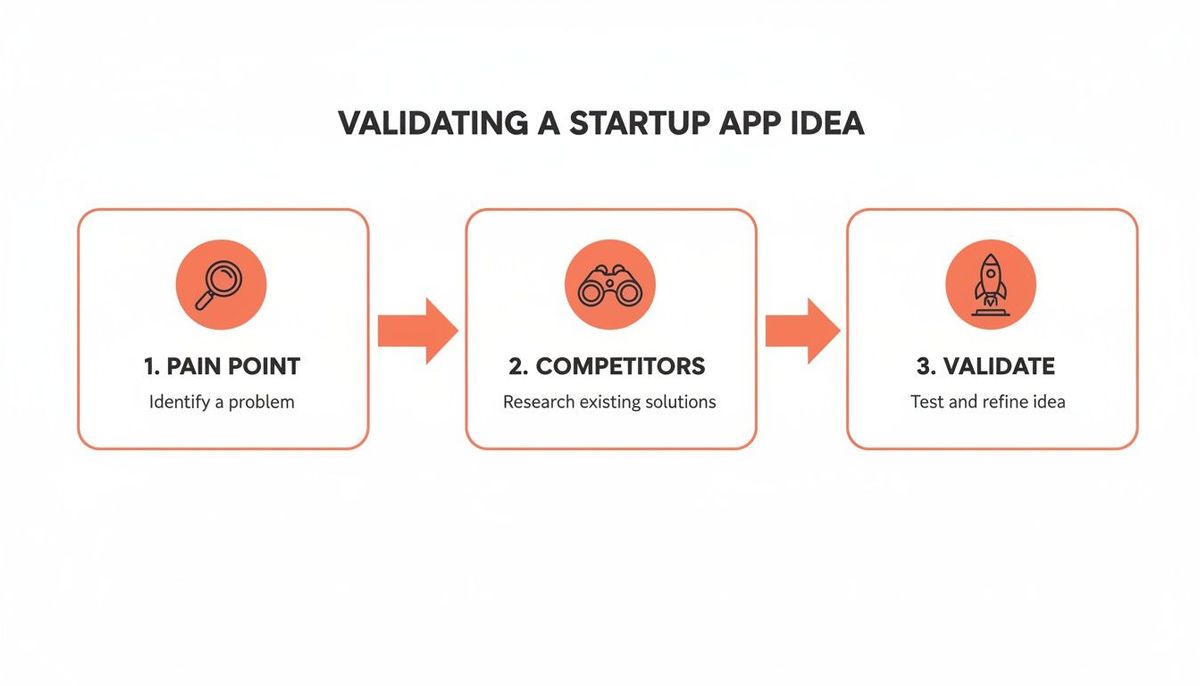
With a solid concept in hand, you can pick a tech stack that actually serves your business goals.
Native vs. Cross-Platform: The Core Decision
Your first big technical fork in the road is whether to build natively or go with a cross-platform framework. There's no single "best" answer here—the right path is all about your product's specific needs.
- Native Development (Swift for iOS, Kotlin for Android): This is the traditional approach. You're building two separate, distinct apps using the official programming languages for each platform. The upside? You get the absolute best performance, flawless access to device hardware (like the camera or GPS), and a UI that feels perfectly at home on an iPhone or a Samsung.
- Cross-Platform Development (React Native, Flutter): This approach lets you write your code once and deploy it to both iOS and Android from a single codebase. It’s a game-changer for speed and can slash your initial development costs by 30-40%.
Let's make this real. Imagine you're building a health-tech app that needs to connect to a custom Bluetooth heart rate monitor. That deep, reliable integration with device hardware is critical. Native development is the clear winner here; you just can't compromise on that kind of performance.
But what if you're building a marketplace for local artists? Your main goal is getting to market fast, testing your idea, and reaching the widest audience possible on a tight budget. In this scenario, React Native is a fantastic choice. You can launch your MVP on both app stores at the same time, gather feedback, and iterate quickly.
Your technology choice should be a business decision, not just a technical one. Prioritize what gets you to market with a valuable product the fastest. You can always optimize for performance and scale as you grow.
Choosing the right path is a classic startup trade-off between speed, cost, and long-term performance. To make it simpler, here’s a quick guide to help you think through the decision.
Native vs Cross-Platform: A Startup's Decision Guide
| Factor | Native (Swift/Kotlin) | Cross-Platform (React Native/Flutter) | Best For Startups Who... |
|---|---|---|---|
| **Speed to Market** | Slower (separate codebases) | Much Faster (single codebase) | ...need to launch an MVP quickly to validate an idea. |
| **Initial Cost** | Higher (two dev teams or skillsets) | Lower (one team, less code) | ...are operating on a tight, pre-seed budget. |
| **Performance** | Highest possible, direct API access | Very good, but a slight overhead | ...are building simple content or e-commerce apps. |
| **UI/UX** | Perfect platform-specific feel | Good, but can require extra work | ...prioritize a consistent brand look over native conventions. |
| **Hardware Access** | Seamless and immediate | Good, but can lag behind new OS features | ...don't rely on cutting-edge hardware features. |
| **Long-Term Maint.** | More complex (two codebases to update) | Simpler (one codebase to manage) | ...want to keep the core team lean post-launch. |
Ultimately, the goal is to get a product into users' hands. Cross-platform is often the default choice for early-stage startups for this reason, while native becomes the go-to for apps where performance is the single most important feature.
Backend Architecture: Firebase vs. Custom Builds
The backend is your app's engine room. It’s the invisible part that handles user data, business logic, and all the heavy lifting. Just like the front end, you've got choices that pit speed against control.
Serverless (Firebase, AWS Amplify)
For most startups, a "Backend-as-a-Service" (BaaS) like Google's Firebase is the fastest way to get an MVP off the ground. It gives you plug-and-play solutions for the most common app needs:
- User Authentication: Sign-up and login flows, ready to go.
- Databases: Real-time databases like Firestore that are incredibly easy to set up.
- Cloud Functions: Run your server logic without ever thinking about managing a server.
- Push Notifications: A must-have for user engagement, built right in.
Using something like Firebase means your team can focus almost entirely on the user-facing app, which can shave weeks or even months off your development timeline.
Custom Microservices (Node.js, Python)
As your app gets more complex, you might outgrow a serverless platform. Building a custom backend with a microservices architecture means creating small, independent services for each part of your application—one for user profiles, another for payments, and so on.
This approach gives you absolute control over performance, security, and scalability. A fintech app processing sensitive financial transactions would almost certainly need a custom backend to meet strict compliance and security standards. The initial build is slower and more expensive, but it provides the long-term power and flexibility that high-stakes applications demand.
For startups that need to move incredibly fast, you can learn more about how React Native can speed up mobile app development in our detailed guide. When you pair a fast front-end framework with a backend like Firebase, you can take an idea to a functional MVP in record time. The trick is to pick a stack that serves your immediate needs without painting you into a technical corner later on.
Building and Launching Your MVP
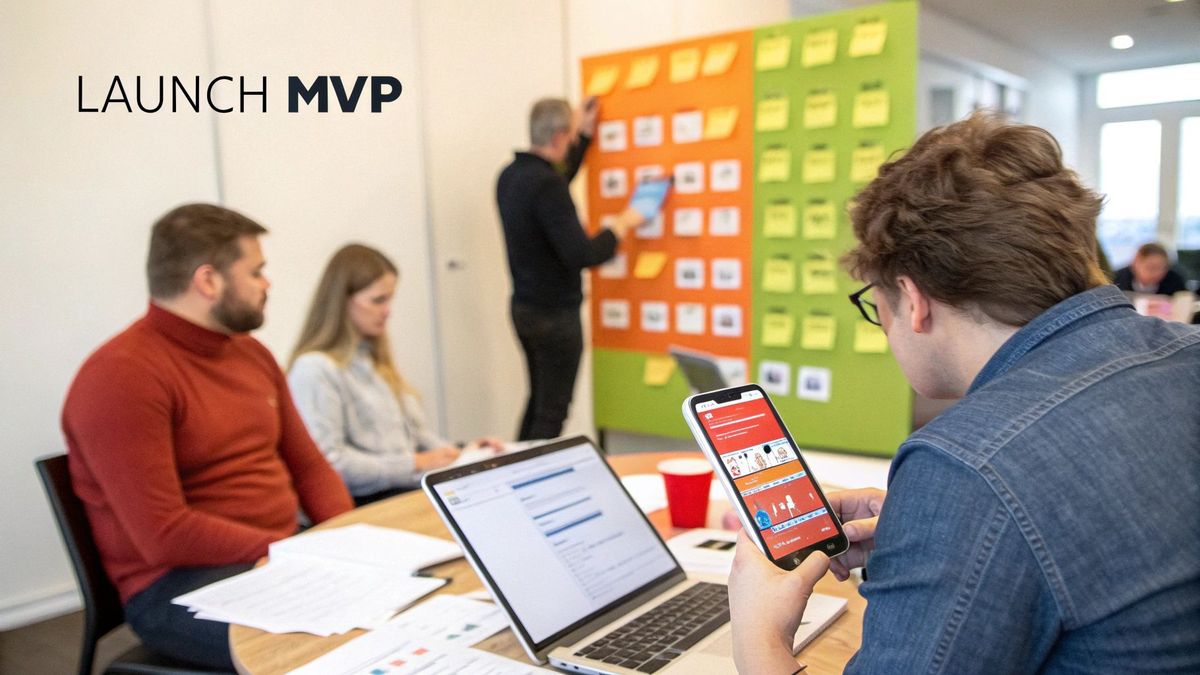
Okay, you've nailed down your idea and picked your tech stack. Now for the fun part: turning that vision into something real. This is where we stop talking and start building. But we're not building the whole thing at once—that’s a classic startup mistake. We're building a Minimum Viable Product (MVP), and we're going to do it the smart way.
The build phase isn't a chaotic sprint to the finish line. It's a disciplined, rhythmic process of turning ideas into functional code, one small piece at a time. Think of it as a cycle: build a core feature, test it, get feedback, refine it, and repeat. This keeps you focused on delivering what your very first users actually need, not what you think they might want six months from now.
Establishing an Agile Workflow
An organized workflow is the only thing standing between you and utter chaos. It’s what keeps your team aligned, productive, and sane. In modern development, two tools are basically non-negotiable for this: Git for version control and a project management tool like Jira or Trello for tracking what’s getting done.
- Git for Version Control: This is your app's complete history book. Every single change to the code is tracked, allowing multiple developers to work together without tripping over each other. It’s absolutely essential for managing new features, squashing bugs, and keeping the codebase from falling apart.
- Jira for Progress Tracking: Tools like Jira let you chop up your massive project into bite-sized tasks called "user stories." You then group these stories into "sprints"—typically two-week work periods—where the team commits to finishing a specific set of features. This creates a predictable rhythm and makes progress transparent for everyone.
Let’s go back to our meal-planning app for busy parents. A sprint might have a user story like: "As a parent, I want to save a recipe to my favorites so I can find it again easily." This clear, simple goal is what the development team focuses on for a short period. This iterative process ensures you are consistently delivering value. For a deeper look, check out our guide on the first steps to building an MVP.
The Pre-Launch App Store Checklist
Getting your app onto the Apple App Store and Google Play involves more than just working code. Your app store listing is your digital storefront. A sloppy one will kill your downloads before you even get started.
Before you even think about hitting "submit," get these assets locked down:
- App Name and Subtitle: The name needs to be unique and memorable. Your subtitle is prime real estate for keywords, so use it wisely (e.g., "MealPro: Meal Plans for Families").
- Compelling Screenshots and App Previews: These are your most powerful marketing weapon. Don't just show random screens; showcase the app's core value. For our meal-planning app, a screenshot could show a colorful weekly plan with the text overlay "5-Minute Meal Planning."
- A Well-Crafted Description: The first few sentences are everything. Get straight to the point: what problem does your app solve, and for whom? Use bullet points to make key features easy to scan.
- Keyword Optimization: Think like your customer. What words would they type into the search bar to find an app like yours? Research keywords like "family meal planner" or "easy recipes for kids" and sprinkle them naturally into your listing.
- Privacy Policy: This is a non-negotiable requirement for both stores. You need a live URL for a clear, accessible privacy policy that explains how you handle user data.
A successful launch isn't just about the app working perfectly. It's about making sure people can find it, understand it, and are excited enough to try it. Your app store presence is the final, critical step in the development journey.
This lean approach is more relevant than ever. The global pool of mobile app developers has swelled to 28 million, giving startups access to a massive talent pool—especially since 65% of developers on Google Play are indies or small studios. Plus, Gartner predicts that low-code and no-code platforms will be used to build 70% of new applications by 2025, which will only speed up MVP timelines. By launching a lean, stable MVP that does one thing perfectly, you're building a solid foundation for everything that comes next.
Integrating Payments, Analytics, and Growth Tools
Your MVP is built. It works. Now for the hard part: turning that functional app into a real business.
A working app is just half the battle. To actually make money and grow, you need two more things: a way to get paid and a way to understand what your users are doing. Without monetization and data, an MVP is just a very expensive prototype.
This is where you plug in the critical third-party services that handle payments, track user behavior, and give you a way to re-engage people. The key is to pick lightweight, startup-friendly tools that punch above their weight without bloating your app or your budget.

Choosing Your Monetization Engine
For most startups, making money comes down to direct payments or subscriptions. The tool you choose here will have a massive impact on your development timeline and your ability to pivot later.
- For Direct Payments: If your app involves one-time purchases, marketplace transactions, or booking paid services, **Stripe** is the undisputed king. Its APIs are famously easy for developers to work with, and it handles all the security and complexity of payment processing. For instance, a marketplace app for freelance designers could use Stripe Connect to seamlessly route payments from clients to designers while automatically taking a platform fee.
- For In-App Subscriptions: Let's be blunt: handling subscriptions directly with Apple and Google is a nightmare. This is where a tool like **RevenueCat becomes a startup's best friend. It’s essentially a wrapper around the native subscription APIs, giving you a single, unified SDK to manage plans, trials, and renewals across both iOS and Android. This can literally save your team weeks of development time** and prevent countless headaches.
Imagine a meditation app using RevenueCat to offer monthly and annual plans. Instead of building and maintaining two separate, complex payment backends, the developers integrate one tool that does it all—and even provides analytics on trial conversions and churn right out of the box.
Choosing the right payment tool isn't just about accepting money. It's a strategic decision. You're deciding whether to spend your limited engineering hours building payment logic from scratch or to outsource that complexity and focus on your core product.
Understanding What Users Actually Do
Vanity metrics like total downloads are useless. They don't tell you if your app is actually valuable to anyone. To build a product that sticks, you have to understand what users are doing inside your app. This is where event-based analytics platforms shine.
Forget basic tools that just track screen views. Services like **Mixpanel or Amplitude** let you track specific user actions, which they call "events." This is how you answer the questions that actually drive growth:
- How many people who sign up actually complete the onboarding tutorial?
- Where do users drop off before completing their first core action (like posting a photo or booking a service)?
- What features do our most loyal, long-term users engage with the most?
An Actionable Example with Mixpanel
Let’s say you’ve launched a language-learning app. You can set up events in Mixpanel to track the user's entire journey from prospect to paying customer:
- Event:
User Signed Up - Event:
Completed First Lesson - Event:
Upgraded to Pro
By building a funnel with these events, you might uncover a game-changing insight: 80% of users who complete their first lesson within 24 hours of signing up eventually upgrade to a paid plan. That isn't just data; it's a directive. It tells you your single most important goal is to get every new user to finish that first lesson as quickly as possible.
Driving Re-Engagement with Growth Tools
Getting someone to download your app is hard. Getting them to come back is even harder. Push notifications are your most direct line of communication for waking up users who have gone dormant.
Tools like **OneSignal** make integrating push notifications incredibly simple. But the magic isn't in sending the notification; it's in the timing and the context. Generic "We miss you!" messages are spam. The real power comes from using your analytics data to send targeted, relevant messages.
For example, a user in your e-commerce app adds a pair of shoes to their cart but gets distracted and never checks out. By connecting your analytics to OneSignal, you can trigger an automated push notification 24 hours later: "Still thinking about those shoes? Your cart is waiting!"
That level of personalization is what turns a simple notification into a powerful conversion tool. This holistic approach to mobile app development for startups ensures you’re not just building features, but building the systems you need for sustainable growth.
From Launch to Growth Using Data to Evolve
Getting your app into the App Store isn’t the finish line; it’s the starting gun.
The real work starts now. Your job shifts from being a founder with an idea to a data-driven leader guiding a product’s evolution. This is the moment you stop building based on what you think users want and start building based on what they actually do.
From here on out, your success hinges on a simple, powerful loop: build, measure, learn. Every new feature, every tiny tweak to the onboarding flow, and every bug fix has to be driven by data. Without it, you’re just flying blind.
Defining the KPIs That Actually Matter
Downloads and signups feel great—they’re a nice ego boost—but they don't keep the lights on. To build a real business, you need to be obsessed with the key performance indicators (KPIs) that tell you the true story of your app's health.
These are the numbers that show whether people are actually getting value from your product and if your business model has a pulse.
Here are the metrics every founder should have burned into their brain:
- Daily and Monthly Active Users (DAU/MAU): This isn't just a vanity metric. The ratio tells you how "sticky" your app is. A high DAU/MAU ratio means you’re becoming a daily habit, not just another icon on their home screen.
- Customer Lifetime Value (LTV): This is the total amount of money you can expect to make from a single customer before they leave. For your business to survive, your LTV must be significantly higher than your customer acquisition cost (CAC). No exceptions.
- Churn Rate: This is the silent killer of startups. It’s the percentage of users who ditch your app over a specific period. A high churn rate is a blaring alarm bell that something is fundamentally broken in your product’s value proposition or user experience.
These aren't just numbers for a pretty dashboard; they’re direct feedback from your users. If your LTV is dropping, maybe your premium features aren't as compelling as you thought. If churn spikes right after a big update, you probably shipped a feature that missed the mark.
Systematically Collecting and Analyzing User Feedback
Hard data tells you what is happening. Softer, qualitative feedback tells you why. You have to build systems to capture this feedback from every possible channel and turn those insights into real product improvements.
Don't just sit back and wait for it to trickle in. You have to go get it.
- App Store Reviews: Check these daily. Seriously. Look for patterns in complaints or feature requests. Make sure you respond to both the good and the bad reviews—it shows you’re actually listening.
- Support Tickets: Your support inbox is a goldmine. What are people constantly getting confused about? Where are they hitting a wall? These are your biggest opportunities for improvement, gift-wrapped.
- In-App Surveys: Use dead-simple, one-question surveys like a Net Promoter Score (NPS) to check the user’s pulse at critical moments in their journey. For example, after a user successfully completes their tenth workout in your fitness app, prompt them with an NPS survey to capture their sentiment while they're feeling accomplished.
With mobile app downloads projected to hit 299 billion globally in 2025, just getting users isn't the hard part anymore. Keeping them is. Users juggle an average of 30 apps a month, so a standout experience is non-negotiable. This matters even more when you consider that average revenue per user can range from $38 on Android to $101 on iOS, with money coming from in-app purchases (55%) and ads (30%). You can dig into more mobile app statistics to see just how fierce the competition is.
The best product roadmaps aren't built on a founder's grand vision. They’re built by systematically solving your customers’ most painful problems, one by one.
Creating a Sustainable Growth Cycle
Once you have a steady stream of both quantitative data and qualitative feedback, you can build a repeatable process for improving your app. This is the core of what data-driven mobile app development for startups looks like in the real world.
Let's walk through a practical example.
Imagine your analytics show that a brutal 60% of new users drop off after the very first screen of your onboarding flow. That’s a massive leak in your bucket. Instead of just redesigning it based on a gut feeling, you decide to run an A/B test.
- Hypothesis: "If we make our onboarding shorter and focus on the benefits, more people will finish it."
- Version A (Control): Your current five-screen onboarding flow that explains every single feature.
- Version B (Variant): A new, snappy three-screen flow that highlights the app's top three benefits and gets users to the "aha!" moment faster.
You split your new users, showing Version A to 50% and Version B to the other 50%. A week later, the data is in, and it's crystal clear: Version B has a 40% higher completion rate.
That's not an opinion; it's a fact. You just used data to make a change that will directly improve your user retention and, ultimately, your LTV. This disciplined cycle—hypothesize, test, learn, repeat—is how a promising MVP grows into a scalable, profitable business.
Common Questions I Hear from Startup Founders
Navigating the app development world for the first time brings up a flood of questions. From budgeting to hiring, making the right calls early on is everything. Let's tackle some of the most common concerns I see founders wrestle with, giving you straightforward answers so you can move forward with confidence.
How Much Does It Cost to Develop an App for a Startup?
This is always the first question, and the honest answer is: it depends. The cost to build a mobile app can swing wildly based on its complexity and who you hire.
For a lean Minimum Viable Product (MVP) with just the core, must-have features, you're likely looking at a range of $25,000 to $75,000. This gets you in the game and lets you start learning from real users.
But if you're building a more feature-rich application with a custom backend, multiple third-party API integrations, and a highly polished UI, that number can easily climb to $100,000 to $250,000+.
One practical way to manage this is by starting with a cross-platform framework like React Native. This approach can often slash your initial build costs by 30-40% compared to building two separate, native apps for iOS and Android. Just don't forget to budget for ongoing maintenance and marketing—a good rule of thumb is to set aside another 15-20% of the initial build cost per year.
Should I Hire a Freelancer, an Agency, or an In-House Team?
The right answer here depends entirely on your startup's stage, budget, and where you're headed long-term. Each path has its own distinct trade-offs.
- Freelancers: This route is best for highly specific, short-term tasks or when your budget is razor-thin. A freelance developer can be perfect for whipping up a simple prototype, but trying to manage a whole team of them for a full build can quickly become a full-time job in itself.
- Agencies: A fantastic choice when you need a complete, experienced team ready to go from day one. A good agency brings designers, developers, QA testers, and a project manager to the table, ensuring a structured, predictable process. This is ideal for founders who need to execute quickly without the massive overhead of hiring.
- In-House Team: This is the endgame for most funded startups. Building your own team gives you maximum control, speed, and alignment with your company's DNA. It's also, by far, the most expensive and time-consuming option, making it a better fit for post-launch growth and iteration.
For an early-stage MVP, a specialized agency often hits that sweet spot between deep expertise and cost-efficiency.
How Long Does It Take to Build the First Version of an App?
A realistic timeline for a well-scoped MVP is somewhere between three to six months. This schedule isn't just one long coding marathon; it's broken down into distinct, critical phases that all build on each other.
Here’s what that usually looks like:
- Discovery & Planning: 2–4 weeks to nail down the scope, map out user flows, and define the technical requirements.
- UI/UX Design: 3–6 weeks to create wireframes, mockups, and a clickable prototype you can actually feel.
- Development & Backend: 8–16 weeks of heads-down coding to bring the designs to life.
- Testing & Deployment: 2–4 weeks for rigorous quality assurance and navigating the fun of the app store submission process.
Of course, this timeline gets pushed and pulled by your app's complexity, the size of your team, and the tech stack you land on. Adopting an agile development process helps keep things moving by focusing on iterative builds and constant feedback.
The goal isn't to launch a perfect app; it's to launch a stable, valuable app quickly enough to start learning from real users. Your timeline should serve that goal, not the other way around.
What Are the Most Common Mistakes Startups Make?
Knowing the common pitfalls is the first step to sidestepping them. While every startup's journey is unique, the mistakes are often painfully similar.
From what I've seen, the biggest blunders include:
- Skipping market validation: Building a beautiful solution to a problem nobody actually has.
- Suffering from "feature creep": Trying to cram way too many features into the MVP, which blows up the budget and delays the launch indefinitely. A practical tip is the "one-in-one-out" rule: if you want to add a new feature, you must remove one of equivalent complexity from the MVP scope.
- Neglecting marketing until launch day: A great app is useless if no one knows it exists. Marketing isn't an afterthought; it should start long before you hit the app store.
- Choosing the wrong tech stack: Picking a technology that can't scale with your growth, forcing a costly and painful rebuild right when you're gaining momentum.
- Underestimating post-launch costs: Forgetting to budget for the inevitable bug fixes, server costs, customer support, and essential updates.
Avoiding these traps comes down to a disciplined focus on the fundamentals: validate your idea, build a lean MVP, and listen to your users. That’s the core of successful mobile app development for startups.
At Vermillion, we partner with funded startups to build revenue-ready mobile apps that prove traction and ROI fast. Our performance-based model aligns our success with your business outcomes, ensuring we're invested in your growth every step of the way. Learn how we can help you build, launch, and scale your app.