Vermillion Insights
January 12, 2026 · Ken Vermeille · 16 min read
Design (design in agile methodology) to Build Winning Apps with Agile Design
Discover how to apply design in agile methodology to ship winning mobile apps with proven workflows, KPIs, and real-world examples.
For fast-moving startups, trying to integrate design and development can feel like building a race car while you're already speeding down the track. The old way of doing things - designing every single screen upfront in what's called the "waterfall" method - is a surefire recipe for wasted money and apps that completely miss the mark.
If you want to build a mobile app that actually drives retention, boosts customer lifetime value (LTV), and grows your monthly recurring revenue (MRR), you have to embed design directly into your agile process.
Moving Faster Without Breaking Things
In the startup world, speed is survival. But just shipping features fast is pointless if they don't solve real customer problems. The old-school approach creates a rigid, painful sequence. Designers spend months perfecting every pixel, then "throw it over the wall" to engineers. Weeks later, you find out the vision was technically impossible or, even worse, that users never wanted it in the first place.
This is where agile changes the game. Instead of one massive, high-stakes launch, agile breaks the work into small, manageable cycles called sprints. When design is part of that cycle, you're not just building faster; you're learning faster. The whole process stops being a linear relay race and becomes a collaborative dance between designers, developers, and product managers.
The Shift from Perfection to Progress
Adopting agile design means making a fundamental mindset shift. It’s all about choosing progress over perfection and real collaboration over endless documentation. The goal is no longer to hand off a flawless, 100-page design document. The goal is to deliver a continuous stream of value to the user, one validated feature at a time.
This iterative approach is exploding in popularity for a reason.
The market for agile methodologies is expected to jump from $0.48 billion in 2024 to a staggering $1.94 billion by 2034. That growth isn't just hype; it's a clear signal that agile, when done right with design, delivers real business results.
Here’s a practical example: instead of designing an entire five-step onboarding flow at once, an agile team designs and builds only the first step: "Create Account." They ship it, get real user data on sign-up rates, and use those insights to shape the design of step two, "Set Up Profile." This ensures every piece of the experience is validated before you sink serious engineering resources into it. This is exactly why 86% of software developers now use agile methods. You can discover more insights about this growing market and how it’s reshaping product development.
How to Weave Design Seamlessly Into Your Sprints
Knowing you should integrate design into your sprints is one thing. Actually doing it is another beast entirely.
It’s not about making designers churn out mockups faster to keep up with developers. The real magic happens when you build a smarter, collaborative workflow where design informs development, and development informs design. Let’s break down the three most effective models I’ve seen work for growth-focused teams.
Each of these approaches gets you closer to the ultimate goal: consistently building what your customers actually want.
This isn’t just a process change; it’s an engine for growth. Shifting from a broken, siloed waterfall model to a truly agile one is how you start winning in the market.
This visual says it all. Agile isn’t just a different workflow; it’s a direct path to market success when design and development are in lockstep.
The Three Core Models for Agile Design
To help you choose the right approach, here’s a quick comparison of the three main integration models. Think about where your startup is right now - are you exploring a brand new product, trying to solve a single massive problem, or focused on steady, incremental improvement?
Comparing Agile Design Integration Models
| Integration Model | Best For | Key Activities | Primary Outcome |
|---|---|---|---|
| Dual-Track Agile | Mature startups needing to ship features while also exploring future big bets. | Designers and PMs work 1-2 sprints ahead validating ideas; engineers build validated concepts. | A continuous flow of de-risked, user-validated features ready for development. |
| Design Sprints | Kicking off a major new feature or tackling a huge, risky business problem. | A time-boxed, five-day workshop to prototype and test a big idea with real users. | A high-fidelity, tested prototype and a clear, validated direction for a major initiative. |
| Continuous Discovery | Teams that need to stay deeply connected to user needs on a weekly basis. | Ongoing, small-scale user interviews and experiments run by the entire product trio. | A steady stream of customer insights that inform daily product decisions and priorities. |
Each model serves a different purpose, but they all share a common goal: reduce the risk of building the wrong thing. Let's look at how each one works in the real world.
Dual-Track Agile: The Parallel Powerhouse
Think of Dual-Track Agile as having two assembly lines running at the same time. It’s hands-down one of the most popular ways to implement design in an agile methodology because it cleanly separates the work of figuring out what to build from the work of actually building it.
- The Discovery Track: This is the playground for designers, product managers, and researchers. They work about two sprints ahead of the engineers, digging into new ideas, whipping up prototypes, and testing concepts with real users. Their entire focus is answering one question: "Are we building the right thing?"
- The Delivery Track: This is the engineering team’s world. They take the validated, de-risked ideas that come out of the Discovery track and turn them into high-quality, shippable code. Their job is to answer the question: "Are we building the thing right?"
Actionable Insight: A fintech app's Discovery track might be prototyping a new AI-powered budgeting tool. They run user tests on a clickable Figma prototype and find that users are confused by the complex charts. They simplify the UI before a single line of code is written. At the exact same time, the Delivery track is shipping a minor UI fix for the current login screen. This model creates a steady, predictable flow of validated work, which is crucial for preventing engineering bottlenecks and wasted effort.
Design Sprints: The Focused Innovation Burst
A Design Sprint is a hyper-structured, five-day pressure cooker for solving huge challenges. You go from a big, hairy problem to a realistic prototype tested by actual customers in a single week. It's not for tweaking a button color; it’s for de-risking a major new initiative before you sink months of development time into it.
Actionable Insight: Imagine your team wants to add a complex social feature to your meditation app. Instead of months of guessing, you block off a week for a design sprint. By Friday, you don’t have an opinion - you have a prototype and direct feedback from five real users who confirm they'd prefer a simple "accountability buddy" feature over a full-blown social feed. That output feeds straight into your backlog as validated user stories, giving the dev team a crystal-clear, user-approved direction and saving you from building the wrong product.
To truly make any of these models work, your team needs to embrace an iterative design process. This build-measure-learn loop is the absolute core of agile. It’s a mindset, not just a meeting.
Continuous Discovery: The Constant Learning Loop
Continuous Discovery is less of a rigid framework and more of a cultural habit. It’s about creating a constant feedback loop where the people building the product - product managers, designers, and engineers - have weekly touchpoints with customers.
Actionable Insight: An e-commerce team sets a goal to interview two customers every week. During one interview, a designer and an engineer hear a customer mention how annoying it is to re-enter shipping info for different addresses. This small insight, which might have been missed in a formal survey, sparks an idea for a "saved addresses" feature. It gets added to the backlog and prioritized because it came directly from the user, turning assumptions into facts on a rolling basis. This approach is fundamental to effective app development project management.
This collaborative spirit is why agile has taken over. In fact, 59% of agile practitioners say the biggest benefit is better collaboration. And it's not just developers anymore. Engineering and R&D teams now make up 48% of practitioners - a massive 16% jump from 2022, showing that this mindset is spreading across entire organizations.
Building Your Agile Dream Team

Let's get one thing straight: effective design in an Agile world isn't about frameworks or buzzwords. It's about people. Specifically, it's about getting the right people in a room, pointing them at the same problem, and letting them work their magic together.
The days of siloed departments lobbing work over a wall are over. A modern product team is a single, unified force. Think of it like a three-legged stool - if you pull one leg out, the whole thing comes crashing down.
The Core Product Trio
At the heart of every great Agile team, you'll find the product trio: the Product Manager, the UX/UI Designer, and the Lead Engineer. This isn't a hierarchy; it's a partnership that drives the product forward.
- The Product Manager (PM): The "Why." The PM is the voice of the business and the customer's needs. They own the product strategy, define what winning looks like, and never stop asking, "Why are we building this?" Their job is to make sure every feature directly contributes to key business goals, whether that's growing MRR or boosting user retention.
- The UX/UI Designer: The "How." The designer is the voice of the user. They own the journey, figuring out how a person will actually interact with the product to solve their problem. They’re obsessed with making the app intuitive, valuable, and even a little bit delightful.
- The Lead Engineer: The "What." The engineer represents the voice of reality. They determine what is actually possible to build given the constraints of time and technology. They're the ones who bring the PM's vision and the designer's experience to life with clean, scalable code.
Here’s the critical part: in a high-performing team, these roles aren't sequential. The PM doesn't hand off requirements to the designer, who then throws mockups at the engineer. They are in a constant, flowing conversation, shaping and challenging each other's work from the very first minute.
Collaboration in Action
True Agile collaboration isn't about endless meetings; it's about shared ownership and validating ideas fast.
Practical Example: A team needs to build a new checkout flow. In an Agile setup, the designer and an engineer hop into a Figma file together for a quick "pairing session." As the designer sketches out a low-fidelity wireframe, the engineer is right there, giving immediate feedback: "That credit card scanning feature is cool, but the third-party API for it is expensive. Could we start with a simple manual entry and add scanning later?" This quick 15-minute conversation saves days of rework by ensuring technical feasibility is baked in before a single line of code gets written. Everyone is aligned on a shared mission.
For a deeper look into structuring these high-performing squads, check out this ultimate guide to agile development team structure. Of course, having the right structure means nothing without the right talent. If you're building your team, our guide on how to hire a mobile app developer has some practical advice. This cross-functional approach keeps everyone laser-focused on what really matters: shipping value to users.
Your Toolkit for Just-in-Time Mobile App Design
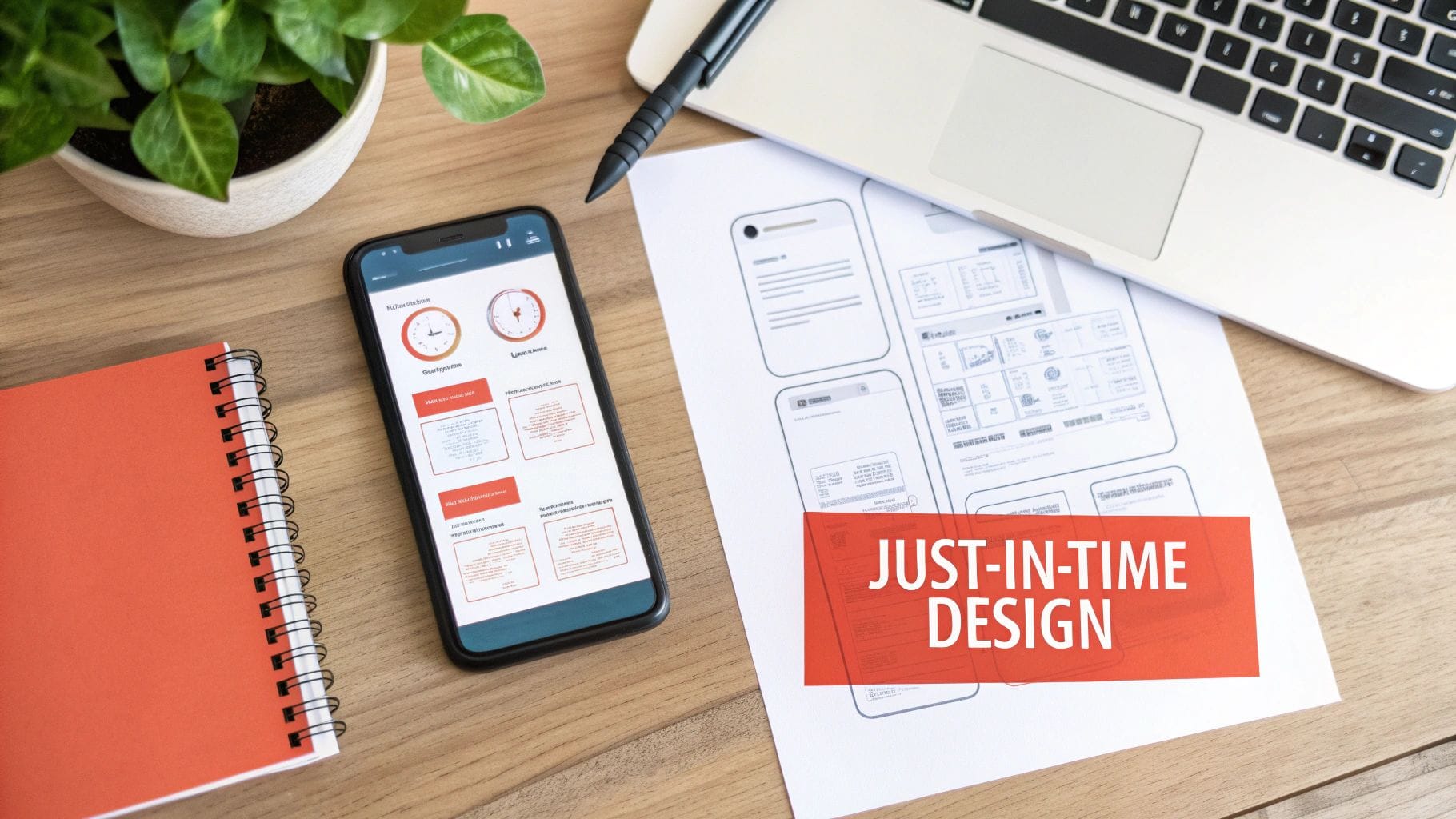
Forget the hundred-page design specification documents of the past. In an agile world, those are relics. Success now depends on creating "just-in-time" design artifacts that are lean, collaborative, and built to speed up development, not grind it to a halt.
This is your playbook for the tangible outputs that keep your product team aligned and moving fast.
The goal isn't just cranking out mockups; it’s about creating a shared understanding across the entire team. Instead of vanishing into a design silo for weeks, the agile designer’s mission is to stay just one sprint ahead of development. This creates a predictable, steady stream of validated stories for the engineering team to pull from.
Core Artifacts That Build Momentum
To make this just-in-time workflow a reality, the best mobile app teams lean on a few essential artifacts. These aren't about exhaustive detail; they're about providing clarity and enabling speed. Think of them as the essential blueprints for each sprint.
Your toolkit should include:
- User Story Maps: This is a visual map of the entire customer journey. Actionable Insight: For a new food delivery app, the map might show the user's path from "Searching for a restaurant" to "Tracking the order." This visual helps the team decide to build the "Order & Pay" functionality first, as it's the most critical part of the user's journey.
- Low-Fidelity Wireframes: Quick, simple sketches are your best friend for exploring ideas without getting lost in the weeds of visual design. Whether on a whiteboard or in a tool like Balsamiq, they are cheap to create and even cheaper to throw away, which is exactly what you want for rapid iteration.
- High-Fidelity Prototypes: Once an idea gets the green light, a high-fidelity prototype in a tool like Figma becomes the single source of truth. It's an interactive model showing precisely how a feature should look, feel, and behave, leaving zero room for developer guesswork.
We see a lot of teams make the mistake of jumping straight into high-fidelity designs. A mobile app team can easily save dozens of hours by first validating a new feature's core flow with simple wireframes before anyone even thinks about a color palette.
The Just-in-Time Design Workflow
So how do these artifacts fit into a typical two-week sprint? The designer always works on the features planned for the next sprint. This guarantees there’s a backlog of validated, build-ready work queued up for the engineers.
Practical Example: In Sprint 5, the engineering team is building the "Profile Setup" feature. The designer isn't working on that; they're already prototyping the "Activity Feed" planned for Sprint 6. They conduct three user tests on the prototype, find a key usability issue, and fix it. By the time Sprint 6 planning begins, the Activity Feed design is already validated and ready for development. This parallel process kills the dreaded design bottleneck where developers are just sitting around, waiting for assets.
This workflow turns design from a potential roadblock into a genuine accelerator. For a deeper dive into creating those polished final designs, check out these essential **best practices for mobile app design that can elevate a user experience from good to great. By focusing on these lean artifacts and a forward-looking workflow, you ensure your design in agile methodology** becomes a powerful engine for growth.
Measuring Design Impact on Business Growth
Great design isn't just about making things look good. For a startup, it’s about moving the needle on the metrics that investors and founders lose sleep over. In an agile world, every design choice is a hypothesis. The real question is, can you measure it against the business outcomes that matter?
This is how you prove that design isn't a cost center - it's the engine fueling your startup's growth.
You have to learn to speak the language of impact. Stop saying, "We made the UI cleaner." Start saying, "By simplifying the checkout flow, we boosted our subscription conversion rate by 11%." That one shift in framing changes everything.
Connecting Design Changes to Business KPIs
Tying your design work directly to Key Performance Indicators (KPIs) is non-negotiable. It’s the only way to show the tangible return on your team's effort and justify pouring more resources into design-led initiatives.
Think of it this way: certain design changes are perfect experiments for hitting specific growth targets.
- KPI: Subscription Conversion Rate. This is the lifeblood of any SaaS or subscription app. It’s the percentage of users who pull out their credit cards and sign up for a paid plan. A fuzzy value proposition or a clunky sign-up form will kill this number.
- Actionable Insight: A music discovery app was seeing a massive drop-off on its subscription screen. The team's hypothesis was "clearer value props will increase conversions." They ran an A/B test: Version A was the original screen, and Version B clearly highlighted the top three premium features with simple icons. After one sprint, they saw a 15% lift in trial-to-paid conversions from Version B. The change was adopted immediately.
- KPI: User Retention. This tells you how many users are actually coming back to your app after Day 7 or Day 30. One of the biggest culprits for churn is a confusing or frustrating onboarding experience. If users don't "get it" in the first session, they're gone for good.
- Actionable Insight: A healthtech app had a monster eight-step onboarding process that was bleeding users. The design team broke it down into three smaller, more manageable steps and added a progress bar. They tracked the cohort in Mixpanel and saw Day 7 retention jump from 12% to 15%, a significant improvement that validated their design change.
The takeaway is simple: every design change is an experiment. Form a hypothesis ("Simplifying onboarding will improve retention"), ship the change, and measure the hell out of it.
To make this even clearer, here’s a table showing how specific design tweaks can be mapped directly to the KPIs that matter for growth.
Connecting Design Changes to Business KPIs
| Design Improvement Example | Target KPI | How to Measure Impact | Example Tool |
|---|---|---|---|
| Redesigning the onboarding flow to be shorter and more interactive. | Day 7 User Retention | Track the percentage of new users who return to the app 7 days after their first session. | [Amplitude](https://amplitude.com/) |
| Simplifying the checkout form from five fields to three. | Conversion Rate | A/B test the old form against the new one and measure the completion rate for each version. | [VWO](https://vwo.com/) |
| Adding a "social proof" section to the pricing page (e.g., testimonials, user count). | Trial-to-Paid Conversion | Measure the percentage of users who start a free trial and then upgrade to a paid plan. | [Mixpanel](https://mixpanel.com/) |
| Implementing a clear call-to-action (CTA) to an upsell feature within the app. | Customer Lifetime Value (LTV) | Monitor the average revenue generated per user over their entire lifecycle. | [Baremetrics](https://baremetrics.com/) |
This isn't just about making charts look good. It's about building a repeatable process where design decisions are validated by real business results, creating a powerful feedback loop for your entire product team.
From Design Output to Business Outcome
Ultimately, mastering design in an agile methodology is about shifting your team's entire mindset. You stop celebrating outputs (like wireframes and mockups) and start obsessing over outcomes (like higher revenue and fiercely loyal users).
When you can draw a straight line from a designer's work on an upsell flow to a measurable increase in Customer Lifetime Value (LTV), you've cracked the code. This data-driven approach is what separates pretty design from business-critical design.
Sidestepping Common Agile Design Pitfalls
Bringing design into an agile world is a huge leap forward, but it's not a silver bullet. Even teams with the best intentions stumble into familiar traps that grind everything to a halt and stir up friction.
Getting ahead of these issues is the first step. If you can spot them, you can build a product development engine that actually works.
The "Pixel Pusher" Trap
One of the most common pitfalls is reducing designers to "pixel pushers." This is what happens when they’re brought in at the very end of the process, handed a fully-baked feature, and told to "make it pretty."
This approach completely wastes their most critical skills: strategic thinking, deep user empathy, and creative problem-solving.
Actionable Insight: To fix this, pull designers into the conversation from day zero. Before a user story is even written for a new "search filter" feature, the PM and designer should hop on a call with a customer support rep to understand the top search-related complaints. The designer's first task is then to sketch out three different low-fi concepts for how filtering could work, not just what it looks like. This simple shift changes their role from a reactive order-taker to a proactive strategist.
The goal is to move from a process of handoffs to a culture of continuous collaboration. When designers are empowered to participate in discovery, they stop being a downstream service and become a core part of the problem-solving engine.
Breaking the Mini-Waterfall Cycle
The other big one is the design bottleneck. This is when a well-meaning designer disappears to perfect every last detail, leaving developers sitting on their hands waiting for assets. You’ve just accidentally recreated a slow, frustrating "mini-waterfall" inside your sprint.
The fix is simple in theory but requires discipline: designers must work one sprint ahead of developers.
Actionable Insight: The team agrees that for any user story to be considered "ready for development," it must have an approved, high-fidelity design attached to it in Jira. This rule forces the designer to complete their work for Sprint 8 while the developers are still building features for Sprint 7. This creates a steady, predictable flow of validated, build-ready work. Developers are never blocked, and the design function becomes what it was always meant to be in agile: an accelerator, not a brake.
Got Questions? We've Got Answers.
How Do We Handle Massive Features in a Two-Week Sprint?
You don't. At least, not all at once. Big, ambitious features - what we call "epics" - are far too chunky for a single sprint. Shoving them in whole is a recipe for a "mini-waterfall," and that’s exactly what we’re trying to avoid.
Actionable Insight: For a new "Reporting Dashboard" epic, the first user story isn't "Build the dashboard." It's "Display a single KPI: Total Revenue." Ship that. The next sprint, you add a second story: "Add a date filter." This iterative approach gets you immediate user feedback that informs how you design and build the next piece, keeping the entire process genuinely agile.
What Does a User Researcher Actually Do on an Agile Team?
Think of them less like a consultant who shows up at the beginning and more like a continuous source of truth. The user researcher lives in the "Discovery" track, working side-by-side with designers. They're constantly in the trenches - testing prototypes, interviewing users about new concepts, and digging into analytics to find the pain points people can't always articulate.
Actionable Insight: The researcher notices in Hotjar recordings that users are repeatedly clicking on a non-clickable element in the settings page. They bring this finding to the next sprint planning meeting. This direct, data-backed observation ensures every single sprint is grounded in validated user needs, not just our own assumptions. They're the team's defense against building something nobody actually wants.
Can We Really Fit a Design Sprint into Our Existing Agile Process?
Absolutely. In fact, a design sprint is the perfect rocket fuel for a major new feature or a risky pivot. It's a hyper-focused, five-day pressure cooker designed to de-risk a big idea before you sink months of precious engineering time into it.
Actionable Insight: A team is unsure whether to build a native mobile app or a responsive web app. They run a one-week design sprint to prototype and test both concepts with five target users. The feedback is overwhelming: users value the push notifications and offline access of a native app far more. The output of the sprint - a tested prototype and raw user feedback - becomes a set of validated user stories that feed directly into the product backlog. Think of it as the ultimate kickoff, ensuring your agile team starts building with a clear, user-vetted direction from day one.
Building a mobile app that actually grows your business takes more than just a slick process. It takes a partner who is just as obsessed with your outcomes as you are. Vermillion builds revenue-ready mobile products for funded startups, and we tie our success directly to your KPIs. Find out how we can help you hit your milestones and scale faster.
Keep reading
See all →
March 22, 2026
Unlocking Revenue Your Guide to Price Tier Strategy
March 21, 2026
Your Guide to Flawless Stripe Subscription Management
May 14, 2026
Fractional Mobile Engineering vs. Full-Time Hiring in 2026
The mobile engineering talent market has shifted dramatically over the past two years. Budgets are tighter, AI tools have changed what a sin...
March 20, 2026
Recurring Billing With Stripe a Guide for Subscription Apps
Master recurring billing with Stripe. This guide covers everything from setup and server logic to webhooks and churn reduction for subscript...

March 19, 2026
Unlocking Growth with Mobile App Retention Metrics
Discover the mobile app retention metrics that directly fuel MRR growth. This founder's guide offers actionable strategies to track, analyze...