Vermillion Insights
January 16, 2026 · Ken Vermeille · 18 min read
The Critical Path for Project Success a Startup Guide
Learn how the critical path for project management helps startups ship faster, manage resources, and hit key milestones. A practical guide for founders.

The critical path is the longest chain of dependent tasks in your project. It's the one sequence of work that directly dictates your final delivery date.
Think of it as the project's spine - any delay to a task on this path, even a single day, pushes your entire launch date back by a day. For startups and product teams where speed is everything, mastering this concept isn't just a project management trick; it's a survival skill.
Why Your Project Needs a Critical Path
Imagine your project is a relay race. The critical path is the specific sequence of runners who have zero breathing room between handoffs. If any one of them fumbles the baton or slows down for a second, the team’s finish time suffers directly. Other runners might have a moment to catch their breath, but not these ones.
This is the core idea behind the Critical Path Method (CPM), a framework designed to bring brutal clarity to your project timeline. It helps you make smart, tough decisions about where to focus your team’s most valuable resources: time and energy.
This isn’t some new agile fad; it's a battle-tested method with a long history of delivering huge results. CPM was developed back in 1957 by James E. Kelley and Morgan R. Walker at DuPont. In its very first year, it saved the company $1 million by optimizing scheduling - a massive sum at the time. Its principles were even used to manage the construction of the World Trade Center towers, proving CPM can compress timelines even on the most monumental projects.
From Industrial Roots to Startup Survival
While CPM started in large-scale industrial projects, its core logic - find what’s essential and protect it fiercely - is more relevant than ever for today's fast-moving startups. For a founder, managing the critical path isn't just about Gantt charts; it's a tool for staying alive.
The critical path forces you to confront the reality of your timeline. It moves planning from wishful thinking to a data-driven exercise, which is essential when every week of delay increases your burn rate.
By identifying this core sequence of tasks, you gain an almost unfair advantage. You can:
- Accelerate Time-to-Market: Put your best engineers and resources on the tasks that actually matter for the launch date. This is how you get your minimum viable product (MVP) into users' hands before the competition does.
- Manage Burn Rate: Stop wasting runway on nice-to-have features that aren't blocking the launch. A clear critical path helps you point your limited capital at activities that drive the project forward.
- Hit Investor Deadlines: Show stakeholders you have a predictable, well-managed plan for execution. Nothing builds investor confidence like a founder who can accurately forecast their ship date.
Understanding your critical path is the foundation for effective **app development project management**, ensuring your team stays focused on hitting the milestones that matter.
Critical Path vs Non-Critical Path Tasks at a Glance
So, how do you distinguish between tasks that are make-or-break for your deadline versus those that have some wiggle room? This quick table breaks down the key differences.
| Characteristic | Critical Path Task | Non-Critical Path Task |
|---|---|---|
| Schedule Flexibility | Zero float. Any delay directly impacts the project end date. | Has float (slack). Can be delayed without affecting the end date. |
| Management Focus | Highest priority. Requires constant monitoring and resource allocation. | Lower priority. Monitored, but with less urgency. |
| Impact on Timeline | Determines the project's minimum completion time. | Does not affect the overall project duration unless delayed beyond its float. |
| Resource Allocation | Receives top-priority resources (e.g., senior developers, budget). | Resources can be reallocated to critical tasks if needed. |
| Risk Level | High risk. Any issue can jeopardize the entire project schedule. | Lower risk. Issues are less likely to cause a project-wide delay. |
In short, tasks on the critical path are your project's non-negotiables, demanding your full attention. Non-critical tasks offer valuable flexibility, giving you options when things inevitably go sideways.
How to Find Your Project's Critical Path, Step by Step
Figuring out a project's critical path isn't some complex ritual reserved for certified project managers. It’s actually a pretty logical exercise that any product team or startup can master to bring some much-needed clarity and predictability to their timelines.
By breaking it down into four straightforward steps, you can turn a simple to-do list into a powerful strategic map - one that shows you the project’s absolute, non-negotiable timeline.
This visual gives you a quick sense of the flow, from a standard task to one that becomes critical, ultimately defining your project's completion date.
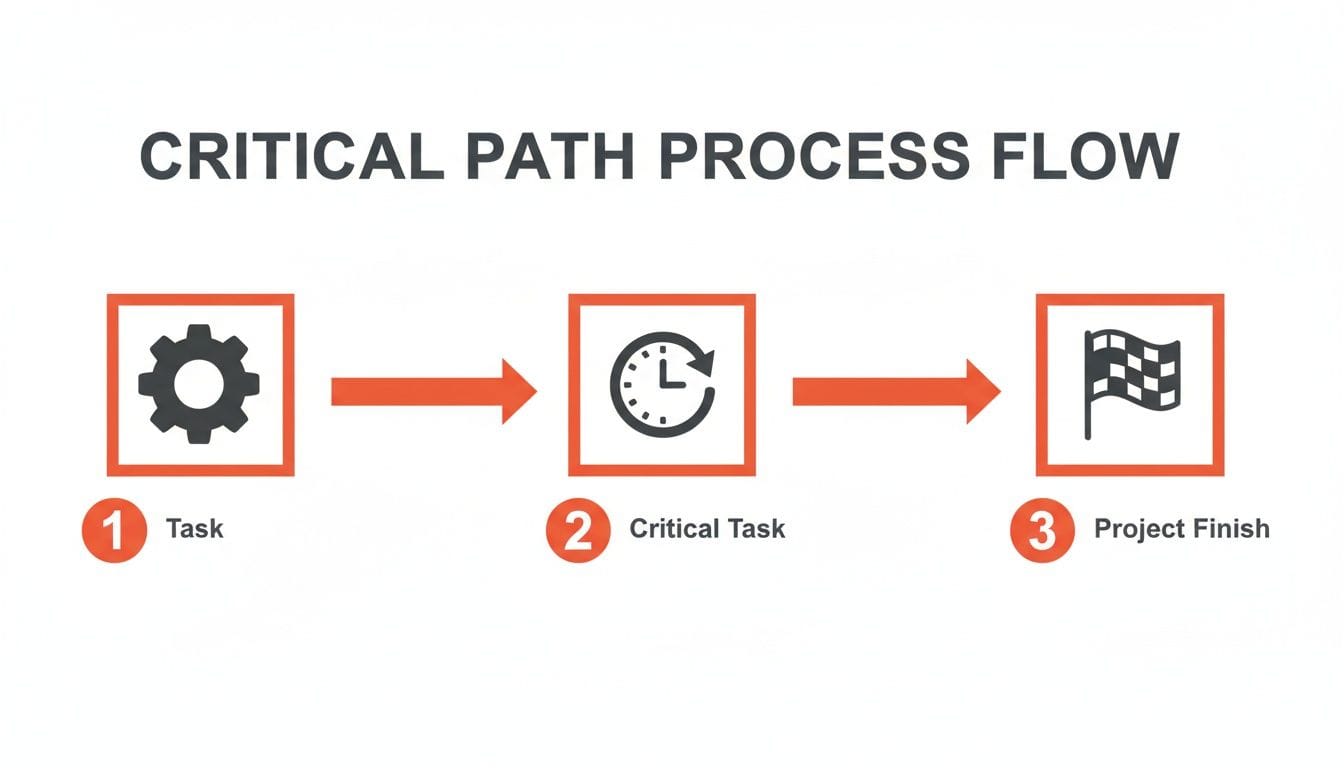
As you can see, while a project has tons of tasks, only a specific sequence of them - the ones with zero wiggle room - become the critical path that dictates your final delivery.
Step 1: List Every Single Task
First things first: you need a complete inventory of all the work. The classic way to do this is with a Work Breakdown Structure (WBS), which is just a fancy term for a hierarchical list of everything your team needs to get done, broken down into smaller, manageable chunks.
Don't worry about the order or how long anything will take just yet. The goal here is a comprehensive brain dump. For instance, if you're building a new mobile app feature, your list might look something like this:
- Define feature requirements
- Create UI/UX wireframes
- Design final UI mockups
- Set up backend database
- Develop API endpoints
- Build frontend components
- Integrate API with frontend
- Perform quality assurance (QA) testing
- Deploy to staging environment
- Final user acceptance testing (UAT)
- Submit to app stores
Once you have this list, you'll need some strategies to prioritize tasks effectively to figure out which activities are most likely to land on that critical path.
Step 2: Map Out Task Dependencies
No task lives on an island. The next move is to figure out the logical sequence of work by mapping which tasks depend on others. A task that must be finished before another can begin is called a predecessor. The task that depends on it is the successor. It's just a chain reaction.
Looking at our mobile app feature, the dependencies are pretty clear:
- 'Create UI/UX wireframes' has to be done before 'Design final UI mockups' can even start.
- 'Develop API endpoints' needs to wrap up before you can 'Integrate API with frontend'.
- 'Integrate API with frontend' must be complete before the team can 'Perform QA testing'.
This step turns your flat list into a connected workflow. It reveals the chains of activities that actually push the project forward. This is absolutely vital, especially in the complex world of mobile app development for startups, where dependencies can snake across design, backend, and frontend teams.
Step 3: Estimate How Long Each Task Will Take
With your tasks and dependencies mapped, it's time to put a number on things. This is often the trickiest part, but realism is your best friend here. Dig into historical data from similar projects, talk to the team members actually doing the work, and be honest about potential roadblocks.
Your critical path is only as accurate as your time estimates. Overly optimistic numbers create a fictional timeline that just sets your team up to fail. It's always better to build in a realistic buffer than to constantly be playing catch-up.
Let's pencil in some estimated durations (in days) for our mobile app tasks:
- Define requirements: 3 days
- UI/UX wireframes: 5 days
- UI mockups: 4 days
- Set up database: 2 days
- Develop API: 8 days
- Build frontend: 10 days
- Integrate API: 3 days
- QA testing: 5 days
- Deploy to staging: 1 day
- Final UAT: 2 days
- Submit to app stores: 1 day
Think of these estimates as the raw data you'll feed into the final calculation.
Step 4: Calculate the Longest Path
Finally, you get to identify the critical path. All you're doing is finding the longest sequence of dependent tasks through your project map. To do this, project managers calculate four key dates for each and every task:
- Earliest Start (ES): The absolute earliest a task can kick off.
- Earliest Finish (EF): The earliest it can be completed (ES + Duration).
- Latest Start (LS): The absolute latest a task can begin without blowing up the project deadline.
- Latest Finish (LF): The latest it can end without causing a delay (LS + Duration).
The tasks on the critical path are the ones where the Earliest Start and Latest Start are identical (ES = LS). This means they have zero float (or slack) - there is literally no wiggle room. Any delay to these tasks directly delays the entire project.
For our mobile app example, the critical path might be: Requirements → Wireframes → Mockups → Develop API → Integrate → QA → UAT → Deploy → Submit. The total time for this specific chain dictates the project's minimum completion time. Any slip-up on this path, and your launch date slips too.
A Real-World Example: Building a Mobile App Feature
Theory is one thing, but let's make the critical path tangible. We'll walk through a scenario every product team knows well: adding a new subscription feature to an existing mobile app. This isn't just about code; it's a revenue-generating project where every single day of delay hits the bottom line.

The goal here is to map every essential task - from backend authentication to UI design - to see exactly how dependencies dictate our timeline and, ultimately, our launch date.
Mapping the Mobile App Feature Tasks
First, we need a brain dump of every single task required to get this feature live. We'll also attach a realistic time estimate (in business days) to each one.
- Task A - Plan Feature & Define Requirements (3 days)
- Task B - Setup Backend User Authentication (5 days)
- Task C - Design Onboarding UI & Paywall Mockups (4 days)
- Task D - Integrate Subscription SDK (e.g., RevenueCat) (7 days)
- Task E - Develop Frontend Components (8 days)
- Task F - Write Marketing Blog Post (3 days)
- Task G - End-to-End QA Testing (4 days)
- Task H - Deploy Feature (1 day)
With our task list ready, the next step is connecting the dots by identifying dependencies. This is where the project's real shape begins to emerge.
Establishing Dependencies and Paths
Now, let's figure out the sequence. Some tasks can run in parallel, but others have to wait for a predecessor to finish.
- Path 1 (Development Path):
- Task B (Backend Auth) has to be done before Task D (SDK Integration) can kick off.
- Task C (UI Design) must be complete before Task E (Frontend Dev) can begin.
- Both Task D and Task E need to be finished before Task G (QA Testing) can start.
- Finally, Task G has to wrap up before Task H (Deployment).
- Path 2 (Marketing Path):
- Task F (Blog Post) can start anytime after Task A (Planning) is finished. It's on its own island with no other dependencies.
This structure immediately shows two main streams of work flowing through the project. But only one will define our timeline - the critical path.
The goal here isn't just to list what needs doing; it's to build a logical chain of events. This dependency map is the blueprint that reveals which sequence of tasks has zero room for error and will define your project’s minimum completion time.
Calculating the Critical Path and Float
With our tasks and dependencies mapped out, we can calculate the duration of each path. The longest one is our critical path.
- Path 1 Duration (Development):
- We have two parallel workstreams that feed into QA:
- Sequence 1: Task A (3) → Task B (5) → Task D (7) = 15 days
- Sequence 2: Task A (3) → Task C (4) → Task E (8) = 15 days
- Since both sequences must be done before QA can start, we take the longer one. In this case, they're both 15 days.
- Total Path 1 Duration = 15 days (pre-QA) + Task G (4) + Task H (1) = 20 days.
- Path 2 Duration (Marketing):
- Task A (3) → Task F (3) = 6 days.
The longest path is the development path at 20 days. That's it. That's the critical path for our project.
This visual diagram shows a similar calculation, where tasks are laid out in a network to identify the longest, unskippable sequence.
The red line in the diagram highlights the critical path, visually confirming that any delay to these specific tasks will postpone the entire project's finish date.
Actionable Insights from Our Example
Finding that 20-day critical path gives us incredible clarity. We now know, without a doubt, that any delay in backend setup, SDK integration, UI design, frontend development, or QA will directly push back our launch.
So what about the marketing blog post (Task F)? Its path is only 6 days long, which means it has 14 days of float (20 days - 6 days). The marketing team can start and finish their blog post anytime within that 20-day window without affecting the launch. This flexibility is a strategic asset. If a critical task hits a snag, we know we can potentially borrow a resource from a non-critical one.
This methodical approach is proven to accelerate timelines. For example, one tech firm applied CPM and identified testing as a major bottleneck. By reallocating QA resources, they delivered 12 days early and watched user growth jump from 10,000 to 50,000 in the first quarter post-launch. You can read the full analysis from Smartsheet.com to see how CPM slashes project timelines.
This shows the critical path isn't just a planning tool - it’s a powerful lever for growth.
Using Your Critical Path to Manage Risk
Okay, so you've mapped out your critical path. Think of it like running a diagnostic test on your project timeline. You've officially pinpointed the exact sequence of tasks that holds your launch date hostage.
Now what?
This is where you shift from just analyzing the plan to actively defending it. This is about using that knowledge to get ahead of risk, not just reacting when fires pop up.
This proactive mindset is what separates teams that ship on time, every time, from those who are constantly playing catch-up. You're building a playbook for the inevitable surprises of product development. It means tackling issues like creeping technical debt before they derail your critical path and sink your timeline.
Strategic Schedule Compression Techniques
When a stakeholder suddenly moves a deadline up, or a critical task inevitably hits a snag, you need a way to shorten your timeline without torching quality. The two classic moves here are crashing and fast-tracking. Each has its place, and each comes with a price.
The critical path isn't set in stone; it's a dynamic guide. Your ability to manipulate it through strategic interventions like crashing and fast-tracking is what gives you control over your project's destiny.
1. Crashing the Schedule
Crashing is the brute-force approach: you throw more resources at a critical path task to get it done faster. It’s like sending reinforcements to break through a bottleneck. It’s a direct, often expensive, intervention where you trade money for time.
- Actionable Example: Let's say your ‘Develop API Endpoints’ task is on the critical path and it’s running late. Crashing means pulling in a second backend engineer to work alongside the first. By splitting the work, you might cut the task's duration from 10 days to 6. The cost? A hit to your short-term budget. The reward? Potentially saving the entire project timeline.
2. Fast-Tracking Tasks
Fast-tracking is a riskier, more aggressive strategy. You rearrange the project so tasks that were supposed to happen one after the other now run in parallel. The catch is that you're starting a task before its predecessor is 100% complete, which invites rework.
- Actionable Example: In our mobile app project, ‘Frontend Development’ can't truly start until ‘UI Design’ is finished. Fast-tracking would mean the frontend team starts building components based on approved wireframes while the UI designer is still polishing the final pixel-perfect mockups. This can shave days off the schedule, but if the final design includes a major change, all that early frontend work might have to be scrapped.
Leveraging Float as a Strategic Buffer
While everyone's eyes are on the critical path, the non-critical tasks - the ones with float - are your secret weapon. Remember, float is the amount of time a task can be delayed without messing up the final project deadline. This slack isn't waste; it's a resource.
Think of team members working on tasks with lots of float as your flexible reserves. When a five-alarm fire breaks out on the critical path, you have a pre-identified group of people you can borrow from without jeopardizing the launch.
Practical Application of Float
Imagine the 'Integrate Subscription SDK' task, which is firmly on the critical path, hits a wall. A third-party API is a mess, and the engineer is completely stuck.
- The Problem: A critical task is blocked. Every hour they spend stuck is another hour added to the project's total duration.
- The Solution: You look at your plan and see the 'Write Marketing Blog Post' task has 14 days of float. You can temporarily reassign the developer working on a low-priority feature (that also has float) to help the stuck engineer diagnose the API issue. They could pair-program a solution or build a test harness.
By doing this, you've used float as a strategic shock absorber. You tackled a critical bottleneck by reallocating a resource from a non-critical task, all without pushing back your launch date. This simple move transforms your project schedule from a rigid, fragile plan into a flexible and resilient system.
Tools and Templates for Critical Path Analysis
Figuring out your project’s critical path doesn’t mean you have to sink a ton of money into complicated, expensive software. In fact, you can get a huge amount of clarity using tools you probably already own. The real trick is picking the right tool for the right job, whether you're just spitballing ideas on a whiteboard or setting up a fully automated project plan.
This approach gets rid of the friction and lets your team start applying what you've learned right away. The goal here is to make critical path analysis something you can actually use - not just a theoretical exercise.
Choosing the Right Tool for Your Team
The best tool really comes down to your team’s size, how complex the project is, and what you’re already using. There’s no perfect, one-size-fits-all solution, but you can think of them in a few different tiers.
- **Visual Brainstorming Tools (Miro, FigJam):** These are perfect for the early, messy stages. Get your team together on a digital whiteboard to visually map out every task and draw lines connecting all the dependencies. It's a fantastic, collaborative way to see all the moving parts before you lock anything into a formal schedule.
- **Integrated Project Management Platforms (Asana, Jira):** This is the logical next step. Once you’ve defined your tasks, time estimates, and dependencies, tools like these can automatically calculate and highlight the critical path for you. It’s ideal for most product teams because it bakes scheduling right into your day-to-day task management.
- **Dedicated Project Management Software (Microsoft Project):** For massive, complex projects with tricky resource constraints, dedicated software offers the most muscle. These tools give you incredibly detailed scheduling, resource leveling, and reporting, but they can be serious overkill for smaller startups and product teams.
A Simple Spreadsheet Template You Can Build Now
You really don't need any special software to get started. A simple spreadsheet is a surprisingly powerful way to calculate your critical path by hand and truly get a feel for how it all works.
Building your first critical path diagram in a basic spreadsheet demystifies the process. It forces you to engage with the logic of dependencies and float, providing a deeper understanding than any automated tool can offer.
Here’s a simple structure you can build in Google Sheets or Excel in just a few minutes. It’s all you need to find the critical path for any project.
Critical Path Calculation Spreadsheet Template
This simple table provides the structure you need to perform the Forward Pass and Backward Pass calculations. Just fill in your project's tasks, dependencies, and durations, and you're ready to go.
| Task ID | Task Description | Predecessors | Duration (Days) | ES | EF | LS | LF | Float (LS-ES) | On Critical Path? (Y/N) |
|---|---|---|---|---|---|---|---|---|---|
| A | UI/UX Wireframes | - | 5 | ||||||
| B | API Development | A | 8 | ||||||
| C | Frontend Build | A | 10 | ||||||
| D | Integration | B, C | 3 |
Once you fill this out, you can run through the calculations we covered earlier to pinpoint your critical path. This hands-on exercise is incredibly valuable.
Knowing these details is also a key input for estimating project timelines, which directly impacts your budget. For instance, if you're building an app, check out our guide on how to use an app development cost calculator to see just how much scheduling and timelines influence your overall investment.
How the Critical Path Is a Startup’s Secret Weapon for Growth
For a startup, the critical path isn't some dusty project management concept. It’s your direct line to hitting the KPIs that mean survival and growth. Think of it less as a schedule and more as a strategic roadmap that turns your timeline into a powerful tool for execution.
This is where technical planning smacks right into business results. When you know the absolute, non-negotiable sequence of tasks that defines your launch date, you can pour every ounce of effort exactly where it will have the biggest impact on your company's future.
Ship Revenue-Generating Features, Faster
The most immediate payoff from nailing your critical path for a project is speed. In the startup world, time-to-market is the whole game. Focusing your team on critical path tasks ensures that your most valuable resources - your developers, designers, and product managers - are always working on the one thing that unblocks the next essential step.
This relentless focus kills wasted cycles on lower-priority tasks that have "float" or schedule flexibility. Instead of spreading your team thin, you concentrate your firepower on the single chain of tasks that gets your product into the hands of paying customers sooner.
Maximize Your Runway and Win Over Investors
Startups run on a finite amount of cash. Every dollar has to be stretched to hit the next set of milestones that will unlock more funding. The critical path gives you a data-driven way to allocate your most expensive resources with surgical precision.
A sharp, well-managed critical path tells investors one thing: you have a predictable, data-backed plan to execute. It moves you from ambitious promises to a concrete strategy for hitting your numbers.
When you know a specific backend task is a bottleneck on the critical path, you can justify putting your most skilled (and often most expensive) senior engineer on it. This isn't just about managing tasks; it's about maximizing the return on your capital and extending that precious financial runway. That’s the kind of thinking that builds massive confidence with your board and potential VCs.
The Critical Path Method has always been about ruthless efficiency. Since it was developed for industrial projects in the 1950s, it has delivered measurable gains. Early documentation showed it could slash total project costs by 15-20% just through smarter scheduling. More recently, we've seen a well-defined critical path cut resource waste by as much as 35% by forcing teams to prioritize what actually matters. To see how these ideas got started, check out the original 1963 HBR article on the ABCs of the Critical Path Method.
Turn Your MVP into a Growth Engine
For an early-stage company, launching a Minimum Viable Product (MVP) is a high-stakes race. The goal is to find product-market fit and get enough traction to secure the next round before the bank account hits zero.
Focusing on the critical path for your MVP is how you win that race. It means you can:
- Prioritize ruthlessly: If a feature isn't on the critical path, it gets deferred to a later release. Period.
- Allocate resources strategically: Your A-team is always working on the tasks that are blocking the launch.
- Forecast with confidence: Give stakeholders realistic timelines based on the longest chain of dependent tasks, not wishful thinking.
At the end of the day, the critical path isn't just a schedule. It’s a growth strategy that forces your team to stay laser-focused on the work that truly moves the needle.
Got Questions About the Critical Path?
Even when you have the process down, a few practical questions always pop up. Let's tackle the ones that usually trip up founders and product leaders, especially when trying to fit this method into modern development.
How Does the Critical Path Method Work with Agile or Scrum?
This is a big one. A lot of teams assume CPM is too rigid and waterfall-style for an agile world. The trick is to see them as tools for different altitudes. Agile sprints are your "micro" view, focused on short, iterative cycles. The critical path is your "macro" view - the high-level strategy.
CPM is what keeps your sprints pointing in the right direction. It helps you map out the big, cross-sprint dependencies that can bring everything to a halt if you don't see them coming.
For example, a major backend architecture overhaul might be a critical task that spans three entire sprints. Knowing that's on your critical path lets you plan the dependent frontend work for sprint four and beyond. Without that macro view, your agile team could hit a massive bottleneck that no amount of daily stand-ups would have caught.
Think of the critical path as the strategic roadmap for your entire product release. Sprints are the tactical, turn-by-turn directions you take to navigate that map efficiently, adapting to immediate conditions along the way.
What Is the Difference Between a Critical Path and a Gantt Chart?
It's easy to get these two mixed up, but the difference is simple.
A Gantt chart is just a visual tool. It’s a bar chart that lays out your project schedule over time, showing what tasks are happening and when.
The critical path, on the other hand, is a specific sequence of tasks hiding within that schedule. It's the longest chain of dependent tasks with absolutely zero wiggle room. While you can definitely use a Gantt chart to highlight the critical path (it’s often colored red), they aren't the same thing. The chart is the map; the path is the one route you can't afford to get delayed on.
How Do You Handle Inaccurate Time Estimates?
Welcome to the world of building something new. Inaccurate estimates are a guarantee, not an exception. The answer isn't to throw your hands up and ditch planning. It's to treat your critical path analysis as a living document, not something you set in stone once.
Your estimates will naturally get sharper as a task gets closer. When they do, update your critical path diagram immediately.
This simple habit turns the critical path from a rigid schedule into a dynamic risk management tool. You see the ripple effect of a potential delay early, giving you time to adjust, manage stakeholder expectations, and stay in control instead of getting blindsided.
Ready to turn your project plans into a market-leading mobile app? Vermillion is the development partner that aligns with your business goals, turning your critical path into a direct route to revenue and user growth. Find out how we deliver revenue-ready products that prove traction, retention, and ROI fast.
Keep reading
See all →
March 22, 2026
Unlocking Revenue Your Guide to Price Tier Strategy

March 21, 2026
Your Guide to Flawless Stripe Subscription Management

May 14, 2026
Fractional Mobile Engineering vs. Full-Time Hiring in 2026
The mobile engineering talent market has shifted dramatically over the past two years. Budgets are tighter, AI tools have changed what a sin...
March 20, 2026
Recurring Billing With Stripe a Guide for Subscription Apps
Master recurring billing with Stripe. This guide covers everything from setup and server logic to webhooks and churn reduction for subscript...

March 19, 2026
Unlocking Growth with Mobile App Retention Metrics
Discover the mobile app retention metrics that directly fuel MRR growth. This founder's guide offers actionable strategies to track, analyze...