Best analytics tools for mobile apps: Find the top options today

Launching a mobile app without the right analytics is like navigating a maze blindfolded. You might eventually find your way, but you'll waste significant time and resources hitting dead ends. The difference between an app that achieves explosive growth and one that stagnates often comes down to one thing: a deep, data-driven understanding of user behavior. This is where choosing from the best analytics tools for mobile apps becomes a mission-critical decision for your team.
Making the wrong choice can lead to incomplete data, high costs, and engineering overhead that stalls your product roadmap. A seed-stage startup building an MVP needs a different toolset than a Series A company optimizing for LTV and MRR. Your core challenge isn't just collecting data; it's collecting the right data and translating it into actionable insights that drive key metrics like retention, conversion, and revenue.
This comprehensive guide cuts through the noise. We move beyond generic feature lists to provide a practical breakdown of the top mobile analytics platforms, including Firebase, Amplitude, Mixpanel, and Adjust. For each tool, you'll find:
- Ideal Use-Cases: Pinpointing the best fit for your company stage and business model.
- Pricing Signals: Understanding the cost implications before you commit.
- React Native Integration Tips: Practical advice for implementation.
- Actionable Measurement Examples: Sample event plans for tracking funnels and retention.
Our goal is to equip you with the knowledge to build a powerful, cost-effective analytics stack that aligns your entire team around the metrics that matter. To truly leverage your mobile app data, it's essential to understand the overarching general analytics principles that underpin all effective measurement strategies. Let's dive in.
1. Google Analytics for Firebase (Firebase)
Google Analytics for Firebase is often the first analytics tool mobile app developers integrate, and for good reason. It offers a powerful, event-based model that's completely free and deeply embedded within the Google ecosystem. For early-stage startups and teams building their MVP, Firebase provides an unbeatable starting point for understanding user behavior without an initial financial investment. Its tight integration with products like Crashlytics, Remote Config, and Google Ads makes it a central hub for both technical performance and marketing attribution.
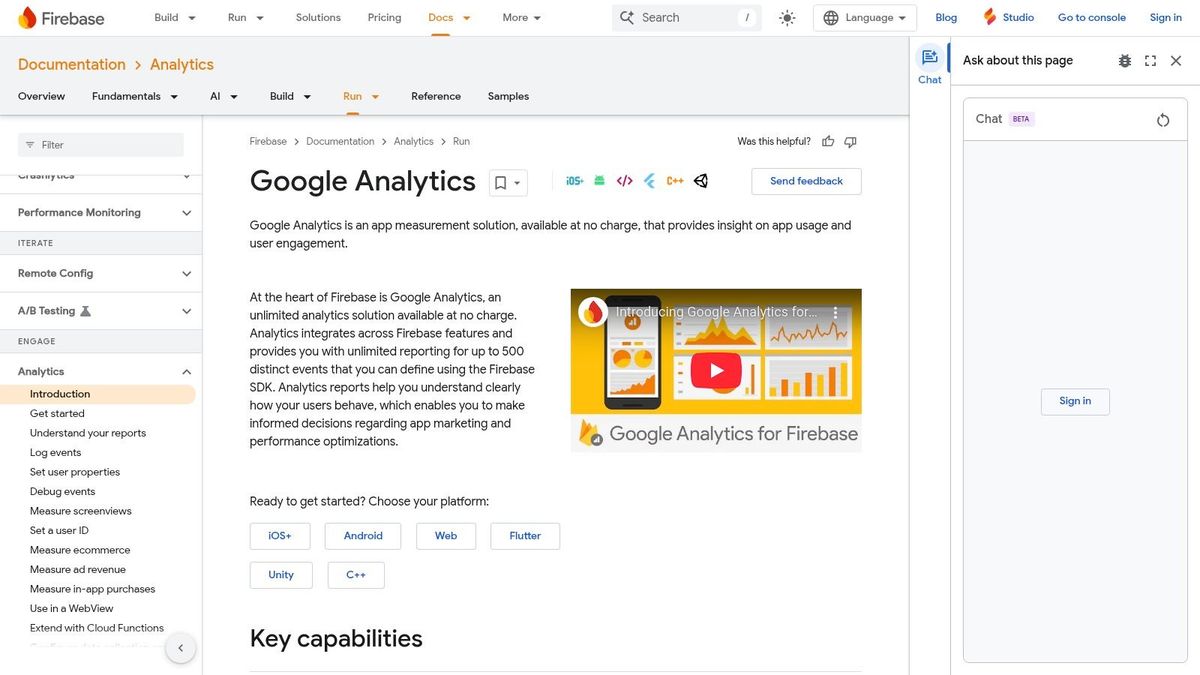
This tool excels at providing fundamental insights out-of-the-box. You can immediately start tracking key metrics like daily active users (DAUs), retention cohorts, and conversion funnels. The platform's strength lies in its automatic event collection and the ability to define up to 500 custom event types, allowing you to tailor tracking to your app's unique user journey.
Key Features & Use Cases
- Unlimited Event Reporting: Track everything from
screen_viewto custom in-app actions likelevel_completeoritem_added_to_cartwithout hitting a paywall. - Audience Segmentation: Create dynamic user segments based on events and user properties. Practical example: Build an audience of "High-Value Users" who have completed more than five
purchaseevents. Actionable insight: Target this audience using Firebase Remote Config to show them an exclusive "VIP" offer, increasing their loyalty and lifetime value. - Funnel and Retention Analysis: Easily build funnels to see where users drop off during onboarding. Practical example: A fitness app tracks the funnel
signup_complete->profile_created->first_workout_started. Actionable insight: If 40% of users drop off betweenprofile_createdandfirst_workout_started, the team can A/B test a simplified workout selection screen to reduce friction and improve activation. - BigQuery Integration: For advanced analysis beyond the Firebase console, you can export raw event data to BigQuery. This unlocks the ability to perform complex SQL queries to calculate nuanced metrics like Lifetime Value (LTV) by acquisition channel.
Pricing & Platform Support
Firebase Analytics is completely free with unlimited event reporting. Costs only arise if you use other paid Firebase services or exceed the free quotas for BigQuery exports. It offers official SDKs for iOS, Android, and Unity, making it one of the most accessible mobile analytics tools available. For deeper insights into crafting your initial measurement plan, you can learn more about making data-driven decisions for mobile apps with our guide.
Website: https://firebase.google.com/docs/analytics/
2. Mixpanel
Mixpanel is a product-focused analytics tool designed for teams who need to move beyond basic metrics and deeply understand user engagement and retention. While Firebase offers a broad ecosystem, Mixpanel provides a more specialized, self-serve interface that empowers product managers and marketers to answer complex questions without needing to write SQL. It's built from the ground up to analyze user flows, conversion funnels, and retention drivers, making it one of the best analytics tools for mobile apps focused on growth.
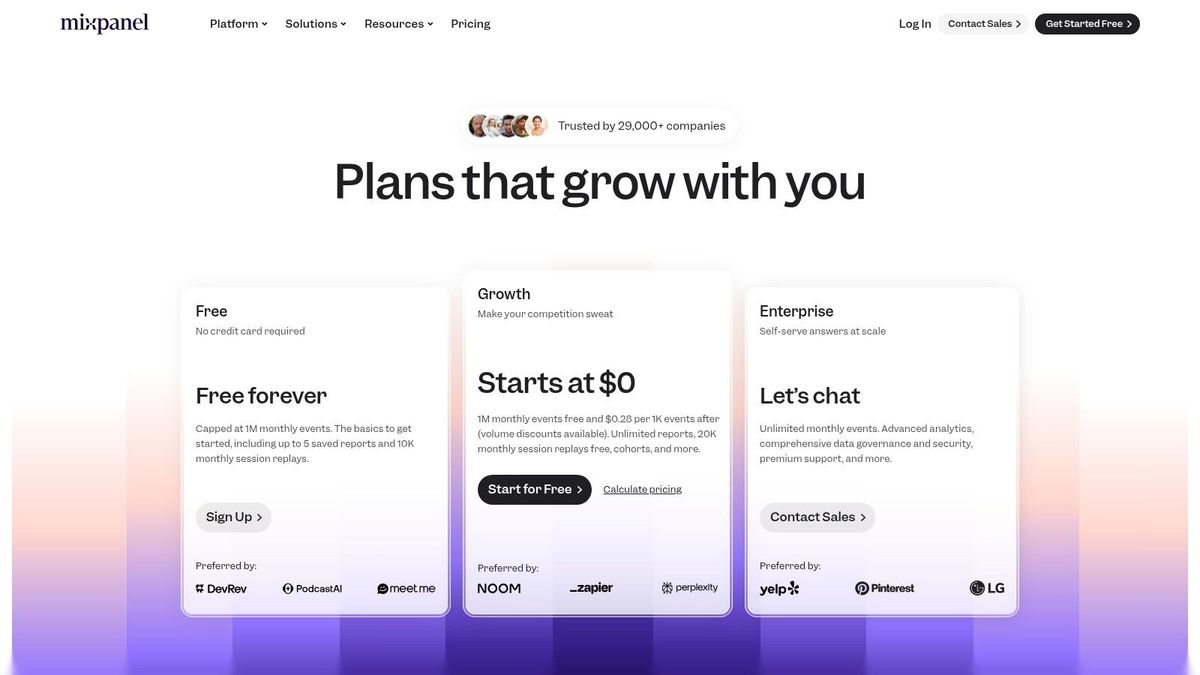
This tool excels at providing fast, actionable insights into user behavior. Its powerful segmentation capabilities allow teams to instantly compare feature adoption between different user cohorts, such as "New Users from the UK" versus "Power Users from the US." The interface is designed for rapid exploration, enabling non-technical users to build sophisticated reports in minutes.
Key Features & Use Cases
- Advanced Funnel and Flow Analysis: Go beyond simple funnels to visualize all the paths users take after a key event like
signup_complete. This helps identify both the "golden path" to conversion and unexpected drop-off points in your app. - Detailed Retention and Cohort Reports: Easily create a cohort of users who activated a new feature and track their retention over time against users who haven't. Practical example: A meditation app releases a "Sleep Stories" feature and tracks the event
used_sleep_story. They create a cohort of users who fired this event. Actionable insight: If this cohort's 30-day retention is 15% higher than the baseline, the product team can confidently invest more in developing Sleep Stories and feature them more prominently in the user onboarding. - Interactive Dashboards and Alerts: Build dashboards that your entire team can use to track key product metrics (KPIs). You can also set up alerts to be notified in Slack when a metric, such as "Weekly Checkout Failures," suddenly spikes.
- Data Integrations: Mixpanel has a broad ecosystem for importing and exporting data, allowing you to enrich user profiles with data from your CRM or send Mixpanel cohorts to marketing automation platforms for targeted campaigns.
Pricing & Platform Support
Mixpanel offers a generous free plan that includes up to 20 million monthly events. Paid plans like "Growth" and "Enterprise" offer more features and scale with your event volume. This per-event billing model can become costly if your instrumentation is noisy, so a well-defined tracking plan is crucial. It provides official SDKs for iOS, Android, React Native, and many other platforms.
Website: https://mixpanel.com/pricing/?utm_source=openai
3. Amplitude
Amplitude has established itself as a leader in product analytics by offering a comprehensive suite designed to help teams deeply understand user behavior and optimize the entire customer lifecycle. It moves beyond simple metrics, providing powerful tools for behavioral cohort analysis, user journey mapping, and retention tracking. For growth-stage startups and product teams focused on optimizing activation and long-term value, Amplitude provides the granular insights needed to make data-informed decisions.
This tool is one of the best analytics tools for mobile apps when cross-team collaboration is key. Product, marketing, and engineering teams can use shared data to identify friction points, test new features with built-in experimentation tools, and measure their impact on key performance indicators like user engagement and conversion rates. Its ability to connect specific user actions to long-term outcomes makes it invaluable for strategic product development.
Key Features & Use Cases
- Behavioral Cohort Analysis: Go beyond simple daily cohorts. Practical example: Create a segment of users based on sequences of actions, like "users who used the
add_to_cartevent 3+ times but did notcomplete_purchasewithin their first 7 days." Actionable insight: This identifies a high-intent segment for a retargeting campaign. You can sync this cohort to a push notification tool and send them a special offer to encourage their first purchase. - User Journey Mapping: Visualize the most common paths users take through your app to identify drop-off points or discover "aha!" moments. For instance, you can map the journey from
app_opentosubscription_completeto optimize the paywall flow. - Retention & Activation Reports: Pinpoint the exact features or actions that correlate with long-term user stickiness. Practical example: A social media app discovers that users who
add_5_friendsin their first 24 hours have a 40% higher Day 30 retention. Actionable insight: This "aha moment" becomes the new focus of the onboarding flow, prompting users to add friends immediately after signing up to drive stickiness. - Experimentation & Feature Flags: Natively A/B test new features and roll them out to specific user segments without needing a separate tool, tying experiment results directly back to user analytics. You can explore further with our guide on effective retention strategies.
Pricing & Platform Support
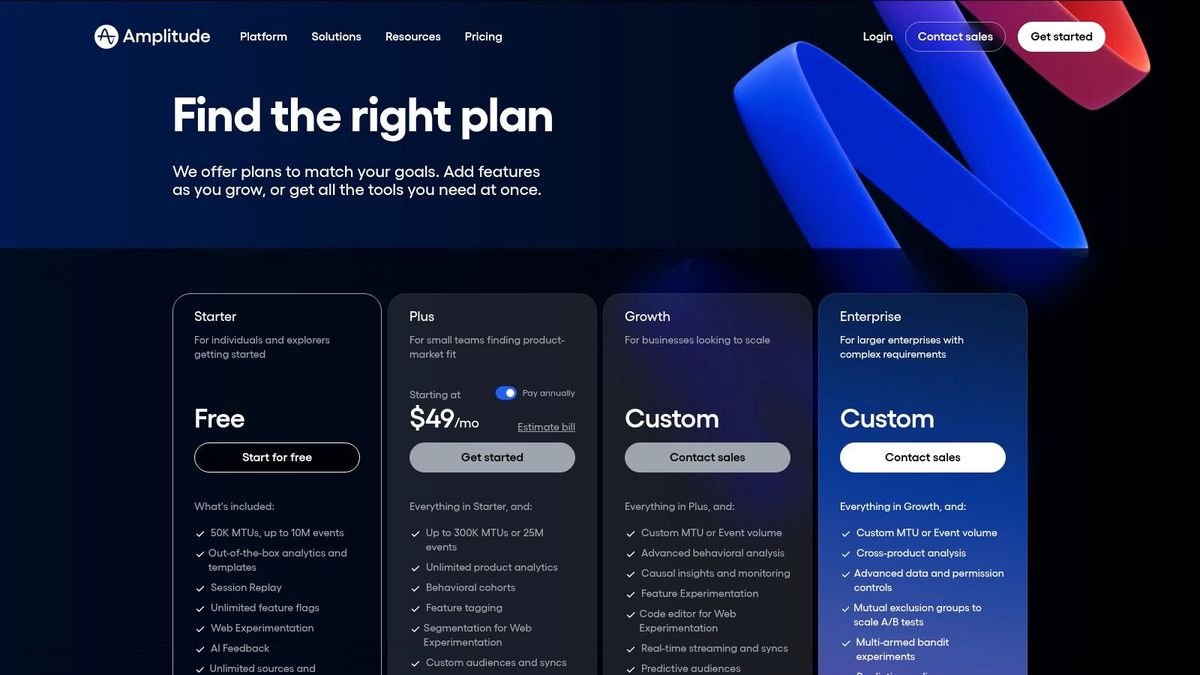
Amplitude offers a generous free "Starter" plan that includes up to 50,000 monthly tracked users (MTUs) and core analytics charts. Paid plans like "Plus" and "Growth" unlock more advanced features, collaboration tools, and higher MTU limits. Its pricing scales with your user base, so it's important to carefully manage user identification. Official SDKs are available for iOS, Android, React Native, and many other platforms, ensuring broad compatibility.
Website: https://www.amplitude.com/pricing?utm_source=openai
4. AppsFlyer
AppsFlyer is the industry standard for mobile attribution and marketing analytics, especially for teams heavily invested in paid user acquisition. While product analytics tools show what users do inside your app, AppsFlyer tells you where they came from. It excels at connecting marketing spend to in-app revenue, providing a clear picture of campaign performance, return on ad spend (ROAS), and Lifetime Value (LTV) across hundreds of integrated ad partners.
This tool is a must-have for performance marketing teams. Its core strength lies in attributing installs and subsequent in-app events back to specific ads, creatives, and channels. With growing privacy constraints like Apple's SKAdNetwork (SKAN), AppsFlyer's robust support for privacy-centric measurement has become essential for navigating the modern marketing landscape and is one of the best analytics tools for mobile apps focused on acquisition.
Key Features & Use Cases
- Mobile Attribution: Accurately attribute app installs to the marketing campaigns that drove them. Practical example: You run two ad campaigns on TikTok and Facebook. AppsFlyer shows that the Facebook campaign generated 500 installs with an average LTV of $5, while the TikTok campaign generated 300 installs with an average LTV of $15. Actionable insight: You can confidently shift more of your advertising budget from Facebook to TikTok to acquire higher-value users and improve overall ROAS.
- ROAS & LTV Reporting: Connect ad spend data from networks like Google Ads and TikTok with revenue data from in-app purchases or subscriptions to calculate campaign-level ROAS.
- Deep Linking & Deferred Deep Linking: Create seamless user journeys. Practical example: A user clicks an ad for a specific product, installs the app, and is taken directly to that product page upon first open. Actionable insight: Measuring the conversion rate of deep-linked users versus non-deep-linked users can prove the feature's ROI and justify further investment in personalized ad creatives.
- SKAdNetwork (SKAN) Solutions: Leverage AppsFlyer's Conversion Studio to strategically map conversion values for SKAN, helping you regain measurement signals for iOS campaigns.
Pricing & Platform Support
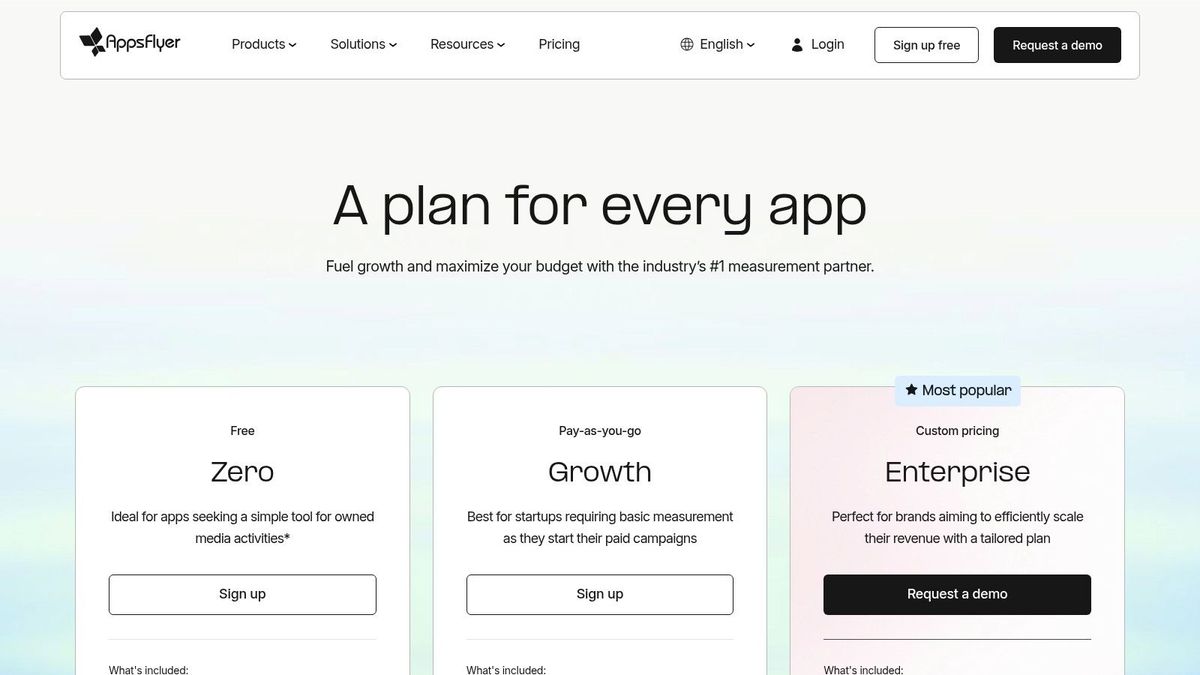
AppsFlyer's pricing is usage-based, primarily tied to the number of non-organic installs (conversions) you track per month. They offer a free "Zero" plan for up to 12,000 lifetime conversions. Paid plans scale from there, with enterprise features like fraud protection (Protect360) and advanced deep linking available at higher tiers. It provides SDKs for iOS, Android, React Native, and Unity. To dive deeper into paid growth strategies, you can learn more about user acquisition for mobile apps with our guide.
Website: https://www.appsflyer.com/pricing/?utm_source=openai
5. Adjust
Adjust is a mobile measurement partner (MMP) that specializes in attribution, helping marketing and product teams understand exactly where their most valuable users come from. While it provides powerful analytics, its core strength lies in connecting marketing spend to in-app actions, making it one of the best analytics tools for mobile apps focused on performance marketing. For teams investing heavily in paid acquisition across multiple ad networks, Adjust delivers the clarity needed to optimize campaigns and maximize return on ad spend (ROAS).
The platform shines in a privacy-first world, offering robust support for Apple's SKAdNetwork (SKAN) and other modern frameworks. Unlike product analytics tools that focus solely on in-app behavior, Adjust bridges the gap between external campaigns and internal user value. Its Datascape analytics suite allows you to visualize and segment performance data from all your channels in one place, providing both high-level and granular views of your acquisition funnel.
Key Features & Use Cases
- Multi-Touch Attribution: Understand the full user journey by tracking clicks and impressions across various touchpoints before an install. You can customize attribution windows to match your campaign goals and user conversion cycles.
- SKAN Measurement: Utilize Adjust’s comprehensive SKAN solution to measure iOS campaign performance while respecting user privacy, translating conversion values into meaningful KPIs.
- Deep Linking & Audience Building: Create seamless user experiences by deep-linking from ads directly to specific in-app content. Practical example: An e-commerce app creates an audience of users who fired the
add_to_cartevent but not thepurchaseevent in the last 7 days. Actionable insight: They can sync this audience with their ad network to run a retargeting campaign showing those exact cart items, significantly increasing the likelihood of conversion. - Fraud Prevention Suite: An essential add-on for performance marketers, this feature automatically rejects fraudulent installs in real-time, protecting your ad budget from fake clicks and bots.
Pricing & Platform Support
Adjust offers several packages tailored to different business needs, starting with its Base plan for essential measurement. Growth-focused features like the Fraud Prevention Suite and advanced reporting are available as add-ons in the Core, Enterprise, and Growth packages. Pricing is custom and based on your app's monthly tracked users. It provides official SDKs for iOS, Android, Unity, React Native, Flutter, and more.
Website: https://www.adjust.com/pricing/?utm_source=openai
6. Branch
Branch stands out in the analytics space by focusing intensely on the user journey before the first app open. Its core strength lies in deep linking and cross-platform attribution, solving the critical problem of routing users from ads, emails, or social posts directly to specific in-app content. For marketing and growth teams, Branch is an indispensable tool for creating seamless user acquisition funnels and accurately measuring channel performance. It bridges the gap between marketing efforts and in-app engagement, ensuring attribution data is not lost at the point of installation.
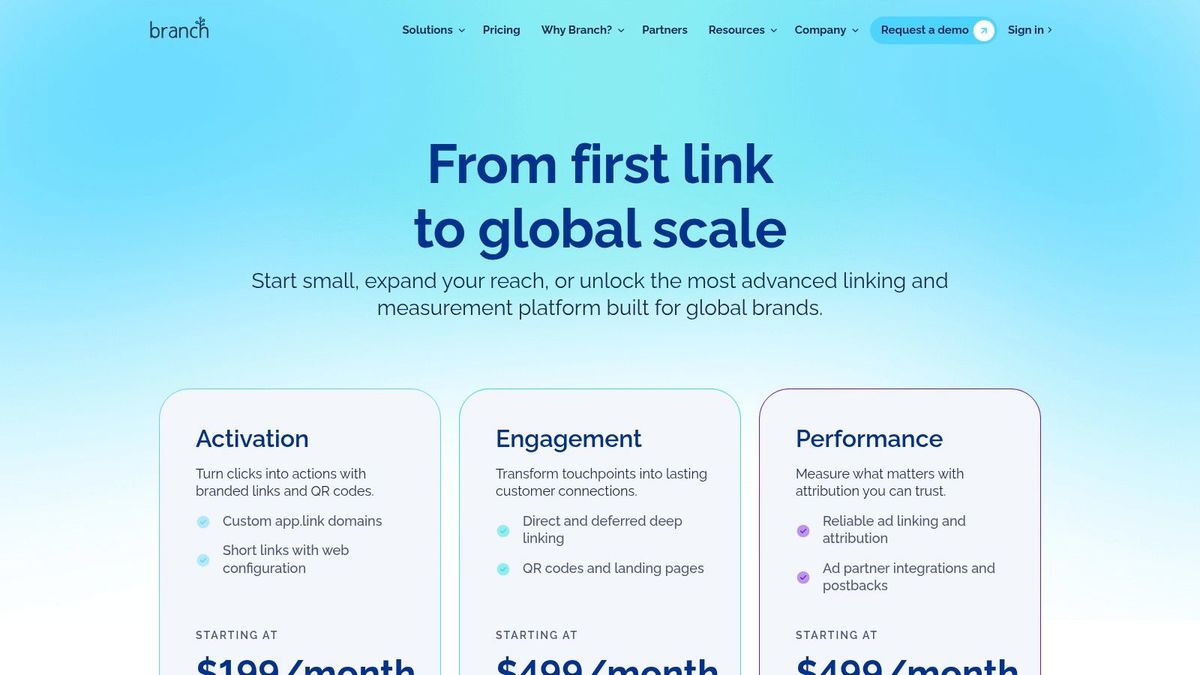
This tool excels at improving activation and conversion by removing friction. With deferred deep linking, a user who clicks a link to a specific product but doesn't have the app is taken to the App Store, and then automatically routed to that product page after installation. This seamless experience is proven to boost conversion rates and is a key reason why Branch is considered one of the best analytics tools for mobile apps focused on growth.
Key Features & Use Cases
- Deferred & Contextual Deep Linking: Create links that survive the app install process. Practical example: A travel app emails a user a special offer for a flight to Hawaii. The user clicks the link on their desktop, installs the app on their phone, and upon first open is taken directly to the flight details for that Hawaii trip. Actionable insight: This removes multiple steps of friction (opening the app, searching for the flight), leading to a measurable increase in conversion rate for that campaign.
- Branded Links & QR Codes: Generate custom-branded short links and QR codes for owned media campaigns. Practical example: A restaurant places a QR code on their physical menus. When scanned, it opens their app directly to the loyalty program sign-up screen. Actionable insight: By tracking scans and sign-ups from this specific QR code, they can quantify the direct impact of their in-store marketing on digital engagement.
- Ad Partner Integrations: Accurately attribute installs and down-funnel events back to specific ad networks and campaigns. This allows you to measure the true ROAS of paid user acquisition efforts from partners like Meta, Google Ads, and TikTok.
- Mobile Linking Platform (MLP): Use smart banners, custom landing pages, and email templates to convert web traffic into engaged mobile app users.
Pricing & Platform Support
Branch offers a free "Launch" plan which includes up to 10,000 monthly active users (MAUs) and core deep linking features, making it accessible for early-stage startups. Paid plans scale based on MAUs and feature access, offering more advanced attribution and support. While it offers powerful linking analytics, for deep paid user acquisition analysis, teams often pair it with a dedicated MMP. Branch provides official SDKs for iOS, Android, React Native, and other cross-platform frameworks.
Website: https://www.branch.io/pricing/?utm_source=openai
7. Twilio Segment (Connections/CDP)
Twilio Segment isn't a traditional analytics tool but rather a Customer Data Platform (CDP) that acts as a central nervous system for your mobile app's data. Instead of installing multiple SDKs for different analytics, marketing, and data warehousing tools, you install Segment's SDK once. This single integration collects all your user event data and then routes it to hundreds of destinations, making it one of the best analytics tools for mobile apps focused on data governance and stack flexibility.
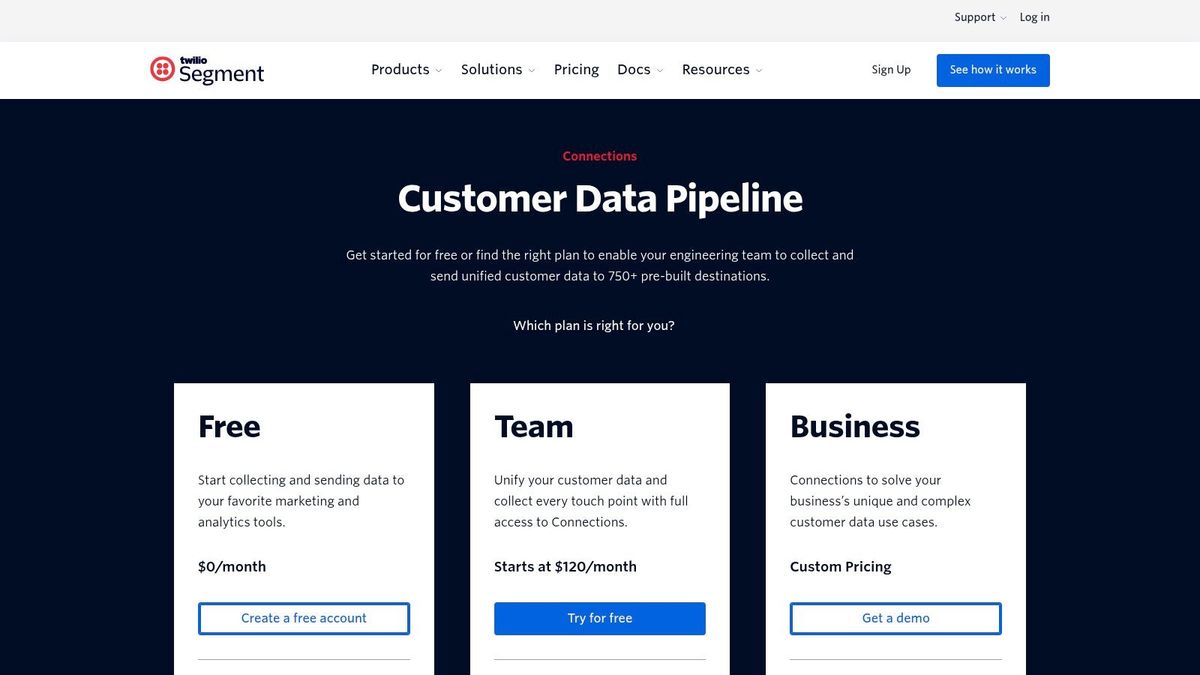
The core benefit is a cleaner, more manageable codebase and a single source of truth for your event data. By defining your tracking schema once in Segment, you ensure that every downstream tool, from Mixpanel to your data warehouse, receives consistent, high-quality data. This drastically reduces engineering overhead when adding or swapping out tools in your analytics stack.
Key Features & Use Cases
- Single SDK, 700+ Integrations: Implement one SDK for iOS or Android to collect data and forward it to destinations like Amplitude, Braze, or Amazon S3 without writing new code.
- Data Governance (Protocols): Enforce a strict event schema to prevent "bad data" from entering your systems. Practical example: You can require that the
order_completedevent must always include arevenueproperty with a number data type and acurrencyproperty with a string data type. Actionable insight: This prevents inconsistent data (e.g.,revvs.revenue, or9.99vs.$9.99) from breaking your revenue dashboards in downstream tools, ensuring data reliability across the organization. - Data Warehousing: Automatically load raw event data into warehouses like Snowflake, BigQuery, or Redshift, enabling deep, custom analysis with SQL.
- Scalable CDP Features: As your needs grow, you can upgrade to Segment's full CDP suite (Unify/Engage) to build unified customer profiles and orchestrate cross-channel marketing campaigns.
Pricing & Platform Support
Segment Connections offers a free tier for up to 1,000 monthly tracked users (MTUs) and two destinations. The paid Team plan starts at $120/month for 10,000 MTUs and includes unlimited destinations and data warehousing. Its official SDKs support iOS, Android, and React Native, among others, making it a powerful choice for teams that anticipate needing a flexible, multi-tool analytics stack.
Website: https://segment.com/pricing/connections/?utm_source=openai
8. RevenueCat
While most analytics tools track user behavior, RevenueCat is laser-focused on one of the most critical aspects of your app's success: monetization. It's not a general-purpose product analytics tool but rather a specialized platform designed to handle the complexities of in-app purchases and subscriptions. For any app whose business model relies on recurring revenue, RevenueCat provides the essential infrastructure and analytics to track financial health with precision. It simplifies cross-platform subscription logic and gives you clear visibility into revenue-centric metrics.
This tool excels at providing an accurate, real-time source of truth for your subscription data, directly from the App Store and Google Play. Instead of trying to stitch together behavioral events to estimate revenue, RevenueCat gives you concrete financial metrics like Monthly Recurring Revenue (MRR), churn, and trial conversion rates. This makes it one of the best analytics tools for mobile apps focused purely on subscription performance.
Key Features & Use Cases
- Monetization-Specific Dashboards: Instantly access charts for MRR, churn, trial-to-paid conversion rates, and active subscriptions without any complex setup. This is ideal for quickly assessing the financial impact of a new feature or marketing campaign.
- Cross-Platform Entitlement Management: Manage user access to premium features seamlessly across iOS, Android, and the web. This prevents a user who subscribed on iOS from being asked to pay again on Android.
- Paywall A/B Testing: Run experiments on pricing, copy, and design directly within RevenueCat to optimize conversion. Practical example: A language-learning app tests a "$9.99/month" plan against a "$79.99/year (save 33%)" plan. Actionable insight: RevenueCat's dashboard might show that while the monthly plan has a higher initial conversion rate, the annual plan produces a 50% higher Lifetime Value (LTV). This data justifies pushing the annual plan more aggressively to maximize long-term revenue.
- Data Integrations: Forward rich subscription events (e.g.,
trial_started,subscription_cancelled) to other analytics platforms like Amplitude or Firebase. This allows you to correlate monetization events with user behavior for deeper analysis.
Pricing & Platform Support
RevenueCat offers a free plan for apps with up to $2,500 in monthly tracked revenue. Paid plans are usage-based and scale with your revenue, aligning its cost directly with your app's success. It provides official SDKs for iOS, Android, React Native, Flutter, and Unity, making it a versatile choice for nearly any mobile development stack.
Website: https://www.revenuecat.com/pricing/?utm_source=openai
9. data.ai (formerly App Annie)
While most tools on this list focus on your app's internal user behavior, data.ai (formerly App Annie) excels at providing external market and competitive intelligence. It's an essential platform for growth teams looking to understand the broader app ecosystem, benchmark performance, and inform strategic decisions like market entry or feature prioritization. Instead of analyzing your own events, you use data.ai to analyze market trends, competitor downloads, and revenue estimates.
This tool moves the focus from your code to your competition. It helps answer critical business questions like "How large is the total addressable market (TAM) for a new fitness app in Europe?" or "Which ad creatives are our main competitors using to acquire users?" It's less about debugging user flows and more about crafting a winning go-to-market and ASO strategy based on hard market data.
Key Features & Use Cases
- Store Rankings & Estimates: Track app store rankings, estimated downloads, and revenue for any app. This is invaluable for competitive research and identifying high-growth market players.
- Ad Intelligence: Analyze competitor advertising strategies, including which networks they use and their top-performing creatives. Practical example: You see your main competitor is suddenly acquiring thousands of users from a new ad network you haven't considered. Actionable insight: This is a strong signal to test that new channel immediately, potentially uncovering an untapped, high-performing user acquisition source before it becomes saturated.
- Market Sizing & Benchmarking: Leverage comprehensive market data to validate a new app idea by sizing the potential audience and revenue. Practical example: You can benchmark your app’s user retention against the category average. Actionable insight: If your Day 30 retention is 5% while the top quartile for your category is 15%, it provides a clear, data-backed goal for your product team to focus on improving user stickiness.
- ASO & Keyword Strategy: Identify the keywords that drive downloads for competitors to refine your own App Store Optimization (ASO) strategy and improve organic visibility.
Pricing & Platform Support
data.ai operates on an enterprise-focused, sales-led pricing model with no public self-serve plans. You must contact their sales team for a custom quote, which can be a significant investment. As a web-based platform, it requires no SDK integration. Note that its recent acquisition by Sensor Tower may lead to changes in its product offerings and packaging.
Website: https://www.data.ai/en/
10. Datadog Mobile RUM
Datadog Mobile Real User Monitoring (RUM) positions itself differently from product-focused platforms by giving engineering teams unparalleled visibility into app performance and its direct impact on the user experience. Instead of just tracking user events for business KPIs, it connects frontend interactions like screen loads and crashes directly to backend performance, logs, and infrastructure metrics. This makes it an essential tool for diagnosing issues that product analytics tools can't see, such as a slow API call causing user frustration during checkout.
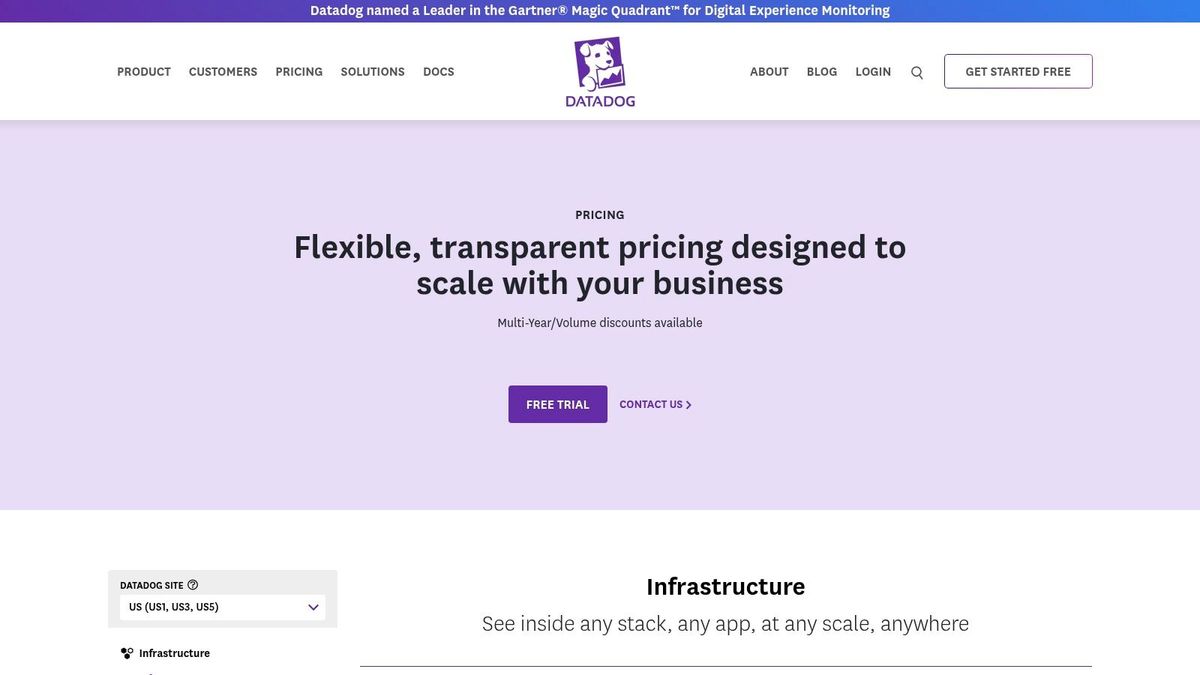
This tool is less about what users are doing and more about how the app is performing while they do it. It excels at answering questions like, "Is the new feature shipping with a memory leak affecting older devices?" or "Which network request is causing a screen freeze for users in a specific region?" By linking every user session to performance data, engineering teams can proactively identify and resolve technical debt before it impacts key business metrics.
Key Features & Use Cases
- End-to-End Performance Monitoring: Correlate mobile app crashes, application hangs (ANRs), and slow load times directly with backend service logs and APM traces. Practical example: You release a new app version and see a spike in users abandoning the checkout flow in Amplitude. In Datadog, you see that this user cohort is also experiencing a 5-second P90 latency on the
process_paymentAPI call. Actionable insight: The problem isn't the UX design; it's a backend performance bottleneck. The engineering team can now focus on optimizing that specific API endpoint to fix the business problem. - Session Replay: Visually reproduce user sessions to understand the exact sequence of actions that led to a crash or error. This is invaluable for debugging complex UI bugs that are difficult to replicate.
- Crash Reporting & Error Tracking: Get detailed stack traces and device context for every crash. You can set up alerts to notify your on-call engineering team when crash rates for a new release exceed a certain threshold.
- Core Web Vitals & Custom Timings: While originating from the web, the principles apply here. Monitor key user interaction timings, such as the time it takes for an image to load or a purchase to be confirmed after a button tap.
Pricing & Platform Support
Datadog RUM is priced on a per-session basis, with plans starting at around $1.50 per 1,000 sessions per month, with 15 months of data retention. This model requires careful implementation of session sampling for high-traffic apps to manage costs. It offers official SDKs for iOS, Android, and React Native, integrating seamlessly into the broader Datadog ecosystem of monitoring tools. While not a primary product analytics solution, it is one of the best analytics tools for mobile apps focused purely on technical health and performance.
Website: https://www.datadoghq.com/pricing/?utm_source=openai
11. Sentry (Mobile)
While many analytics tools focus on what users do, Sentry answers the critical question of why they can't. It's a developer-first platform for error, crash, and performance monitoring that complements traditional behavioral analytics. For mobile teams, Sentry is essential for understanding app stability and release health, directly impacting user retention. It provides the deep, contextual data needed to find and fix bugs before they result in negative app store reviews or user churn.
Sentry excels at connecting performance issues directly to the user experience. By monitoring metrics like crash-free sessions and identifying slow API calls, developers can proactively improve app quality. Its detailed stack traces and context-rich issue reports drastically reduce the time it takes to diagnose and resolve problems, making it one of the best analytics tools for mobile apps focused on technical health.
Key Features & Use Cases
- Crash and Error Monitoring: Get real-time alerts with full stack traces, device information, and user "breadcrumbs" to replicate and fix crashes quickly. This is crucial for maintaining high app store ratings.
- Release Health: Track the stability of new versions by monitoring crash-free user rates. Practical example: You ship version 2.5 of your app. Sentry's dashboard shows the crash-free user rate has dropped from 99.9% to 98%. It automatically identifies a new null pointer exception that only occurs on older Android devices as the cause. Actionable insight: Your team can immediately release a hotfix (v2.5.1) to resolve the issue for that specific user segment, preventing a wave of negative reviews and uninstalls.
- Session Replay: Visually replay user sessions that ended in an error or crash to see exactly what went wrong. This is invaluable for debugging complex UI-related bugs that are difficult to reproduce.
- Performance Monitoring: Identify performance bottlenecks like slow screen loads or unresponsive UI elements. Practical example: Sentry flags that your
home_screen_loadtransaction has a p95 duration of 4 seconds. Actionable insight: Developers can dive into the transaction trace, see that a specific database query is taking 3 seconds, and add a caching layer to improve the screen load time, enhancing the experience for 95% of users.
Pricing & Platform Support
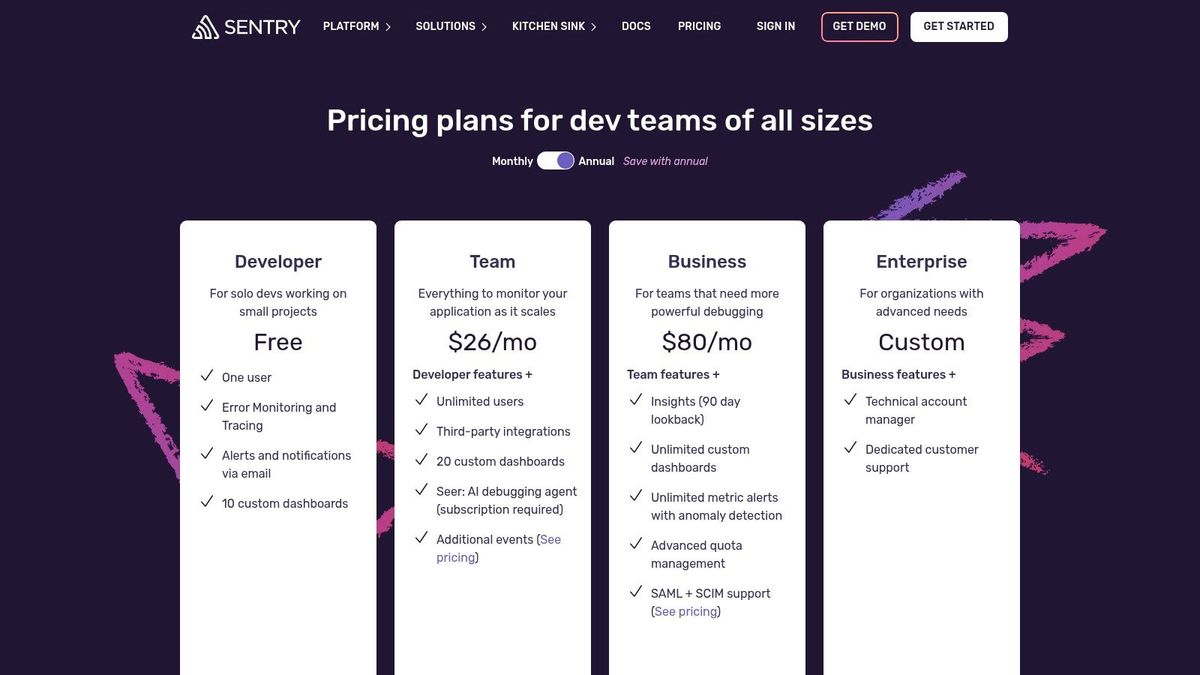
Sentry offers a free Developer plan for individuals and small teams. Paid plans like Team (starting at $26/month) and Business provide higher event quotas, more features, and better support. It's important to monitor event and transaction volumes to avoid overages. Sentry provides official SDKs for major mobile platforms, including iOS, Android, React Native, and Flutter.
Website: https://sentry.io/pricing/
12. G2 — Mobile Analytics Software Category
While not an analytics tool itself, G2 is an indispensable resource for evaluating and selecting the right platform for your needs. It’s a peer-to-peer review site where you can compare the best analytics tools for mobile apps based on verified user feedback, feature sets, and market presence. For founders and product leaders, G2 provides a critical layer of social proof, helping you shortlist vendors and validate marketing claims against real-world experiences from companies of a similar size and industry.
The platform shines when you need to move beyond high-level feature lists and understand the nuances of implementation, support quality, and long-term satisfaction. Its detailed comparison grids and user-submitted pros and cons offer a transparent view, helping you avoid a tool that looks good on paper but fails in practice. G2 is the step you take before committing to demos and trials.
Key Features & Use Cases
- Verified User Reviews: Filter reviews by company size, role, and industry to find feedback from peers facing similar challenges. Practical example: A Series A B2C subscription app is deciding between two analytics tools. They can filter G2 reviews to only show feedback from other "Mid-Market" (51-1,000 emp.) companies. Actionable insight: If reviews from this segment consistently praise one tool for its scalability and complain that the other becomes slow with large data volumes, it provides a strong signal for which tool is better suited for future growth.
- Side-by-Side Comparisons: Use G2's comparison feature to create a head-to-head analysis of your top three contenders (e.g., Mixpanel vs. Amplitude vs. PostHog) on specific features like funnel analysis or A/B testing capabilities.
- Category Shortlisting: Discover vendors you may not have considered. Exploring adjacent categories like "Product Analytics" or "Mobile App Attribution" can reveal specialized tools that better fit a niche use case, such as tracking paid ad campaign performance.
- Alternative Discovery: Find direct competitors for any given tool. If you find a platform is too expensive or complex, G2 immediately suggests viable alternatives that are frequently compared by other buyers.
Pricing & Platform Support
G2 is completely free for buyers and researchers. The platform is a marketplace that directs you to vendor websites for demos, trials, and purchasing. It supports research for software across all platforms, but its value lies in its extensive database of user reviews and comparative data rather than direct software integration.
Website: https://www.g2.com/categories/mobile-analytics?utm_source=openai
Top 12 Mobile App Analytics Tools — Feature Comparison
| Tool | Core focus | Key features | Best for (target audience) | Unique strengths (USP) | Pricing / cost notes |
|---|---|---|---|---|---|
| Google Analytics for Firebase (Firebase) | Native mobile analytics + Firebase stack | Unlimited event-based reporting, funnels, retention, BigQuery export, Crashlytics | MVPs and teams on Google infra | Deep Google Ads/Firebase integration; free SDKs | Core analytics free; BigQuery/GA4 skill costs for advanced analysis |
| Mixpanel | Event-based product analytics | Funnels, retention, flows, session replay, alerts, imports/exports | Product managers, growth & marketing teams | Fast self‑serve UI; growth-focused tools | Generous free tier (first 1M events free); per-event billing can spike |
| Amplitude | Product analytics + experimentation | Cohorts, journeys, activation, feature flags, session replay, Snowflake option | Cross-team growth and LTV analysis | Collaboration features; built-in experimentation | MTU-based tiers (up to 50K free); advanced features often paid |
| AppsFlyer | Mobile attribution & UA analytics | SKAdNetwork tools, cost/ROI, ad partner integrations, fraud prevention | Performance UA teams & ad partners | Broad partner ecosystem; strong SKAN support | Pricing tied to "conversions"; enterprise features costly |
| Adjust | Attribution with privacy/compliance focus | Click/impression attribution, SKAN, Datascape exports, deep linking | Privacy-conscious UA teams | Transparent entry plan; strong compliance tooling | Many growth features are paid add-ons; careful setup needed |
| Branch | Deep linking & activation | Branded links, deferred deep linking, QR codes, landing pages | Growth teams improving activation & links | Reliable linking; packaged pricing; QR/landing tools | Free starter path; watch volume/credit overages |
| Twilio Segment (Connections/CDP) | Customer data pipeline & CDP | 700+ integrations, warehousing, reverse ETL, schema governance | Teams centralizing events and reducing SDK bloat | Centralizes event schema; large integration ecosystem | Visitor/MTU pricing model; CDP features custom-priced |
| RevenueCat | In-app purchase & subscription infra | Entitlements, revenue/cohort analytics, paywall A/B, integrations | Mobile subscription apps & monetization teams | Purpose-built subscription analytics; revenue-aligned tooling | Usage-based pricing tied to revenue growth |
| data.ai (formerly App Annie) | Market & competitive intelligence | Store rankings, downloads/revenue estimates, ASO / IAP insights | Market research, TAM sizing, ASO teams | Enterprise-grade market benchmarks and competitive data | Sales-led pricing; no public self-serve plans |
| Datadog Mobile RUM | Real User Monitoring & performance | Session collection, UX/perf metrics, backend correlation, session replay | Engineering teams linking UX to infrastructure | End-to-end visibility with APM/logs integration | Per-session pricing; costs rise with traffic unless sampled |
| Sentry (Mobile) | Crash/error monitoring & performance | Crash reports, traces/spans, release health, session replay | Developers improving app stability | Fast root-cause analysis; developer-friendly | Affordable team plans; monitor event/span quotas |
| G2 — Mobile Analytics Software Category | Buyer reviews & vendor comparisons | Category pages, side-by-side comparisons, filterable reviews | Buyers shortlisting analytics vendors | Peer reviews and vendor grids for selection | Free to use; links out to vendor trial/demo pages |
From Data to Decisions: Your Next Steps
Navigating the landscape of the best analytics tools for mobile apps can feel overwhelming. We've journeyed through a comprehensive list, from foundational product analytics platforms like Firebase and Mixpanel to sophisticated attribution experts like AppsFlyer and performance monitors such as Sentry. The key takeaway is clear: there is no single "best" tool, only the right combination of tools for your specific stage, goals, and tech stack.
Your core mission is to transform raw data points into a strategic roadmap. A well-defined measurement plan, as we've discussed, is the bridge between data collection and actionable insight. It forces you to move beyond vanity metrics and focus on the user behaviors that directly impact retention, LTV, and ultimately, MRR.
Synthesizing Your Analytics Strategy
Remember, the most powerful insights often emerge from combining data sources. A startup in the Seed to Series A stage might create a powerful, cost-effective stack by pairing Firebase for core event tracking and user properties with RevenueCat to accurately model subscription revenue. This combination provides a clear view of which user actions correlate with a higher likelihood of becoming a paying subscriber.
As you scale, this stack will evolve. You might introduce Amplitude for its deeper behavioral cohort analysis or layer in Adjust to optimize paid acquisition channels. The goal is to build a unified view of the user journey, from their first ad click to their 12th in-app purchase.
Key Factors for Your Final Decision
Before you commit to a tool (or a stack of tools), revisit these critical considerations:
- Business Model Alignment: Is your app subscription-based, driven by in-app purchases, or ad-supported? Your monetization strategy dictates the most critical metrics to track. A subscription app needs a tool like RevenueCat or Mixpanel that excels at cohort-based retention analysis.
- Team Skillset & Resources: Does your team have dedicated data analysts, or do your product managers need an intuitive, self-serve platform? Tools like Amplitude and Mixpanel are built for the latter, while a more complex setup involving a CDP like Segment might require more engineering overhead.
- Technical Integration: How seamlessly does the tool integrate with your stack, especially if you're using React Native? Always review the latest SDK documentation and community support forums before making a final choice. A difficult implementation can delay insights for months.
- Scalability and Cost: Project your event volume and user growth over the next 12-18 months. A tool that seems affordable for your MVP might become prohibitively expensive as you scale. Model your future costs based on the pricing structures we outlined for each tool.
Your Actionable Next Steps
Armed with this information, your path forward is clear. Start by defining the one or two core funnels that are most critical to your app's success right now. Is it the user onboarding flow? The trial-to-paid conversion path? Or the engagement loop for a core feature?
Map out the specific events needed to measure that funnel. This focused measurement plan becomes your implementation guide. Once you begin collecting data, you'll uncover user friction points and opportunities for optimization. For example, you might discover a significant drop-off during your onboarding. This data can inform A/B tests to simplify a step, or it might reveal a pattern of user confusion that needs to be addressed. These insights can also help you make informed decisions about other parts of your app, such as identifying common pain points that can be addressed by implementing advanced AI customer support tools to improve the overall user experience.
Choosing from the best analytics tools for mobile apps is not just a technical decision; it's a strategic one that will shape your product's future. Start small, focus on what truly matters, and let the data guide your journey from a promising app to a market-leading business.
At Vermillion, we specialize in helping Series A startups build and scale high-performing React Native apps. We integrate the right analytics stack from day one, ensuring your product and engineering teams are aligned with the metrics that drive growth, retention, and MRR. If you need a technical partner to turn your data into a competitive advantage, contact Vermillion today.