Agile and Design: A Practical Path to Faster, Quality Mobile Apps

Bringing agile and design together means weaving rapid, iterative development into the fabric of deep, user-focused problem-solving. It’s a move away from the old, broken model where designers toss static mockups over a wall to developers. Instead, we create a continuous, collaborative loop.
This ensures products aren't just built fast—they're also desirable, usable, and valuable to real people from day one.
Why Agile And Design Must Work Together
For startups, speed is survival. We all know this. But launching an app quickly is a total waste of time if it fails to connect with users. This is the core tension every product team faces: balancing Agile's relentless push for speed with Design's thoughtful, user-centric process.
Getting agile and design to work together isn't just a "nice-to-have" anymore. It's a requirement for building products that actually win.
Think of it like building a high-performance race car. Development builds the powerful engine, but design is the expert driver who knows every single curve of the track. You can't win with just one. This integrated approach ensures every development sprint is actually guided by validated user needs, not just a list of features.
Aligning Speed With User Needs
When design and development operate in separate silos, you almost always end up with a feature-packed product that nobody actually wants to use. Integrating them from the very beginning solves this. It makes sure all that speed is pointed in the right direction.
For example, a team might spend two months building a complex photo-editing feature because it seemed like a good idea. An integrated team would first have designers create a simple prototype and test it with five users. If those users show no interest, the idea is killed in two days, saving the company months of wasted engineering effort.
By merging these two functions, teams ensure that every sprint delivers tangible value to the user, not just more code. This alignment is critical for achieving product-market fit faster and with less wasted capital.
Boosting Business Outcomes
A seamless agile and design workflow has a direct impact on the bottom line. It’s not just about making things look pretty; it's about business performance.
It creates a powerful feedback loop where user insights from design research inform what gets built, and development sprints deliver those solutions quickly for real-world testing. This is how you drive key business metrics. You can learn more about the foundational principles by exploring our guide to the best practices for mobile app design.
This collaboration leads to real, measurable results:
- Higher User Retention: Products built around actual user needs are more intuitive and enjoyable. People stick around.
- Increased Market Share: A superior user experience becomes a massive competitive advantage, attracting and keeping customers.
- Stronger ROI: By focusing development resources on validated ideas, startups kill bad ideas early, minimize risk, and maximize the return on every dollar spent.
A Practical Framework For Integrating Design Into Sprints
Let's move from theory to a real-world workflow. The goal is to embed design directly into your Agile process, killing the old waterfall-style handoff where designers just throw work over the wall to engineers.
The best way we've found to do this is called Dual-Track Agile. It’s a framework that creates a continuous, collaborative loop by running two parallel streams of work at the same time.
Think of it like having two assembly lines running side-by-side.
- The Discovery Track is where designers, researchers, and product managers live. They explore user problems, sketch out ideas, and create validated prototypes.
- The Delivery Track is for the engineers. They take those validated designs and turn them into shippable code—building, testing, and deploying the actual features.
This dual-track approach makes sure your engineering team always has a backlog of well-defined, user-tested work ready to go. It's a core principle of good project management, which you can dive deeper into in our guide on effective project management for app development.
How Dual-Track Agile Works In Practice
The real magic here is in the timing. The Discovery track always works at least one sprint ahead of the Delivery track. This sets up a steady rhythm where one team is learning while the other is building, creating a constant flow of validated ideas into the development pipeline.
It’s all about letting design steer the agile engineering engine.
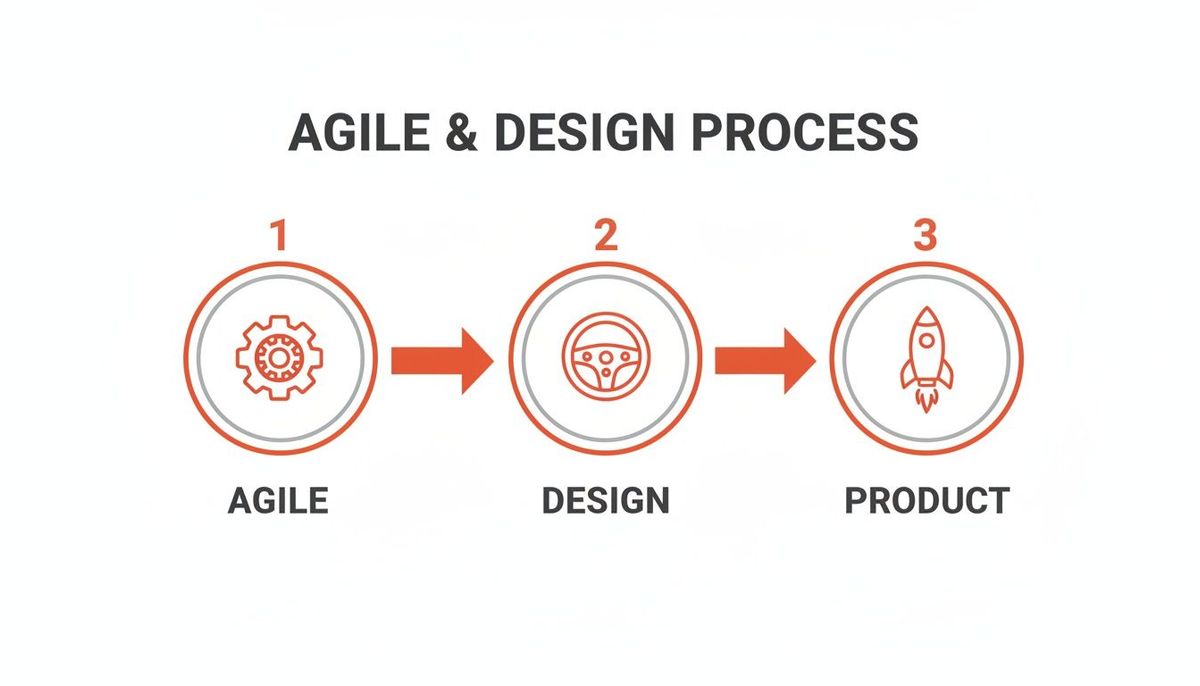
This simple flow is powerful. The agile engine gets you moving fast, but the design steering wheel makes sure you’re actually going in the right direction to launch a product people want.
Here’s a practical look at how this plays out for a mobile startup building a new checkout flow.
- Sprint 1 (Discovery): The designer and product manager dig into user pain points with the current checkout. They create low-fidelity wireframes in a tool like Figma, run user tests with interactive prototypes, and iterate on the design based on what they learn. The sprint ends with a validated, high-fidelity design ready for development.
- Sprint 2 (Delivery): While the developers start coding the now-validated checkout flow from Sprint 1, the designer is already moving on to the next priority—maybe researching and prototyping a new order tracking feature.
This cycle smashes bottlenecks. Developers aren't stuck waiting for designs, and designers aren't rushing to create something without proper user feedback.
To make this even clearer, here's how the two tracks operate in parallel over a typical two-week sprint.
Dual-Track Agile Workflow For Mobile Startups
| Sprint Phase | Discovery Track (Design & Research) | Delivery Track (Development & QA) |
|---|---|---|
| **Week 1: Days 1-2** | Finalize research for the *next* feature (e.g., order tracking). Brainstorm and create initial low-fi wireframes. | Sprint Planning. Begin coding the validated feature from the *previous* sprint (e.g., checkout flow). |
| **Week 1: Days 3-5** | Build interactive prototypes for user testing. Schedule and conduct initial user feedback sessions. | Continue feature development. Code reviews and initial component testing. |
| **Week 2: Days 6-8** | Analyze user feedback. Refine prototypes into high-fidelity designs, preparing them for the *next* sprint's delivery track. | Complete primary coding. Integrate the feature into the main codebase. QA begins testing. |
| **Week 2: Days 9-10** | Finalize design documentation and assets for handoff. Present the validated designs to the engineering team. | Address QA feedback and fix bugs. Prepare the feature for release. Sprint Review & Retrospective. |
This table shows the constant forward momentum. As one feature is being built and tested, the next one is already being validated and prepared, creating a seamless and efficient product development machine.
Key Benefits Of This Integrated Workflow
This isn't just about rearranging tasks on a board; it's about fundamentally changing how your team builds products. Projects using these iterative methods see a 75% success rate, a huge leap from the 56% for traditional waterfall projects. Why? Because you're constantly refining the UX and UI based on what real users actually say and do.
By working in parallel tracks, you ensure that engineering effort is always focused on features that have been vetted and de-risked. This dramatically reduces wasted code, accelerates time-to-market, and aligns the entire team on delivering genuine user value.
Ultimately, this workflow turns a disconnected handoff into a true partnership. Design provides the validated "what" and "why," while development masterfully executes the "how." It’s a powerful combination for building mobile apps that solve real problems and keep users coming back.
Defining Clear Roles For Seamless Collaboration
A great process is only half the battle. If you want a truly effective agile and design framework, you need crystal-clear roles to empower your team and cut through the confusion.
When everyone knows exactly what they own, work just flows. You eliminate the stalls, overlaps, and friction that kill momentum. This clarity is the foundation that high-performing product teams are built on.
Think of it like a three-legged stool—the Product Manager, the Designer, and the Lead Engineer. Each leg is distinct, but they are all deeply interconnected. If you pull one away, the whole thing comes crashing down. Success hinges on each person owning their core function while constantly engaging with the others.
The Core Product Trio
In any successful agile and design workflow, you’ll find a leadership core made up of three key roles. Each one brings a critical perspective to the table, making sure every product decision is balanced, valuable, and actually possible to build.
- Product Manager (The 'Why'): This is the voice of the business and the market. Their job is to set the product vision, define what success looks like in business terms, and ruthlessly prioritize features based on user needs and KPIs. The PM’s ultimate responsibility is to make sure the team is building the right thing.
- UX/UI Designer (The 'How'): The designer is the voice of the user. They own the entire experience, from crafting intuitive user journeys and wireframes to polishing the high-fidelity interfaces that solve real problems. They ensure the product is not just usable and desirable, but that it solves the user's problem in the right way.
- Lead Engineer (The 'What'): The engineer is the voice of technical reality. They’re responsible for looking at a design and saying, "Here's what it will take to build that." They architect scalable solutions, guide the development team, and ultimately confirm what is possible within the constraints of time and technology.
This trio creates a natural system of checks and balances. The PM pushes for what’s valuable, the Designer advocates for what’s usable, and the Engineer grounds everyone in what’s feasible. This constant, healthy negotiation is what stops teams from building features that are technically impressive but totally miss the mark with users or fail to move the business forward.
Bringing Roles Together In Practice
Defining roles on paper is the easy part. The real magic happens when you bring them together through intentional, collaborative rituals.
A practical example is the "3 Amigos" meeting, where the PM, designer, and lead engineer review a feature before it goes into a sprint. The PM explains the business goal ("We need to increase user signups"), the designer shows the proposed UI flow, and the engineer points out a potential performance issue with the chosen design, suggesting a simpler alternative that won't slow down the app.
This is where the engineer can provide immediate, game-changing feedback: "Building that custom animation will take an extra week, but we can get 80% of the user benefit with a standard library component in just two days."
This is proactive communication in action. It flags constraints early, prevents weeks of costly rework, and builds a powerful culture where everyone owns the outcome. Beyond just defining roles, learning how to improve team collaboration is what turns a group of individuals into a cohesive, product-building force that moves in lockstep.
Your Modern Toolchain for Design-to-Code Handoffs
Great collaboration runs on a seamless toolchain. This is especially true during the critical handoff from design to code. When you're moving fast in an Agile environment, the right tools stop vital information from getting lost in translation. They're the difference between what a designer envisions and what an engineer actually builds.
The goal here is to kill ambiguity. When a developer opens a design file, it should be a clear blueprint, not a mystery novel they have to solve. This is where modern tools, particularly the combination of Figma and React Native, really shine for mobile product teams.
Bridging Design and Development With Figma
There's a reason Figma has become the industry standard. It was built from the ground up for collaboration and allows designers to create a design system that maps directly to reusable code components. This is a perfect marriage for a component-based framework like React Native.
This alignment makes development dramatically faster and guarantees visual consistency across your entire app. But to get there, designers need to be disciplined:
- Component Libraries: Build a single source of truth for every UI element—buttons, inputs, cards—that your developers can replicate one-for-one as code components.
- Variants and Auto-Layout: Use these features to define every possible state (like hover, disabled, or error) and responsive behavior right inside the design. No more guesswork for the engineer.
- Clear Naming Conventions: Name your layers and components logically (e.g.,
Button/Primary/Default). This structure should mirror the component hierarchy in your code, making it instantly familiar to developers.
The screenshot below shows Figma’s developer-focused interface, giving engineers direct access to specs, assets, and code snippets.
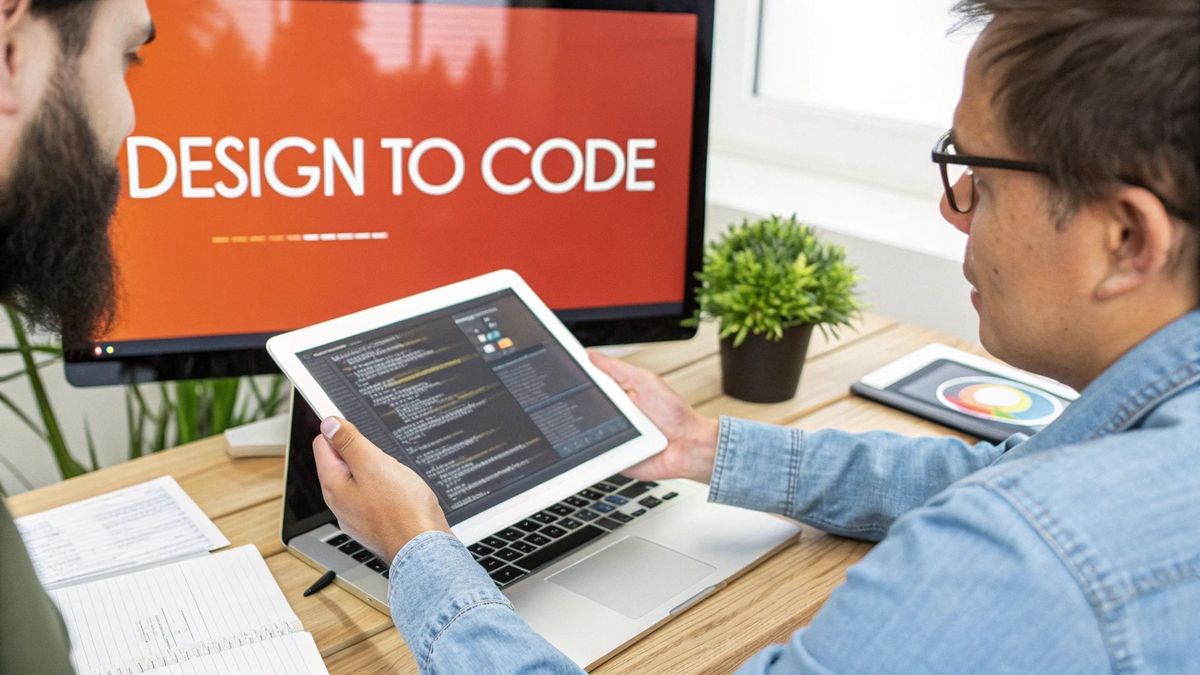
This "Dev Mode" is a game-changer. It gives developers the exact CSS, iOS, or Android values they need, translating visual design into actionable code without anyone having to manually measure pixels.
A Practical Handoff Example
Let's walk through the handoff for something moderately complex, like a user profile screen. The designer has prepped the Figma file with meticulous detail, documenting every interaction and state. (For a deep dive on this critical step, check out our guide on **the non-technical founder's ultimate guide to code handoff**.)
The developer's primary goal is to build the screen right the first time. A well-prepared handoff makes this possible by providing a complete, unambiguous package of assets and specifications.
The developer gets a link to the Figma file. Here’s what they see and do, instantly:
- Component Specs: They click on the user's avatar and immediately see its dimensions (80x80 pixels), border radius, and shadow properties. No questions asked.
- Interaction States: They toggle the "Edit Profile" button's variants to see its hover and pressed states, so they know exactly how to code the interaction.
- Asset Export: Every icon is already marked for export as an SVG, ready to be pulled directly into the React Native project.
This level of clarity means the developer spends their time building features, not chasing down missing hex codes or asking for clarification on spacing. It's an efficient workflow born from a toolchain and process designed for how modern teams actually build products.
How To Measure The ROI Of Your Design Efforts
In the startup world, design can't just be about looking good. It has to be a direct, powerful driver of business growth. If you really want to weld Agile and design together, you have to connect every design decision to a tangible business outcome.
That means we need to move past vague praise like "it's a clean UI" and get laser-focused on the KPIs that actually matter to your bottom line.
This data-driven mindset is what justifies design work, secures budgets, and turns your app into a well-oiled machine built for financial success. It’s how you transform design from a perceived cost center into a proven revenue generator.
Key Metrics That Connect Design To Growth
Instead of getting lost in vanity metrics like screen views, the most successful product teams track KPIs that reflect real user behavior and the financial health of the business. These metrics give you a clear, honest signal about whether your design changes are actually working.
Here are three of the most critical metrics to watch:
- Activation Rate: How good is your onboarding at getting a new user to their "aha!" moment? A thoughtfully designed flow that demonstrates value fast can dramatically boost the percentage of signups who become truly active, engaged users.
- Feature Adoption Rate: Are people actually finding and using the new features you’re shipping? If a feature has low adoption, it might be a dead giveaway that its value isn't clear or it's buried somewhere in the UI.
- User Retention Rate: Does the overall experience make users want to come back, day after day? High retention is the ultimate stamp of approval that your product solves a real problem in an enjoyable way.
By measuring these specific outcomes, you create a direct link between a UX improvement and its financial impact. A smoother onboarding flow (higher activation) leads to more engaged users, who are more likely to subscribe and stick around (higher retention and LTV).
A Practical Example Of Measuring ROI
Let's get concrete. Imagine your startup's subscription flow has a terrible drop-off rate. Your team cooks up a hypothesis: "By simplifying the checkout from three screens to a single, more intuitive screen, we can increase our conversion rate."
To make sure your design work delivers real business value, it's critical to not only integrate design effectively but also to focus on quantifying the value of user research as a core part of measuring ROI.
The design and development team knocks this change out in a single sprint. Both before and after the release, they keep a close eye on a couple of key metrics:
- Conversion Rate: The percentage of users who start the checkout and successfully subscribe.
- Monthly Recurring Revenue (MRR): The direct financial outcome of getting more successful subscriptions over the line.
Let's say the new design bumps the conversion rate from 2% to 3.5%. Now, the team can calculate the exact dollar amount of the lift in MRR. This isn't a vague "improvement"—it's a hard number that proves the financial return on that specific design investment.
Common Agile And Design Pitfalls To Avoid
Mixing Agile and design is where the magic happens, but it’s not without its landmines. Even with a perfect framework on paper, teams stumble into the same few traps that kill momentum, burn cash, and ship products nobody wants.
Knowing what these traps look like is the first step to avoiding them.
One of the most common is the Design Tunnel. This is what happens when designers disappear for a sprint and come back with a pixel-perfect masterpiece that’s a total fantasy from a technical standpoint. They’ve worked in a silo, disconnected from engineering realities, and the result is a beautiful design that has to be scrapped or completely reworked.
Then there's the Feature Factory. The team gets so hooked on the rhythm of shipping that they forget why they’re building anything in the first place. Sprint after sprint, they pump out new features, but they never stop to ask if users actually need them. This leads to a bloated, confusing product that doesn’t solve a real problem.
How to Keep Your Team From Going Off The Rails
The good news is that these problems are completely avoidable. You just need to build a few simple, non-negotiable rules into your process to force collaboration and keep everyone focused on results.
Agile’s rapid adoption—now at 86% of software teams—proves it works. It drives a 75% project success rate compared to just 56% for old-school models. But that success hinges on real teamwork and a focus on quality, which are the first things to break when you fall into these traps. You can dig into more of these agile adoption statistics on Parabol.co.
Here’s how to build guardrails against the two biggest pitfalls:
- To kill the Design Tunnel: No designer works for more than a day or two without showing an engineer their work-in-progress. Mandate daily check-ins or quick weekly design demos for the whole product team. This constant, low-effort contact makes sure design and engineering are always in sync on what’s actually possible.
- To shut down the Feature Factory: Institute one simple rule: nothing gets built without a testable hypothesis. Every feature must be framed as an experiment (e.g., "We believe building X will increase Y by Z%"). This forces the team to tie every bit of work back to a real business or user outcome, so you're only ever building what truly matters.
A Few Final Questions
We get these questions all the time from founders and product managers trying to get this right. Here’s some straight talk to clear things up.
How Far Ahead Should Our Designers Be?
This is the big one. The sweet spot is one full sprint ahead of your developers. It’s often called a "sprint offset," and it's the key to a smooth process.
When your dev team kicks off a new sprint, they should have a complete set of high-fidelity, validated designs ready to go. This simple cadence eliminates engineering downtime and keeps the whole train moving forward without costly stops and starts.
Go any further ahead, and design starts to drift away from technical reality. Get any closer, and you create a bottleneck where your engineers are just sitting around waiting for work. One sprint ahead is the magic number.
What Happens if We Find a Flaw Mid-Sprint?
It’s going to happen. Agile is built for change. When a design flaw pops up after the sprint has started, the rule is communicate, don't panic. Get the team together for a quick huddle to figure out the real impact.
The goal is to protect the sprint commitment. You can't let every little thing derail the team. Small visual tweaks or copy changes can often be handled on the fly. But if a change puts the entire sprint goal at risk, it needs to be documented, prioritized, and moved into the backlog for the next sprint.
How Do We Squeeze Real Research Into a Two-Week Sprint?
You don't. Trying to cram a huge research project into a tiny sprint is a recipe for disaster. Instead, you shift to a mindset of continuous discovery.
Break down your research into smaller, consistent activities that become part of your team's rhythm:
- Quick User Chats: Aim for just a few targeted interviews each sprint.
- Weekly Prototype Tests: Get low-fidelity concepts in front of users early and often.
- Constant Data Checks: Make a habit of regularly diving into your analytics and user feedback.
This way, research isn't some massive, upfront blocker. It's a constant stream of insights that keeps the agile and design process grounded in what users actually want.
At Vermillion, we don't just talk about this stuff—we live it. We build performance-driven mobile apps for startups by making this integrated process the core of everything we do. Our model ties our success directly to your KPIs, because shipping products that actually grow revenue and retention is the only thing that matters.
Learn more about our revenue-focused approach to app development at vermillion.agency